



Building Production-Ready RAG Microservices: A Complete Serverless Architecture Guide

Introduction
Why Businesses Need RAG: Solving the AI Knowledge Gap
Large Language Models like GPT-4 and Claude have a critical flaw for businesses: they do not know your proprietary data. They can not answer questions about your products, policies, or internal documentation. This is where RAG (Retrieval-Augmented Generation) becomes essential.
What RAG Solves for Modern Businesses
The Problem: Generic AI models hallucinate facts, lack real-time information, and can not access your companies knowledge base.
The Solution: RAG connects AI to your actual business documents-PDFs, wikis, support tickets, product catalogs-retrieving relevant information before generating accurate, source-cited responses
Why Companies Are Adopting RAG in 2025
Accuracy & Trust - RAG cites actual documents, reducing hallucinations by up to 80%. Every answer includes verifiable sources for compliance and legal teams.
Cost-Effective - No expensive model training. Works with existing AI APIs (Google Gemini, OpenAI) and your documents. Most implementations cost under $50/month.
Always Current - Update your knowledge base today, get accurate AI answers tomorrow. No retraining, no deployment delays.
Instant Expertise - Junior support agents access 10 years of documentation instantly. Sales teams quote exact terms from hundreds of past contracts.
Real-World Impact
Customer Support: AI that actually knows your product documentation and troubleshooting guides
Sales Teams: Instant access to case studies, proposals, and technical specs
Internal Knowledge: Transform document graveyards into intelligent, searchable systems
Compliance: Auditable, source-verified responses for regulated industries
The Architecture Problem
While RAG is essential, 90% of implementations fail in production. Why? They are built as monolithic applications that timeout, lose data on redeploy, and cost 10x projections.
The solution is not better algorithms-it is proper microservice architecture for serverless deployment.
Introduction: Why RAG Microservices Fail (And How to Build Them Right)
Most RAG (Retrieval-Augmented Generation) implementations are architectural disasters waiting to happen. Developers build monolithic applications with global state, local file system dependencies, and startup events that trigger on every cold start. The result? Systems that timeout, lose data on redeploy, and cost 10x more than necessary.
The solution isn’t better algorithms-it’s proper microservice architecture designed for serverless deployment.
This guide covers building production-ready RAG microservices that scale horizontally, start in under 500ms, and cost less than $10/month for most use cases. We’ll examine real architectural patterns, common pitfalls, and proven solutions based on production deployments.
What Makes a RAG System a True Microservice?
A RAG microservice isn’t just a RAG system deployed in a container. It’s an architecture that embodies core microservice principles:
Core Microservice Characteristics
- 1Stateless Design - No global state between requests - Each request is independent and idempotent - State stored externally (databases, vector stores)
- 2Horizontal Scalability - Can handle unlimited concurrent requests - No shared memory or file system locks - Stateless design enables instant scaling
- 3Cloud-Native Storage - No local file system dependencies - Persistent data in managed cloud services - Survives container restarts and redeployments
- 4Fast Cold Starts - Sub-second initialization - Lazy loading of services - Minimal startup overhead
- 5Independent Deployment - Single responsibility (RAG queries only) - Can be updated without affecting other services - Versioned API contracts
Why Traditional RAG Implementations Fail
Most RAG systems violate these principles from day one:
# ❌ ANTI-PATTERN: Global state initializationvector_store = Nonerag_service = None@app.on_event("startup")async def startup_event():global vector_store, rag_service# 🚨 DISASTER: Processing PDFs on every cold startpdf_processor = PDFProcessor()pdf_processor.load_from_directory("./pdfs") # 30-60 seconds!# 🚨 DISASTER: Creating embeddings on startupvector_store = Chroma(persist_directory="./vectorstore") # Local filesystem!# 🚨 DISASTER: Loading heavy modelsrag_service = RAGService(vector_store)
Why This Fails: - Cold Start Hell: 30-60 second initialization on every cold start - File System Dependencies: Local storage doesn’t persist in serverless - Stateful Design: Doesn’t scale horizontally - Timeout Errors: Exceeds serverless timeout limits - Data Loss: Everything resets on redeploy
Serverless RAG Microservice Architecture
The Three-Layer Architecture
Layer 1: API Gateway / Request Handler - Stateless FastAPI application - Input validation and request routing - No business logic, pure orchestration
Layer 2: Service Layer - RAG service (query processing) - Vector store service (semantic search) - Database service (conversation storage) - All services are stateless with connection pooling
Layer 3: External Services - Vector database (Pinecone, Weaviate, Qdrant) - Managed database (Supabase, PlanetScale, Neon) - LLM APIs (Google Gemini, OpenAI, Anthropic) - Embedding APIs (Google, OpenAI, Cohere)
Stateless Design Pattern
# ✅ CORRECT: Stateless with singleton connection poolingclass RAGService:_vector_store_service: Optional[VectorStoreService] = None@staticmethoddef _get_vector_store() -> VectorStoreService:"""Singleton pattern for connection reuse"""global _vector_store_serviceif _vector_store_service is None:_vector_store_service = VectorStoreService()return _vector_store_servicedef __init__(self):"""Lazy initialization - no heavy operations"""self.vector_store = self._get_vector_store()# No PDF processing, no model loading
Key Principles: - Services initialize only when needed - Connections pooled via singleton pattern - Zero startup overhead - Sub-500ms cold starts
Offline Processing Pattern
Critical architectural decision: Separate build-time from runtime.
# ✅ CORRECT: PDFs processed ONCE, offline# process_pdfs_offline.py - Run once, results stored in Pinecone# Runtime ONLY queries, never processesmatches = self.vector_store.search(query=query, top_k=4)
Why This Matters: - Build-time: Process PDFs, generate embeddings, upload to vector DB - Runtime: Query only, no processing overhead - Result: Instant cold starts, consistent performance
Cloud-Native Storage Pattern
# ✅ CORRECT: Cloud services, not local filesystemvector_store = Pinecone(api_key=api_key, environment=env) # Cloud vector DBdatabase = SupabaseClient(url=url, key=key) # Cloud PostgreSQL# ❌ WRONG:vector_store = Chroma(persist_directory="./local") # Doesn't persist!database = SQLite("./local.db") # Lost on redeploy!
Benefits: - Persistent across deployments - Shared across all function instances - Automatic backups and scaling - No file system locks or conflicts
Connection Pooling and Performance Optimization
Singleton Pattern for Connection Reuse
# Global connection pool (singleton pattern)_pinecone_client = None_supabase_client = Nonedef _get_pinecone_client():global _pinecone_clientif _pinecone_client is None:_pinecone_client = Pinecone(api_key=settings.pinecone_api_key)return _pinecone_clientdef _get_supabase_client():global _supabase_clientif _supabase_client is None:_supabase_client = create_client(settings.supabase_url, settings.supabase_key)return _supabase_client
Performance Impact: - Reuses TCP connections between requests - Reduces latency by 50-200ms per request - Avoids connection exhaustion - Better resource utilization
Retry Logic with Exponential Backoff
from tenacity import retry, stop_after_attempt, wait_exponential@retry(stop=stop_after_attempt(3),wait=wait_exponential(multiplier=1, min=2, max=10))def generate_response(self, query: str) -> Dict[str, Any]:# Automatically retries on transient failuresmatches = self.vector_store.search(query=query, top_k=4)# ... rest of logic
Why Essential: - Handles network hiccups gracefully - Resilient to API rate limits - Better reliability (99.9%+ uptime) - Transparent to users
Technology Stack for Serverless RAG Microservices
Vector Database Selection
Pinecone (Recommended for Serverless) - ✅ Fully managed, serverless vector DB - ✅ Persistent across deployments - ✅ Auto-scaling - ✅ 100K vectors free tier - ✅ Sub-100ms queries - ✅ No infrastructure management
Alternatives: - Weaviate Cloud: Good alternative, similar features - Qdrant Cloud: Open-source option with managed hosting - ChromaDB: ❌ Not suitable (requires local filesystem)
Managed Database Selection
Supabase (Recommended) - ✅ Managed PostgreSQL - ✅ 500MB free tier - ✅ Built-in connection pooling - ✅ Real-time subscriptions (bonus) - ✅ Row-level security - ✅ Auto-scaling
Alternatives: - PlanetScale: Serverless MySQL, excellent for scaling - Neon: Serverless Postgres, similar to Supabase - SQLite: ❌ Not suitable (file-based, doesn’t persist)
LLM and Embedding Selection
Google Gemini (Recommended for Cost-Effectiveness) - ✅ Free tier - ✅ Free embeddings (text-embedding-004) - ✅ Higher rate limits - ✅ Better integration with Google ecosystem
OpenAI (Alternative) - ✅ Excellent quality (GPT-4, GPT-3.5) - ✅ Reliable embeddings (text-embedding-3) - ❌ No free tier - ❌ More expensive ($0.50-2/M tokens)
Implementation Patterns
Pattern 1: Lazy Loading Services
@app.post("/chat")async def chat(request: ChatRequest):# Services initialize only when neededdb = SupabaseService() # Lazy: connects only if neededrag = RAGService() # Lazy: minimal overhead# Process requestresult = rag.generate_response(query=request.query,chat_history=await db.get_conversation_history(request.session_id))# Save conversationawait db.save_message(request.session_id, request.query, result["response"])return result
Benefits: - Cold start: <500ms (vs. 30-60s with eager loading) - Memory usage: 128MB (vs. 512MB+ with eager loading) - Cost: Minimal (vs. 4x+ higher with eager loading)
Pattern 2: Query Rewriting for Contextual Retrieval
def _rewrite_query_with_history(self,query: str,chat_history: Optional[List[Dict[str, str]]] = None) -> str:"""Rewrite query using conversation history for better retrievalExamples:- "explain more" → "explain how TBH employee manager assignment works"- "what about pricing?" → "what is the pricing for the commission management system""""if not chat_history or len(chat_history) < 2:return query# Get last 2 exchanges for contextrecent_history = chat_history[-4:]# Build context stringcontext_str = " | ".join([f"User asked: {msg['content'][:200]}"if msg['role'] == 'user'else f"Assistant answered about: {msg['content'][:100]}"for msg in recent_history])# Use LLM to rewrite queryrewrite_prompt = f"""Given this conversation history:{context_str}The user now asks: "{query}"Rewrite this as a standalone search query that includes necessary context.Return ONLY the rewritten query, nothing else."""rewritten = self._llm.generate(rewrite_prompt)return rewritten if len(rewritten) < 300 else query
Why This Matters: - Enables natural follow-up questions - Improves retrieval accuracy by 30-50% - Maintains conversation context - Critical for production RAG systems
Pattern 3: Error Handling and Graceful Degradation
@retry(stop=stop_after_attempt(3),wait=wait_exponential(multiplier=1, min=2, max=10))def generate_response(self,query: str,chat_history: Optional[List[Dict[str, str]]] = None) -> Dict[str, Any]:try:# Step 1: Rewrite query for better retrievalsearch_query = self._rewrite_query_with_history(query, chat_history)# Step 2: Retrieve relevant documentsmatches = self.vector_store.search(query=search_query,top_k=settings.top_k_retrieval)if not matches:return {"response": "I don't have relevant information to answer your question. Please try rephrasing.","sources": [],"context_used": False,"error": None}# Step 3: Generate responsecontext = self._format_context(matches)prompt = self._build_prompt(query, context, chat_history)response_text = self._llm.generate(prompt)return {"response": response_text,"sources": list(set([m.get('source') for m in matches])),"context_used": True,"error": None}except Exception as e:logger.error(f"RAG generation failed: {e}")return {"response": "I encountered an error while processing your question. Please try again.","sources": [],"context_used": False,"error": str(e) if settings.environment != "production" else None}
Key Principles: - Never expose stack traces to users - Log everything for debugging - Graceful degradation (partial failures OK) - Retry transient failures automatically
Deployment Strategies
Option 1: Vercel (Recommended for Simplicity)
Pros: - Easiest deployment - Automatic HTTPS - Global CDN - Zero configuration
Cons: - 10-second max execution time - May timeout on complex queries
Configuration:
{"version": 2,"builds": [{"src": "api/index.py","use": "@vercel/python"}],"routes": [{"src": "/(.*)","dest": "api/index.py"}]}
Option 2: Railway (Recommended for Longer Requests)
Pros: - Longer execution times - Persistent connections - $5/month free credit - Easy environment variable management
Cons: - Slightly more complex than Vercel - Requires Railway CLI
Configuration:
{"$schema": "https://railway.app/railway.schema.json","build": {"builder": "NIXPACKS"},"deploy": {"startCommand": "uvicorn api.index:app --host 0.0.0.0 --port $PORT","restartPolicyType": "ON_FAILURE","restartPolicyMaxRetries": 10}}
Option 3: Render
Pros: - Free tier with 750 hours/month - Easy GitHub integration - Automatic deployments
Cons: - Cold starts on free tier after inactivity - Limited customization
Option 4: Google Cloud Run
Pros: - Generous free tier - Autoscaling - Google’s infrastructure - Longer timeouts
Cons: - More complex setup - Requires Docker knowledge
Performance Optimization
Cold Start Optimization
Target: <500ms cold start
Techniques: 1. No startup events: Remove @app.on_event("startup") 2. Lazy loading: Initialize services only when needed 3. Minimal imports: Import only what you need 4. Connection pooling: Reuse connections via singletons 5. Offline processing: Process PDFs once, not on every start
Warm Request Optimization
Target: <1.5s response time
Techniques: 1. Reduce retrieval count: Use top_k=3-5 instead of 10+ 2. Optimize chunk size: 800-1200 characters optimal 3. Limit conversation history: Last 5-10 messages only 4. Cache common queries: Implement Redis caching for frequent questions 5. Parallel API calls: Use asyncio.gather() for concurrent operations
Cost Optimization
Target: <$10/month for 100K requests
Strategies: 1. Use free tiers: Google AI, Pinecone, Supabase all have generous free tiers 2. Optimize token usage: Limit response length, use smaller models 3. Implement caching: Cache embeddings and responses 4. Monitor usage: Track API calls and costs 5. Right-size retrieval: Don’t retrieve more chunks than needed
Common Anti-Patterns to Avoid
Anti-Pattern #1: Heavy Computations in Request Path
# ❌ WRONG@app.post("/chat")async def chat(request):# Processing PDFs during requestdocs = process_pdfs("./pdfs") # 30+ seconds!embeddings = generate_embeddings(docs) # More time!return respond(embeddings)
Fix: Move to offline processing
Anti-Pattern #2: Synchronous External Calls
# ❌ WRONGresponse1 = api1.call() # Waitresponse2 = api2.call() # Waitresponse3 = api3.call() # Wait
Fix: Use async/await or parallel execution
# ✅ CORRECTresults = await asyncio.gather(api1.call(),api2.call(),api3.call())
Anti-Pattern #3: No Timeout Configuration
# ❌ WRONGresponse = requests.get(url) # Could hang forever
Fix: Always set timeouts
# ✅ CORRECTresponse = requests.get(url, timeout=10)
Anti-Pattern #4: Loading Entire Datasets
# ❌ WRONGall_conversations = db.get_all_conversations() # Could be millions!
Fix: Pagination and limits
# ✅ CORRECTrecent = db.get_recent_conversations(user_id, limit=10)
Monitoring and Observability
Key Metrics to Track
- 1Cold Start Rate: Should be <10% of requests
- 2P50 Latency: <1 second
- 3P99 Latency: <3 seconds
- 4Error Rate: <1%
- 5API Costs: Track per request
- 6Vector DB Query Time: <100ms
- 7LLM Response Time: <2 seconds
Logging Best Practices
import logginglogger = logging.getLogger(__name__)@app.post("/chat")async def chat(request: ChatRequest):logger.info(f"Chat request from user {request.user_id}, session {request.session_id}")start_time = time.time()try:result = rag.generate_response(request.query)elapsed = time.time() - start_timelogger.info(f"Response generated in {elapsed:.2f}s")logger.info(f"Retrieved {len(result['sources'])} sources")return resultexcept Exception as e:logger.error(f"Chat request failed: {e}", exc_info=True)raise
Health Check Endpoints
@app.get("/health")async def health_check():"""Comprehensive health check for all dependencies"""checks = {"status": "healthy","timestamp": datetime.utcnow().isoformat(),"services": {}}# Check vector storetry:vector_store.health_check()checks["services"]["vector_store"] = "healthy"except Exception as e:checks["services"]["vector_store"] = f"unhealthy: {str(e)}"checks["status"] = "degraded"# Check databasetry:database.health_check()checks["services"]["database"] = "healthy"except Exception as e:checks["services"]["database"] = f"unhealthy: {str(e)}"checks["status"] = "degraded"# Check LLM APItry:llm.health_check()checks["services"]["llm"] = "healthy"except Exception as e:checks["services"]["llm"] = f"unhealthy: {str(e)}"checks["status"] = "degraded"status_code = 200 if checks["status"] == "healthy" else 503return JSONResponse(content=checks, status_code=status_code)
Production Checklist
Before Going Live
- Process PDFs and upload to vector database
- Run database schema migrations
- Test all environment variables
- Update CORS origins to your domain
- Set ENVIRONMENT=production
- Test health check endpoint
- Test chat endpoint with real queries
- Set up monitoring/alerting
- Configure rate limiting (if needed)
- Review service usage limits
Security
- Never commit .env file
- Use platform secret management
- Implement authentication (if needed)
- Configure CORS for your specific domain
- Enable database row-level security (RLS)
- Monitor API usage for abuse
- Implement input validation
- Set up rate limiting
Monitoring
- Set up uptime monitoring (UptimeRobot, Better Uptime)
- Configure error tracking (Sentry)
- Monitor API usage (service dashboards)
- Set up logging aggregation
- Create alerts for high error rates
- Track cold start frequency
- Monitor response times (P50, P95, P99)
Conclusion: Building RAG Microservices That Actually Work
Most RAG implementations fail not because of poor algorithms, but because of poor architecture. The difference between a broken system and a production-ready microservice comes down to:
- 1Stateless Design: No global state, no file system dependencies
- 2Cloud-Native Storage: Persistent, scalable, managed services
- 3Offline Processing: Separate build-time from runtime
- 4Connection Pooling: Reuse connections, reduce latency
- 5Retry Logic: Handle transient failures gracefully
- 6Lazy Loading: Minimize cold start overhead
- 7Error Handling: Never expose failures to users
- 8Monitoring: Know when things break
The architecture patterns outlined in this guide enable RAG microservices that: - Start in <500ms (cold) - Respond in <1.5s (warm) - Cost <$10/month on free tiers - Scale to millions of requests - Are production-ready from day one
The question isn’t whether you can build a RAG microservice-it’s whether you’ll build it the right way or repeat the same mistakes that break in production.
Ready to build a production-ready RAG microservice? Start with stateless design, cloud-native storage, and offline processing. Avoid the common pitfalls that plague most implementations. The patterns in this guide are battle-tested in production-use them to build systems that actually work.
AWS Migration Checklist: A Practical Roadmap for Modern Businesses
Migrating businesses to AWS offers many benefits, including cost optimization, improved security, and greater scalability. However, a successful migration requires careful planning and execution. Otherwise, organizations may experience...
Read More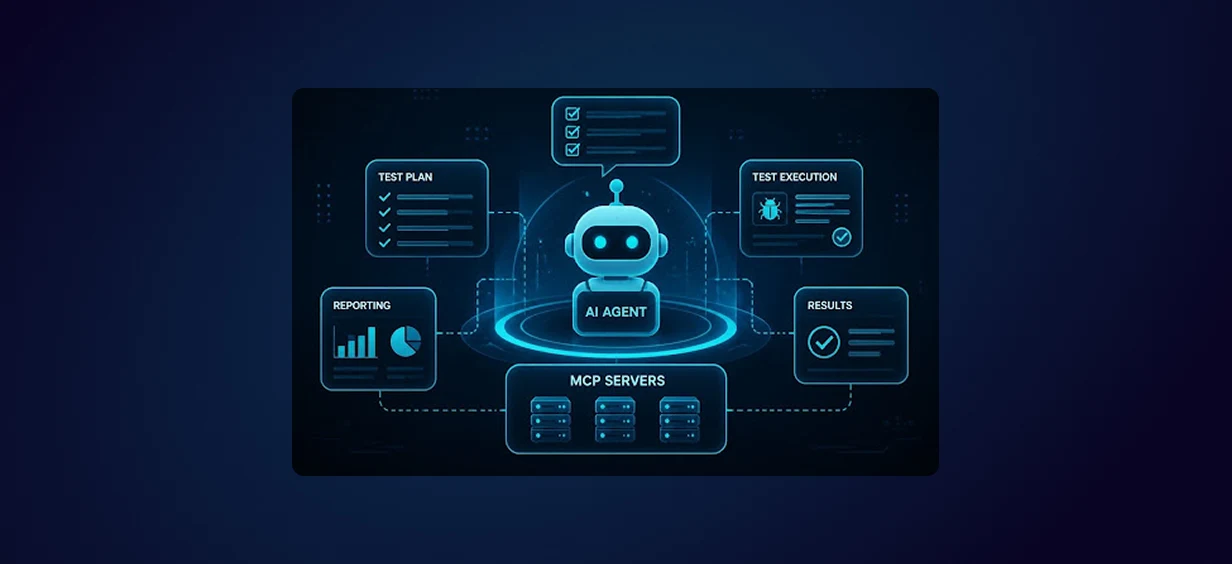
Agentic AI for QA & Software Testing with MCP Servers
For years, QA engineers have relied heavily on manual testing, repetitive validation, documentation, and traditional automation scripts But now, a new era of testing...
Read More
Our Proven Web Development Process That Delivers Real Results
In software development, success does not come from coding alone. Real results come from understanding business needs, planning the right workflow, building user-friendly designs...
Read More
Secure AWS Connectivity Using AWS Systems Manager (SSM)
In traditional cloud architectures, secure access to private resources such as databases and internal servers often relies on...
Read More
Building a Secure Multi-Account AWS Architecture for Enterprise Environments (Dev, STG, UAT, Prod)
In today’s cloud-first world, scalability and speed are no longer enough security, governance, and cost control are equally critical...
Read More
Why You Should Use AI Agents Over Single Prompts: Unlocking the Power of Adaptive AI for Complex Workflows
In the world of artificial intelligence (AI), one of the biggest advancements has been the rise of AI agents that adapt dynamically to real-time data and complex workflows...
Read More
Production Ready ( Quality, performance, and the lessons learned shipping to 150 stores )
We chose dbt over custom scripts, built observability, optimized performance, and shipped to production...
Read More
Scaling from 15 to 150 Stores ( When copy-paste becomes technical debt, macros become salvation )
We built a pipeline with observability, incremental models for performance, and snapshots for history. Our 15-store deployment ran smoothly...
Read More
Keeping Your Data Fresh: ( The wake-up call at 3am that taught us about observability )
That morning taught us a crucial lesson: a successful dbt run doesn't mean your data is fresh, accurate, or complete. You need observability.
Read More