


Unleash: Integrating Feature Flags in React Applications

Introduction
Feature flags are a powerful asset in software development, allowing you to toggle features on or off without deploying new code. This flexibility serves various purposes, including:
- A/B Testing: Run A/B tests on new features to gauge user reactions before a full rollout.
- Incremental Rollouts: Gradually introduce new features to a subset of users before expanding availability.
- Environment-Specific Controls: Manage feature access across different environments like development, staging, and production.
The Unleash SDK for React streamlines the process of incorporating feature flags into your React applications with the following benefits:
- Simple Declarative Syntax: Define feature flags using a straightforward, declarative approach.
- Optimized Rendering: Enhance performance by deferring rendering until feature flags are fetched.
- Class and Functional Component Compatibility: Support for both class-based and functional components.
Installation
1. Setting up a self-hosted Unleash server: The easiest way to run Unleash locally is by using Git and Docker.
1git clone git@github.com:Unleash/unleash.git23cd unleash45docker compose up -d };
2. Accessing the Unleash GUI: Once Docker is up and running, navigate to http://localhost:4242/. You’ll see a login screen.
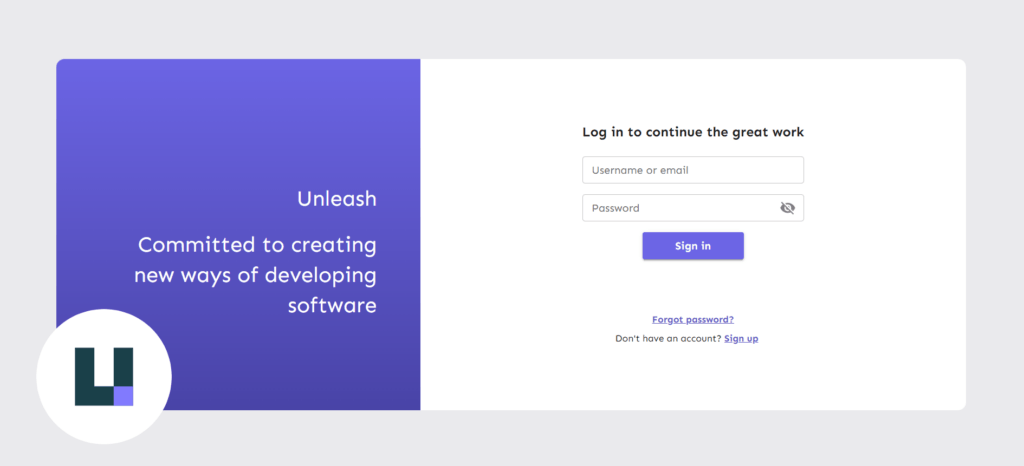
Use the following credentials to login:
1username: admin2password: unleash4all };
Creating an API access token
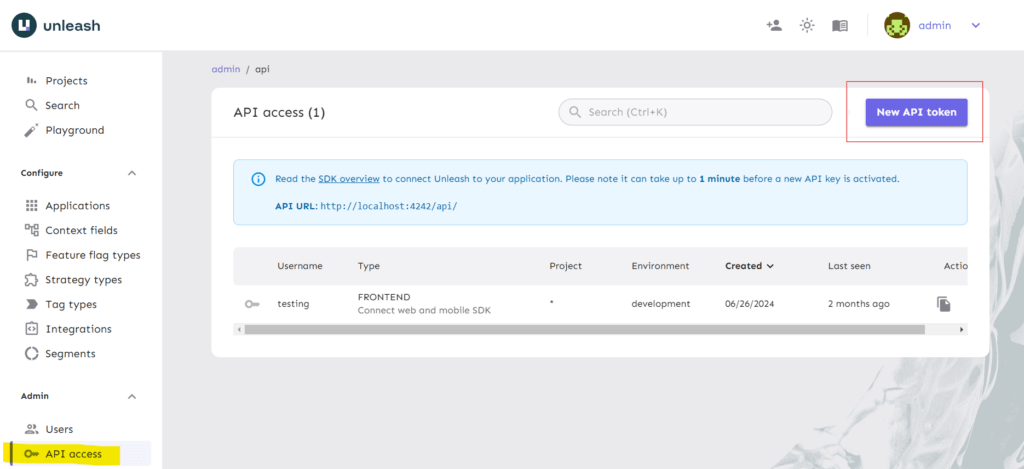
Go to the “API Access” tab in the side navigation and click “New API Token.”
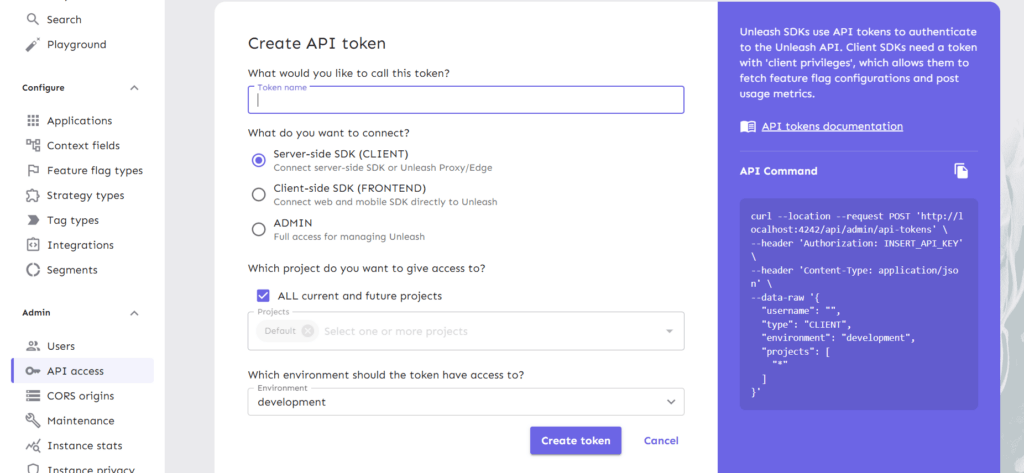
Provide a name for the token and choose the SDK type. Since this blog focuses on React, select the Client-side SDK. After choosing the environment, click “Create Token.” Be sure to save the token for future reference.
Unleash React SDK
With your token created, you’re set to integrate Unleash into your React application. Start by installing and configuring the client-side SDK to align with your server’s setup.
Installing package
Use either of the commands (as per your environment) to install the sdk.
1npm install @unleash/proxy-client-react unleash-proxy-client23# or45yarn add @unleash/proxy-client-react unleash-proxy-client };
Configuration
Now import the sdk, configure and wrap your <App/> as following (typically in index.js/ts):
1import { createRoot } from 'react-dom/client';23import { FlagProvider } from '@unleash/proxy-client-react';45const config = {67 url: '<unleash-url>/api/frontend',89 clientKey: '<your-token>',1011 refreshInterval: 15,1213 appName: 'your-app-name',1415};1617const root = createRoot(document.getElementById('root'));1819root.render(2021 <React.StrictMode>2223 <FlagProvider config={config}>2425 <App />2627 </FlagProvider>2829 </React.StrictMode>3031); };
Replace <unleash-url> with Unleash server url, in our case it’s http://localhost:4242 . Replace <your-token> with the token that we created in step 2 of installation. Replace your-app-name with your App’s name (it will be only used to identify your application).
Creating Feature-flag
On the dashboard (in projects tab) click on the default project. You’ll see a window like:
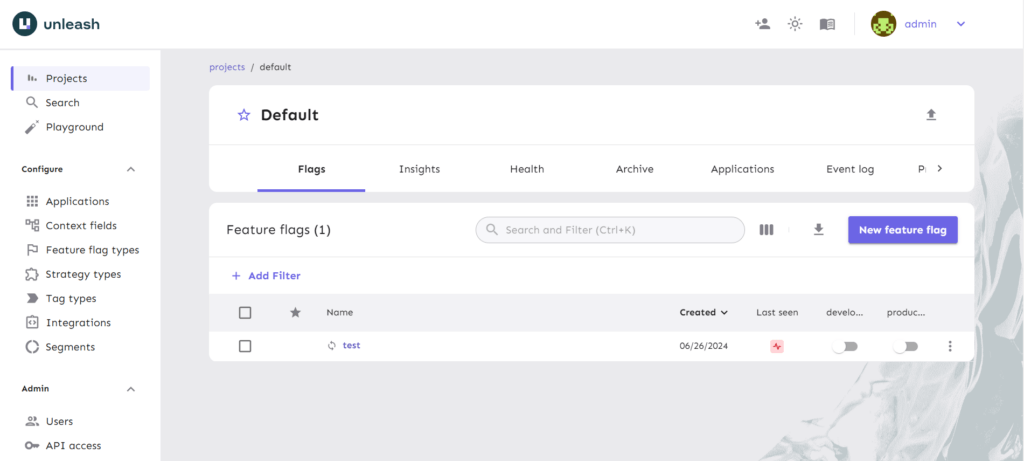
P.s. You might not see the “test” flag as I created it earlier.
Click on the “New feature flag” button. You will see a window like this:
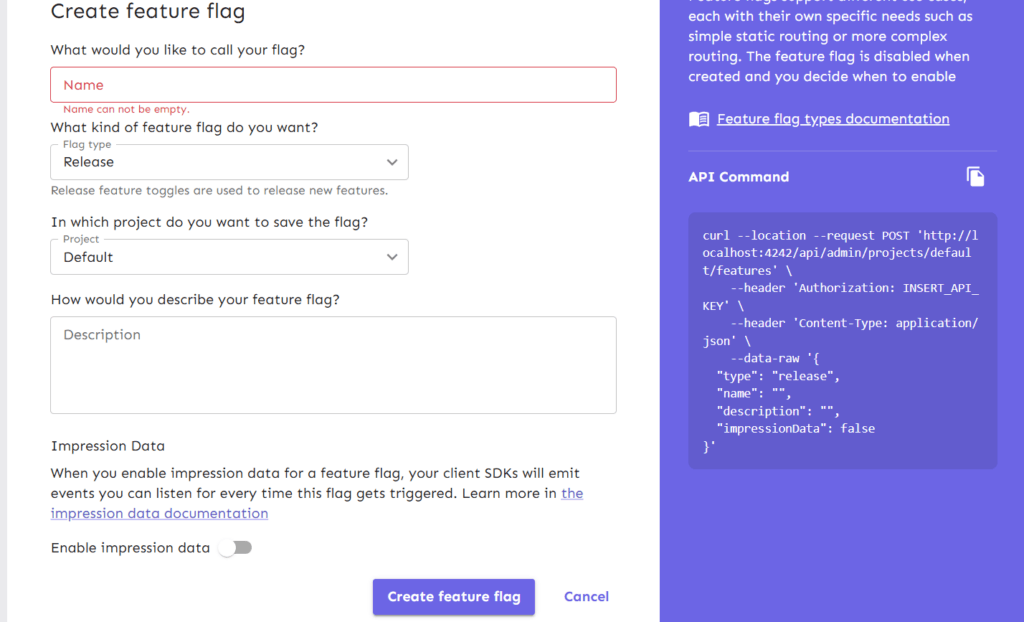
Name your token, let the flag type and project remain the same. Toggle-on “Enable Impression data” and click on “Create feature flag”.
Congratulations! You have created your first feature flag. Now use it in your application.
Consuming feature flag
Head to your component/feature which you want to bind with the feature flag. And bind it as following:
1import { useFlag } from '@unleash/proxy-client-react';23const TestComponent = () => {45 const enabled = useFlag('travel.landing');67 if (enabled) {89 return <SomeComponent />;1011 }1213 return <AnotherComponent />;1415};1617export default TestComponent; };
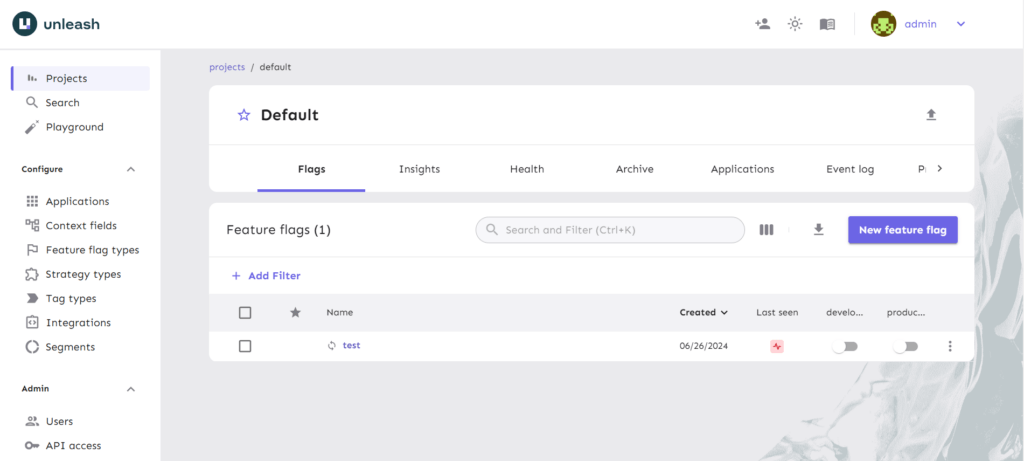
Now your Test component is bound with the feature flag. You can toggle your flag from the Unleash GUI (click the toggle button under development/production) and see the difference in your frontend:
Conclusion
Integrating feature flags into your React applications with the Unleash SDK provides significant benefits, including enhanced user experience through A/B testing and reduced risk with incremental rollouts. By utilizing feature flags, you can make your development process more adaptable and responsive to user feedback, allowing for real-time feature adjustments without the need for frequent redeployments. Unleash’s powerful integration features make it an essential tool for development teams aiming to implement feature flags smoothly and efficiently.

AWS Security Best Practices Every Business Should Follow
As more organizations migrate their applications and critical workloads to AWS, securing cloud environments has become a business priority rather than just an IT responsibility...
Read More
AWS Migration Checklist: A Practical Roadmap for Modern Businesses
Migrating businesses to AWS offers many benefits, including cost optimization, improved security, and greater scalability. However, a successful migration requires careful planning and execution. Otherwise, organizations may experience...
Read More
Agentic AI for QA & Software Testing with MCP Servers
For years, QA engineers have relied heavily on manual testing, repetitive validation, documentation, and traditional automation scripts But now, a new era of testing...
Read More
Our Proven Web Development Process That Delivers Real Results
In software development, success does not come from coding alone. Real results come from understanding business needs, planning the right workflow, building user-friendly designs...
Read More_16_11zon.webp&w=3840&q=100)
Secure AWS Connectivity Using AWS Systems Manager (SSM)
In traditional cloud architectures, secure access to private resources such as databases and internal servers often relies on...
Read More
Building a Secure Multi-Account AWS Architecture for Enterprise Environments (Dev, STG, UAT, Prod)
In today’s cloud-first world, scalability and speed are no longer enough security, governance, and cost control are equally critical...
Read More
Why You Should Use AI Agents Over Single Prompts: Unlocking the Power of Adaptive AI for Complex Workflows
In the world of artificial intelligence (AI), one of the biggest advancements has been the rise of AI agents that adapt dynamically to real-time data and complex workflows...
Read More_13_11zon.webp&w=3840&q=100)
Production Ready ( Quality, performance, and the lessons learned shipping to 150 stores )
We chose dbt over custom scripts, built observability, optimized performance, and shipped to production...
Read More_12_11zon.webp&w=3840&q=100)
Scaling from 15 to 150 Stores ( When copy-paste becomes technical debt, macros become salvation )
We built a pipeline with observability, incremental models for performance, and snapshots for history. Our 15-store deployment ran smoothly...
Read MoreReady to Work With Us?
Most engagements start with a 20-minute conversation. No pitch, no pressure - just an honest discussion about what you're building and whether we're the right fit.