


Your Complete Guide to Google’s Gemini 1.5 Flash in Python

Introduction
Generative AI is reshaping industries, powering tools that produce human-like text, images, and even code. Google, a pioneer in AI innovation, has taken a significant leap forward with the Gemini 1.5 Flash model—a game-changer in generative AI that offers both speed and precision. Whether you’re a developer, data scientist, or AI enthusiast, this guide will help you get started with Google’s Gemini 1.5 Flash model.
What is Gemini 1.5 Flash?
Gemini 1.5 Flash is a state-of-the-art model in Google’s Generative AI lineup. Designed for efficiency and scalability, it excels in generating text, summarizing content, translating languages, and performing various other natural language processing (NLP) tasks. What sets Gemini 1.5 apart is its capability to deliver rapid results without compromising on quality, making it a perfect fit for real-time applications.
Key Features of Gemini 1.5 Flash
- 1High-Speed Performance: The “Flash” in its name isn’t just for show. Gemini 1.5 is optimized for lightning-fast responses, enabling it to handle real-time applications like chatbots and live content moderation.
- 2Improved Accuracy: With a refined architecture, Gemini 1.5 Flash offers higher precision in tasks such as language translation, sentiment analysis, and content summarization.
- 3Ease of Integration: Built to work seamlessly with Google’s AI ecosystem, Gemini 1.5 can be integrated into existing workflows, whether through APIs or Google’s Python-based generative AI library.
Why Choose Gemini 1.5 Flash?
commerce has increased the demand for models that can deliver both speed and accuracy. Gemini 1.5 Flash stands out by addressing these needs. It’s particularly useful for:
- Customer Support Automation: Deploy it in chatbots to provide instant, accurate responses.
- Content Generation: Use it to create high-quality articles, blogs, and social media posts.
Steps to Integrate Gemini 1.5 Flash model in Python Project
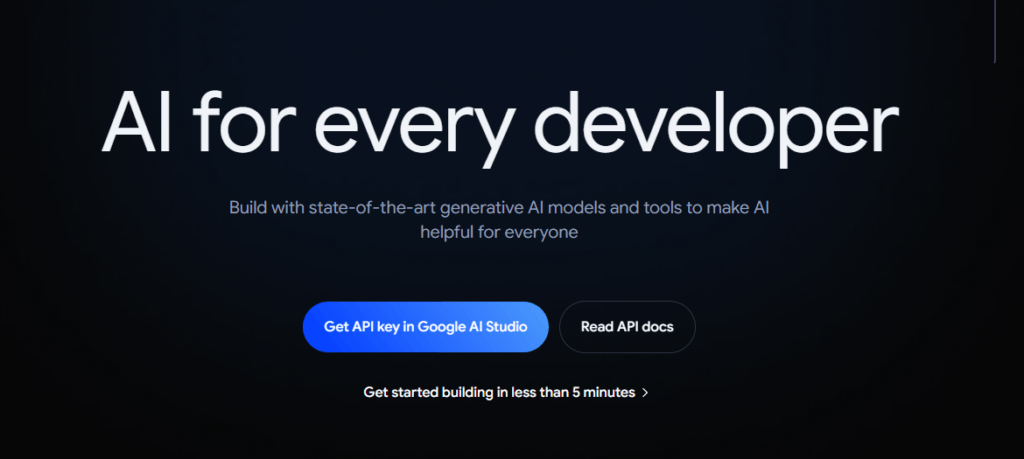
1. Visit the ai.google.dev. Click on Get API Key in Google AI Studio.
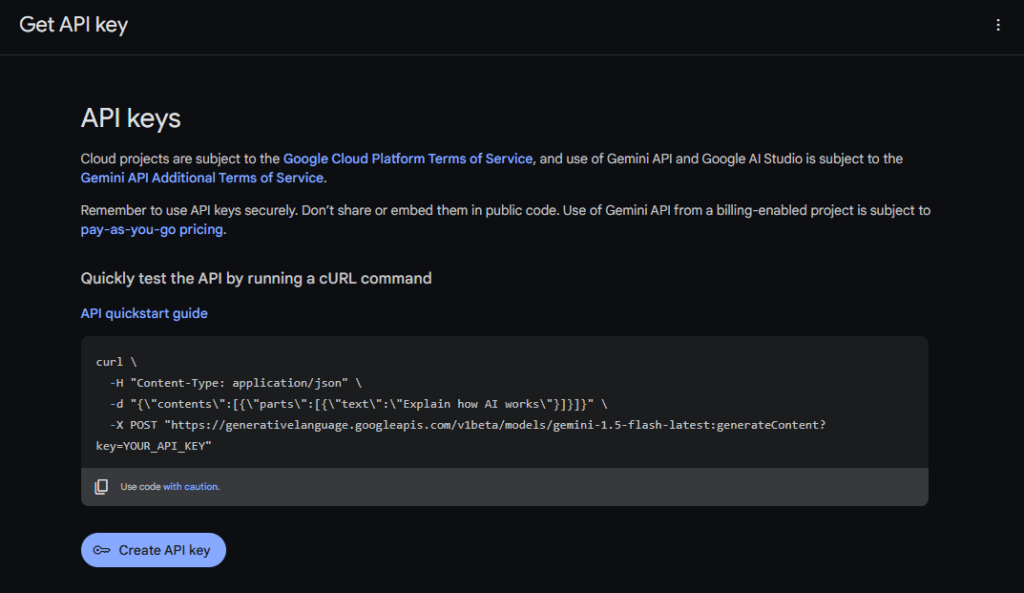
2. Click on Create API Key. It will generate an API Key to use Google Gemini 1.5 Flash Model.
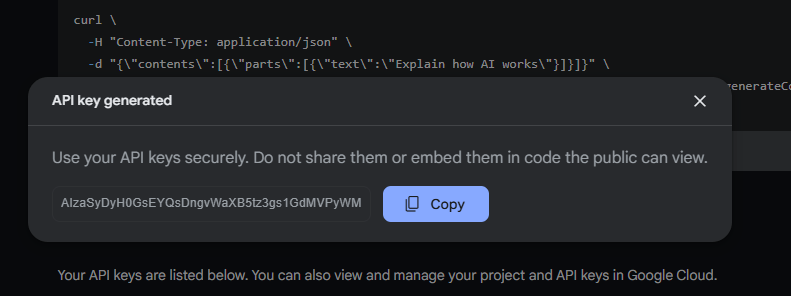
3. Setup your .env file with Enviornment variable for API key.

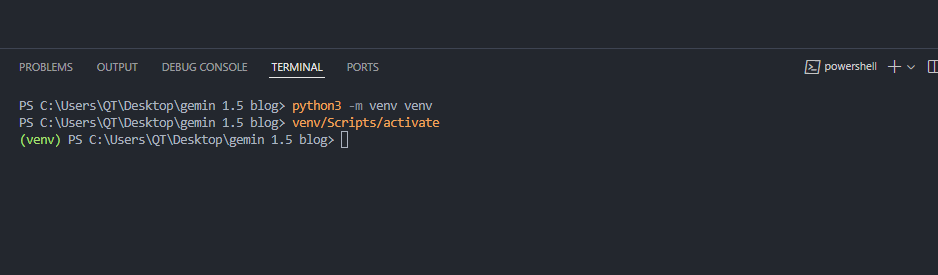
4. Create and Activate python virtual environment.
First command is use to create a virtual environment for python.
Second command is used to activate the virtual environment.
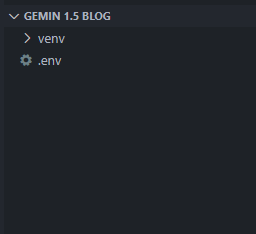
After running first command you will see the folder named venv in your current directory.
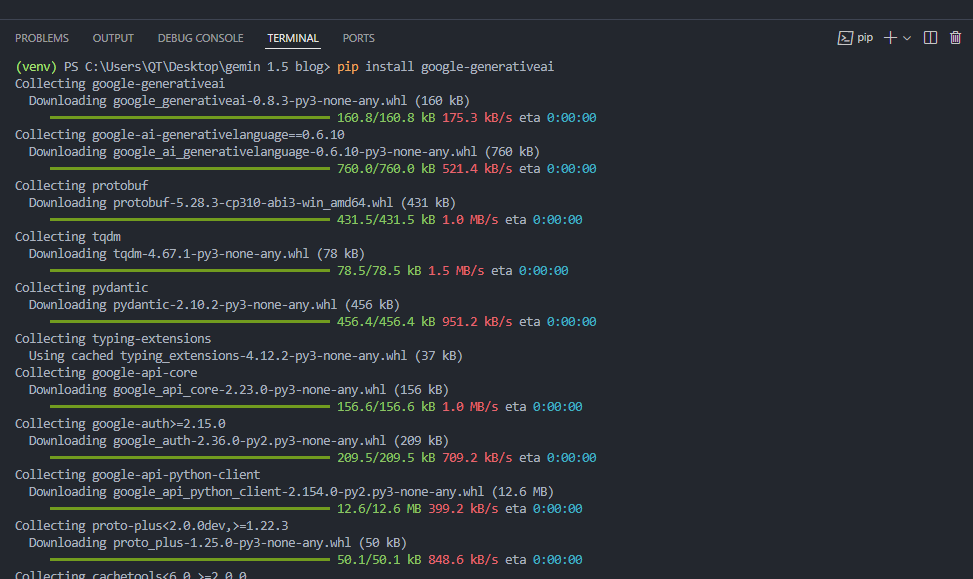
5. Download the Google Generative AI library to use Gemini 1.5 Flash model.
6. Download the python-dotenv library to access API Key from .env file.

7. Next create a python script to use Gemini 1.5 Flash model.
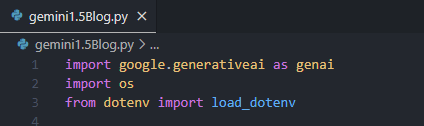
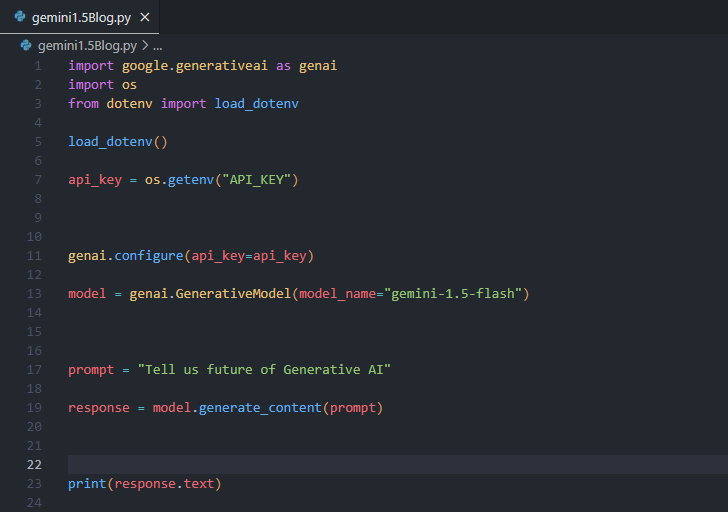
- Imports: google.generativeai to access Gemini 1.5 Flash model.
- load_dotenv to load .env file in our environment.
- os to access our environment variable
- Load your Api Key from .env file.
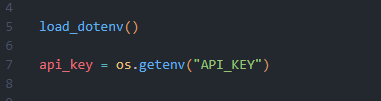
- Authenticate your Api key and select Gemini 1.5 Flash model.

- Create a prompt and use Gemini 1.5 flash model to respond to prompt.
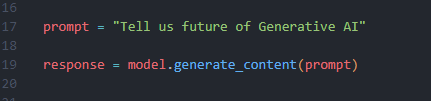
- The whole python script.
Now run the code and Gemini 1.5 Flash model will give reply to your prompt.
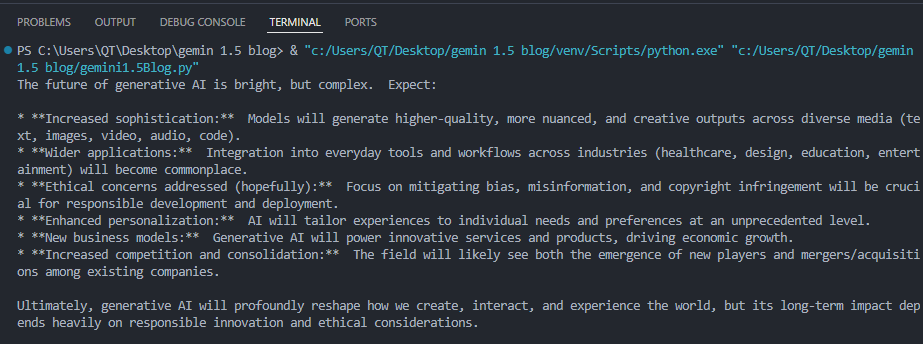
Congratulation you have successfully used Gemini 1.5 Flash model in your python project.
AWS Security Best Practices Every Business Should Follow
As more organizations migrate their applications and critical workloads to AWS, securing cloud environments has become a business priority rather than just an IT responsibility...
Read More
AWS Migration Checklist: A Practical Roadmap for Modern Businesses
Migrating businesses to AWS offers many benefits, including cost optimization, improved security, and greater scalability. However, a successful migration requires careful planning and execution. Otherwise, organizations may experience...
Read More
Agentic AI for QA & Software Testing with MCP Servers
For years, QA engineers have relied heavily on manual testing, repetitive validation, documentation, and traditional automation scripts But now, a new era of testing...
Read More
Our Proven Web Development Process That Delivers Real Results
In software development, success does not come from coding alone. Real results come from understanding business needs, planning the right workflow, building user-friendly designs...
Read More_16_11zon.webp&w=3840&q=100)
Secure AWS Connectivity Using AWS Systems Manager (SSM)
In traditional cloud architectures, secure access to private resources such as databases and internal servers often relies on...
Read More
Building a Secure Multi-Account AWS Architecture for Enterprise Environments (Dev, STG, UAT, Prod)
In today’s cloud-first world, scalability and speed are no longer enough security, governance, and cost control are equally critical...
Read More
Why You Should Use AI Agents Over Single Prompts: Unlocking the Power of Adaptive AI for Complex Workflows
In the world of artificial intelligence (AI), one of the biggest advancements has been the rise of AI agents that adapt dynamically to real-time data and complex workflows...
Read More_13_11zon.webp&w=3840&q=100)
Production Ready ( Quality, performance, and the lessons learned shipping to 150 stores )
We chose dbt over custom scripts, built observability, optimized performance, and shipped to production...
Read More_12_11zon.webp&w=3840&q=100)
Scaling from 15 to 150 Stores ( When copy-paste becomes technical debt, macros become salvation )
We built a pipeline with observability, incremental models for performance, and snapshots for history. Our 15-store deployment ran smoothly...
Read MoreReady to Work With Us?
Most engagements start with a 20-minute conversation. No pitch, no pressure - just an honest discussion about what you're building and whether we're the right fit.