Automating Regression Testing with Selenium and Python in Visual Studio Code

Introduction
Regression testing is an essential part of any software development cycle.As your project grows time consuming and error-prone. That’s where automation comes in. In this blog, We will walk you through how we automated my web application’s regression testing using Selenium with Python, all inside Visual Studio Code.
We will also cover how we used Selenium IDE for quick script generation and how we tackled some tricky issues caused by modern UI frameworks like Material UI (MUI).
Why I Chose Selenium with Python for Automation Testing
When it comes to automation testing, there are plenty of frameworks and tools out there — Playwright, Cypress, Puppeteer, TestCafe, and of course, Selenium. After researching and testing a few of them, We decided to go with Selenium + Python for several compelling reasons. Let us walk you through why this combination was the most practical, efficient, and scalable choice for our regression testing needs.
- Python is beginner-friendly, readable, and fast to code.
- Selenium supports all major browsers and is well-documented.
- It integrates smoothly with Visual Studio Code (VS Code), my preferred IDE.
- Perfect for automating functional and regression tests on web apps.
Step 1: Installing Python
First things first, you need to have Python installed on your system. Python is the backbone of our testing scripts.
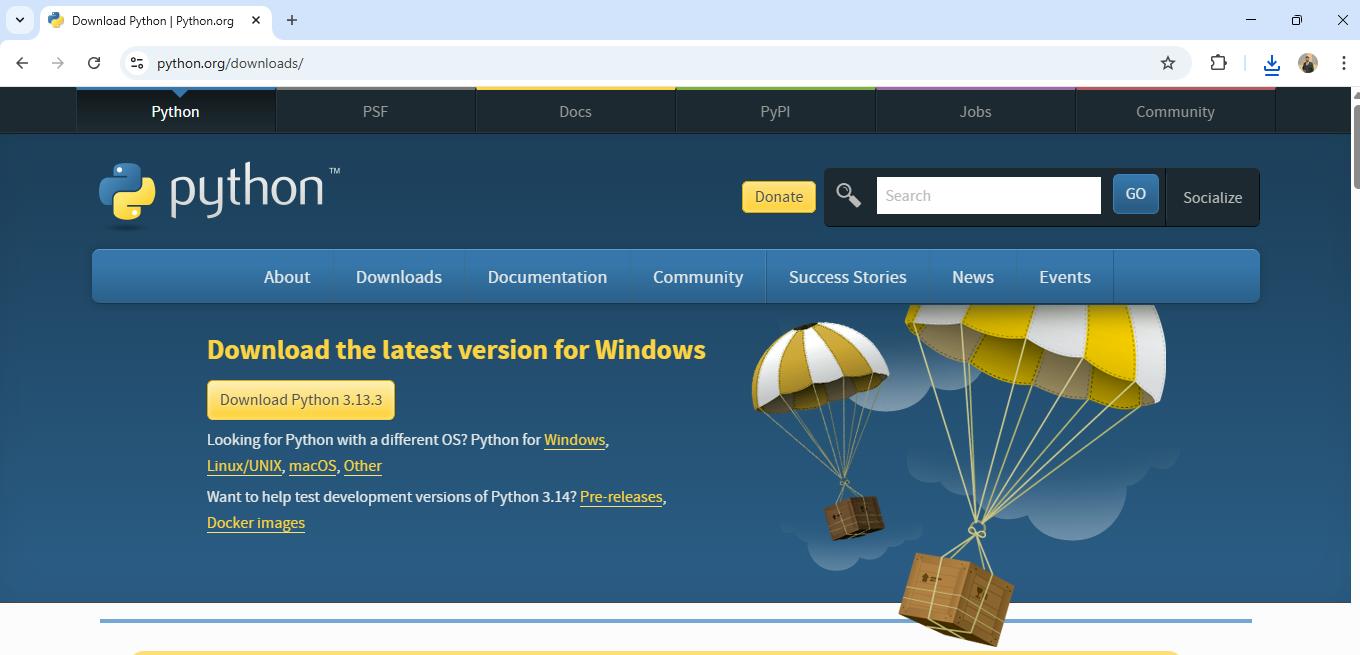
- Visit python.org and download the latest version of Python.
- Follow the installation prompts, ensuring that you check the box “Add Python to PATH” before clicking “Install Now.”
Step 2: Installing Selenium
Next, we need to install the Selenium package for Python. Selenium is the library that allows us to control web browsers through Python scripts.
- 1Open your command prompt or terminal.
- 2Run the following command to install Selenium:
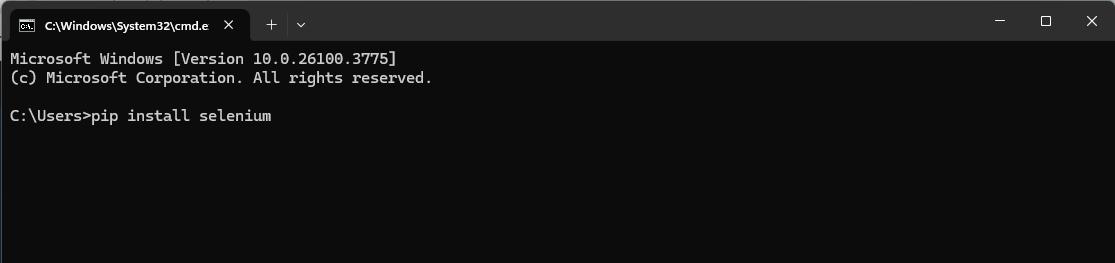
This will install the Selenium package along with all its dependencies.
Writing the Automation Script
Step 3: Setting Up Visual Studio Code
We prefer using Visual Studio Code (VS Code) as our Integrated Development Environment (IDE). It provides great support for Python and makes automation scripts easy to write and debug.
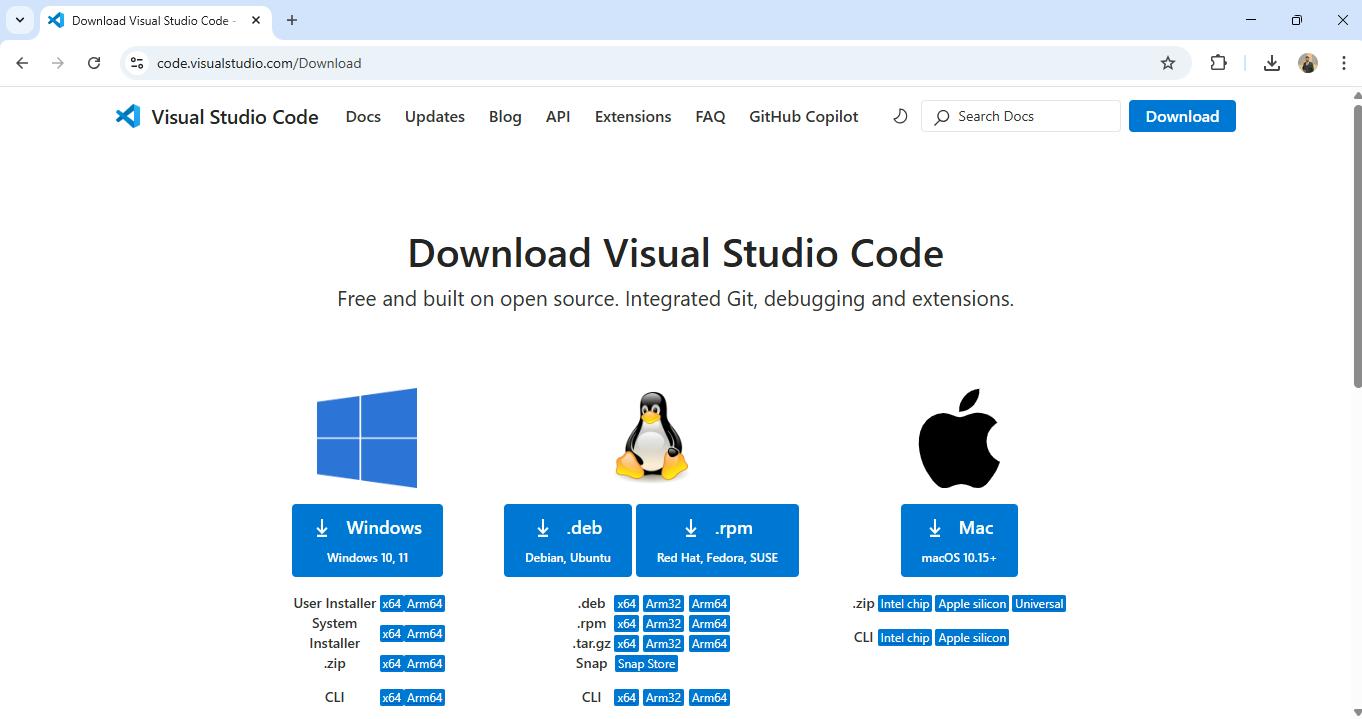
- 1Download VS Code from here.
- 2Install the Python extension in VS Code to get syntax highlighting, auto-completion, and debugging support for Python.
Step 4: Writing the First Automation Script
Now that we have our environment set up, let’s write the first automation script. The objective here is to open a browser, navigate to the login page, and perform actions like entering credentials and clicking buttons.
We’ll also guide you on how to save and run the file.
Steps to Follow:
- 1Open Visual Studio Code.
- 2Create a new file named
test_login.py (You can name it anything, but this name is simple and descriptive.)
Here’s an example script:
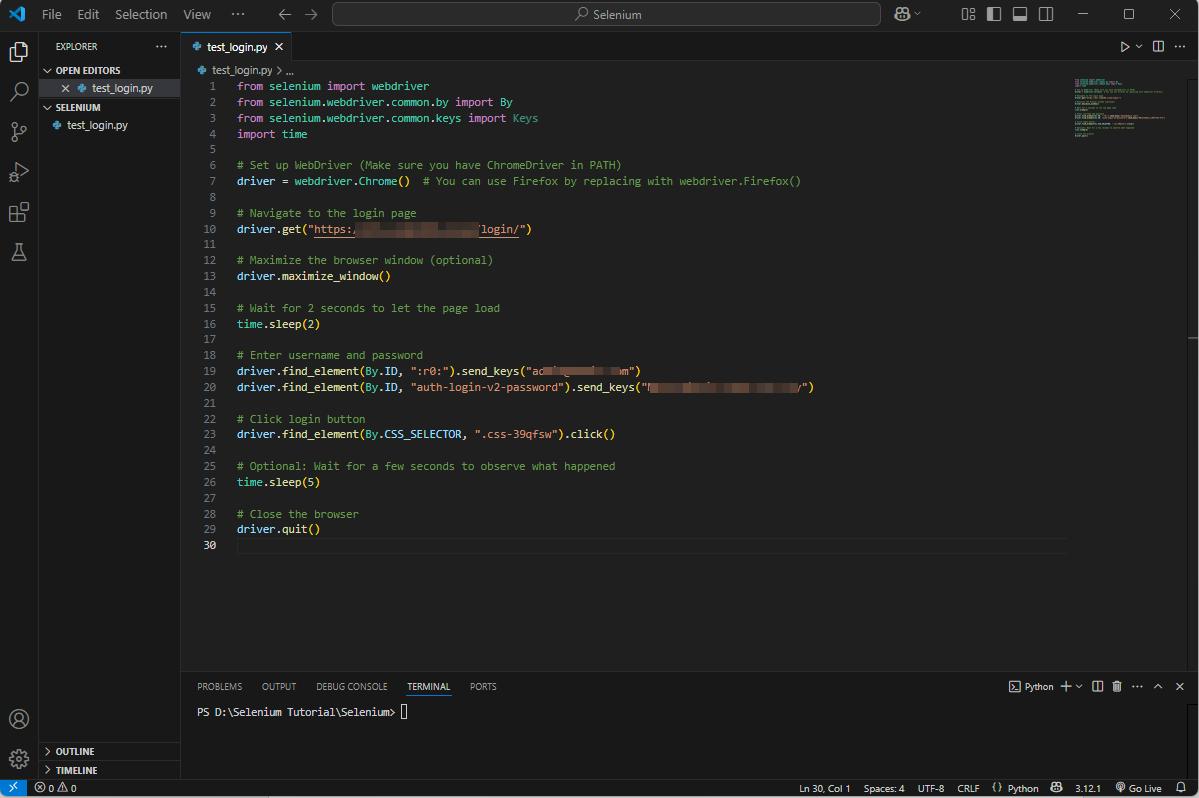
In this script:
- We first initialize the WebDriver.
- Open the web page https://test.project.com/login/.
- Locate the username and password fields by their IDs, enter credentials, and submit the form.
- Finally, we close the browser after 10 seconds.
Step 5: Automating with Selenium IDE in Firefox
While the above script was written manually, We also used Selenium IDE for quick script generation.
- 1Selenium IDE is a browser extension that records your actions in the browser and generates scripts in various languages (including Python).
- 2Unfortunately, Selenium IDE only works in Firefox (Chrome no longer supports it), so I installed the extension in Firefox.
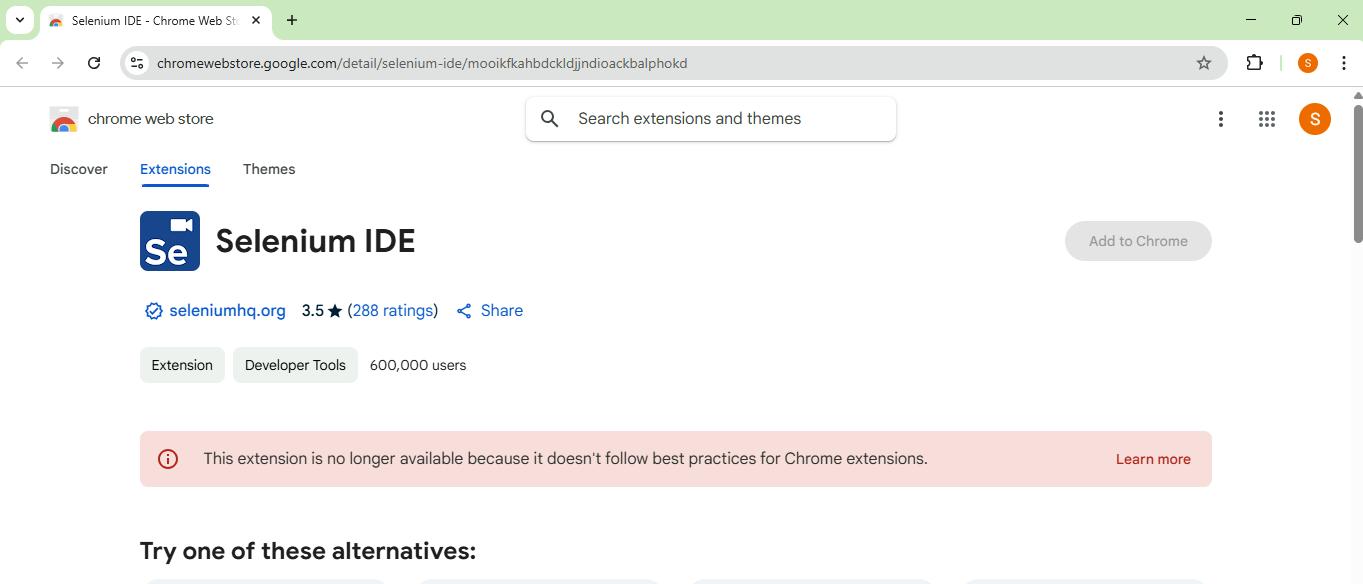
To use Selenium IDE:
- Install the Selenium IDE extension in Firefox from the Firefox Add-ons store.
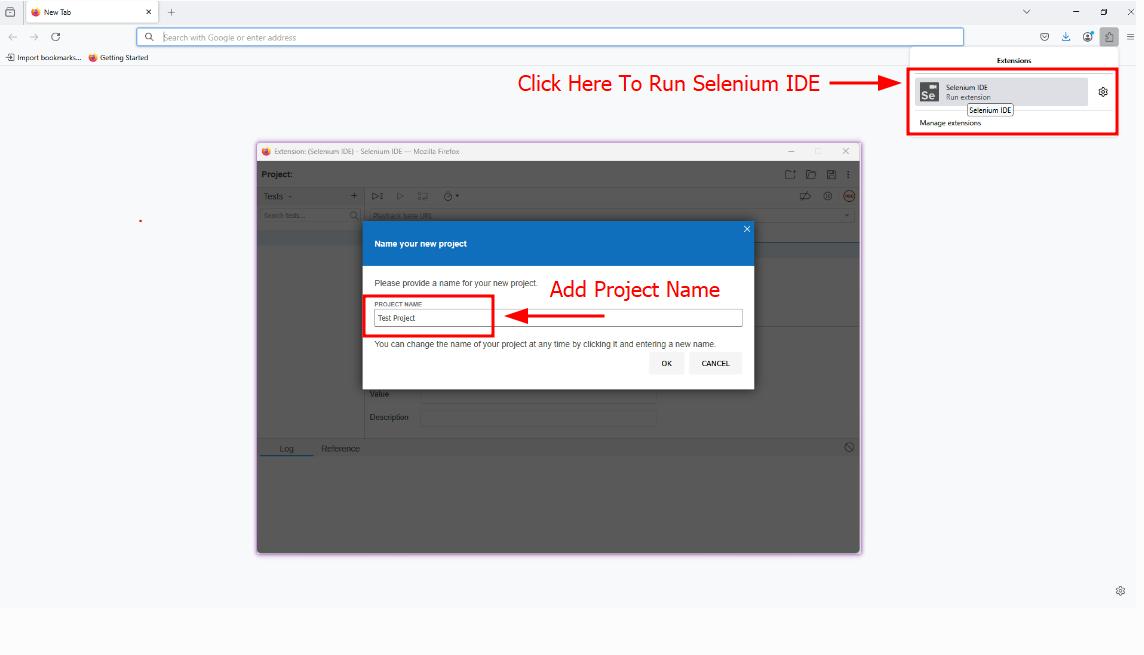
- Record your interactions on the web page (e.g., logging in, navigating, filling out forms).
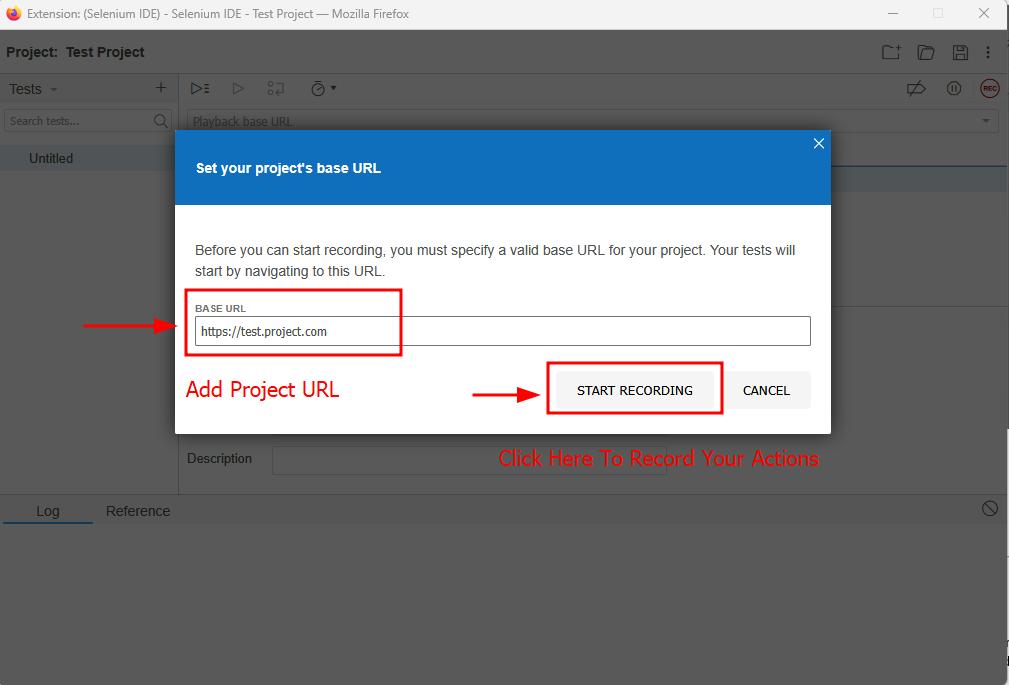
- Export the recorded script in Python format.
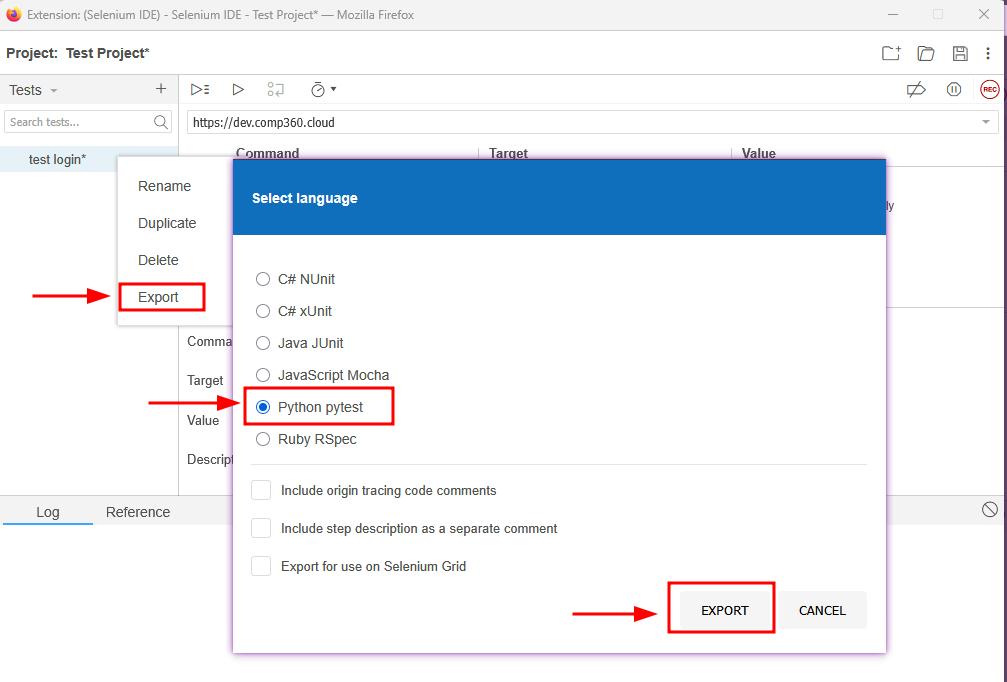
Once exported, We refined the script in VS Code, cleaning up unnecessary code and adding assertions to validate expected results.
Challenges Faced During Automation
1. UI Issues Due to Material UI (MUI)
One of the challenges we encountered while automating tests was dealing with dynamic selectors generated by Material UI (MUI). MUI, being a popular component library, generates dynamic class names and IDs, which makes it difficult to select elements consistently.
For example:
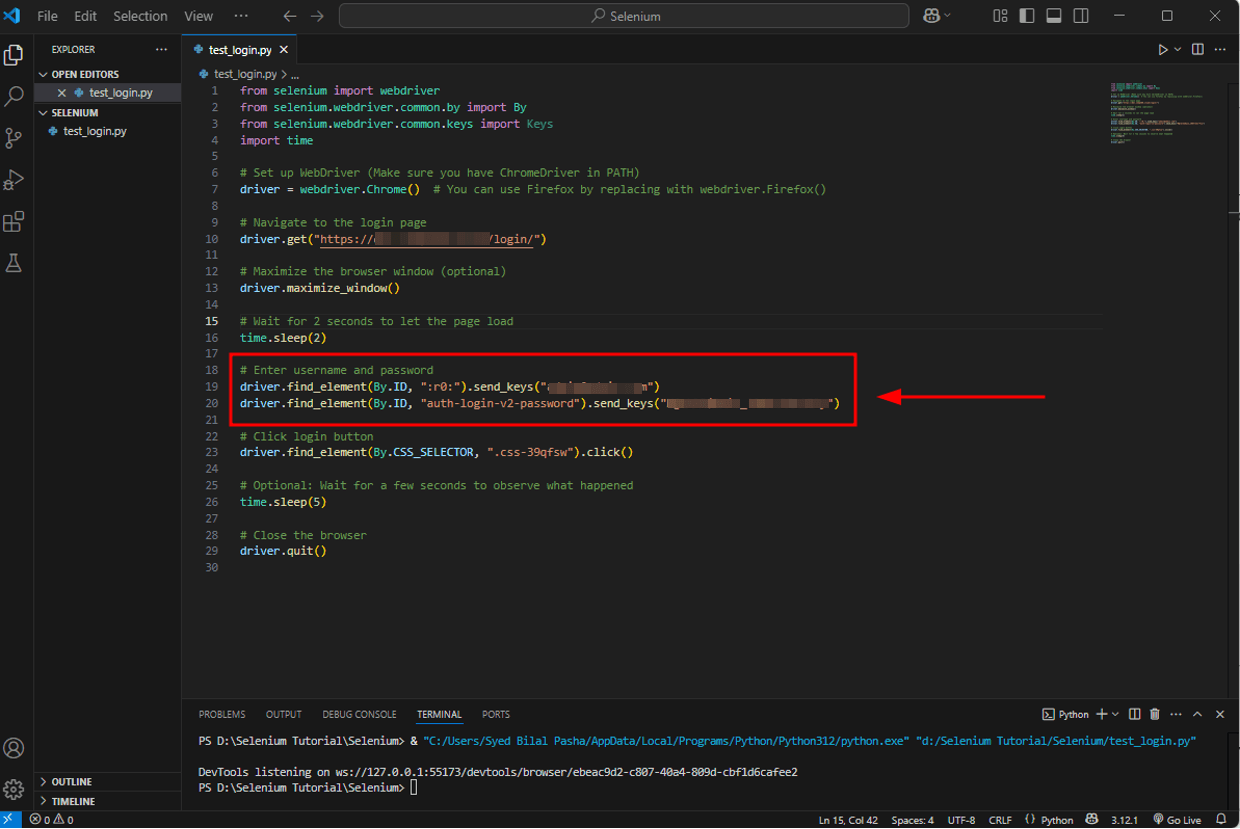
These dynamic classes made it hard to reliably select elements using traditional ID or class locators.
💡Solution: To overcome this, We switched to using XPath selectors. XPath is flexible enough to target elements based on their attributes, text, and position in the DOM.
For example:
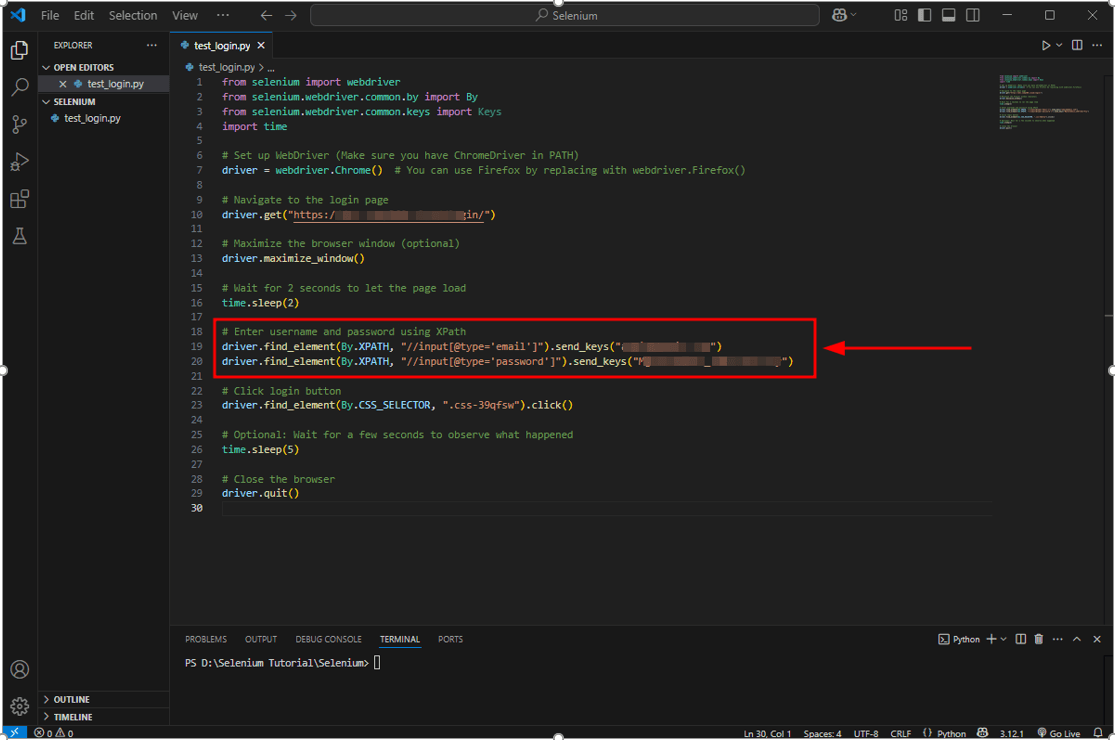
By using XPath, We could locate elements more reliably even when their class names changed.
Conclusion
By using Selenium with Python, We were able to automate the regression testing of the web application effectively. The combination of Visual Studio Code, Selenium IDE, and Python provided us with a powerful, flexible, and efficient environment to automate web tests.
While there were some challenges, particularly with dynamic selectors and Material UI (MUI), these were solved using XPath, and the rest of the testing process went smoothly.
If you are considering using Selenium + Python for your test automation, We highly recommend it. It’s beginner-friendly, well-documented, and powerful enough to handle complex web applications.
The Right Way to Migrate from MySQL to AWS Aurora DSQL
Migrating a production database is one of the highest-risk changes you can make to an application. Moving from MySQL to AWS Aurora DSQL raises the stakes further...
Read More
From Memory Nightmare to Serverless: Bundling Files into a ZIP with AWS Lambda
A straightforward 'download all these files as one ZIP' request that worked perfectly on my laptop and... fell over the first day it met real production load. Here's the debugging story, the scaling options I ruled out, and why AWS Lambda was the right answer.
Read More
Clean Code vs. Overengineering: Where Should Developers Draw the Line?
Clean code reduces unnecessary complexity; overengineering invents it. A practical guide to using context, evidence, and the cost of change to know when to stop adding abstractions...
Read More
Kafka vs RabbitMQ vs AWS EventBridge: Choosing the Right Architecture Based on Business Requirements
Compare Kafka, RabbitMQ, and AWS EventBridge based on scalability, routing, event streaming, replay, infrastructure, and business requirements to choose the right architecture...
Read More
AI Integrations for QA Engineers
Learn how QA engineers can connect AI with Jira, GitHub, Slack, Notion and other tools to improve testing, bug tracking, reporting and QA productivity...
Read More
The Ultimate Guide to Amazon SES Setup with GoDaddy DNS
Learn how to set up Amazon SES with GoDaddy DNS. Complete step-by-step guide covering Easy DKIM, SPF, DMARC, custom MAIL FROM, and exiting the SES Sandbox...
Read More
AWS DevOps Agent Setup Guide with EC2
Learn how to set up AWS DevOps Agent with EC2, CloudWatch, IAM, and Agent Spaces for AI-assisted monitoring, incident investigation, and root-cause analysis...
Read More
Multi-Tenancy Patterns in DynamoDB: Silo, Pool, and Bridge Models
If you've already made the jump from a relational database to DynamoDB see our guide on moving relational data from SQL to DynamoDB...
Read More
We stopped leaving the IDE to design. Here’s our Cursor → Figma flow
Cursor drafts fast, catches gaps early, and still clips fields and breaks layouts. Here's the real pros-and-cons breakdown of our workflow...
Read MoreReady to Work With Us?
Most engagements start with a 20-minute conversation. No pitch, no pressure - just an honest discussion about what you're building and whether we're the right fit.