
Streamlining Document Workflows with DocuSign API: A Brief Overview

Introduction
In today’s digital age, automating document workflows is essential for efficiency and user satisfaction. At Qavi Tech, we faced the challenge of needing to send both pre-existing and dynamically generated PDFs from our application to users for signing and downloading. To meet this need, we turned to the DocuSign API.
The Problem
Our application required a seamless way to send digital documents to users, ensuring they could easily sign and return them without leaving the platform. Traditional methods were cumbersome and time consuming, prompting us to look for a more integrated solution.
The Solution: DocuSign API Integration
DocuSign was the perfect fit, offering a robust API to automate document sending and signing. However, the integration process was far from straightforward. From handling OAuth 2.0 authentication to implementing JWT tokens, the process introduced several challenges. Debugging issues like invalid grant errors and troubleshooting authorization problems tested our persistence.
Despite the hurdles, successfully integrating the DocuSign API proved rewarding. It underscored the importance of thoroughly understanding documentation, especially when dealing with complex authentication flows like OAuth. The experience not only improved our application’s functionality but also broadened my understanding of API integrations.
Getting started with docu-Sign API Integration
1. First step is to visit app-d.docusign.com and create a developer account
2. Move over to Apps and Keys from top right corner and setup an integration and RSA key pairs
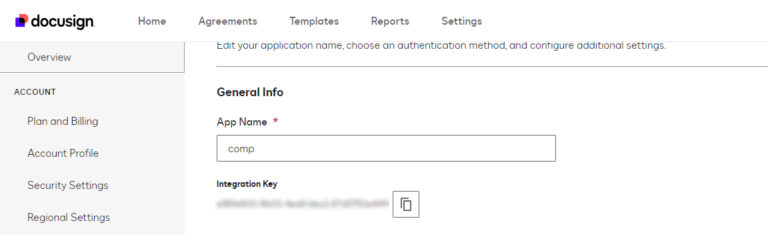
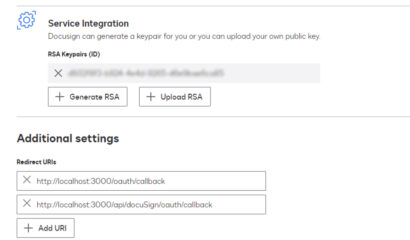
3. After this, Setup your .env file and set all the environment variables
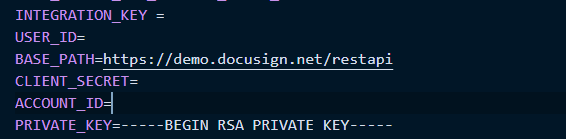
Now comes the tricky part, you have to setup your app to first get one time consent and then call for JWT token every time you have to make a request
4. Now, let us setup an express server for our node project
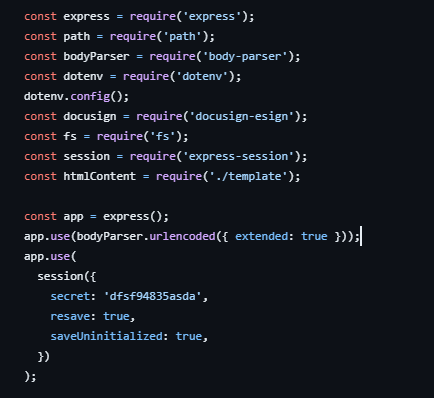
5. Next step is to create a consent URL and get redirected with token.

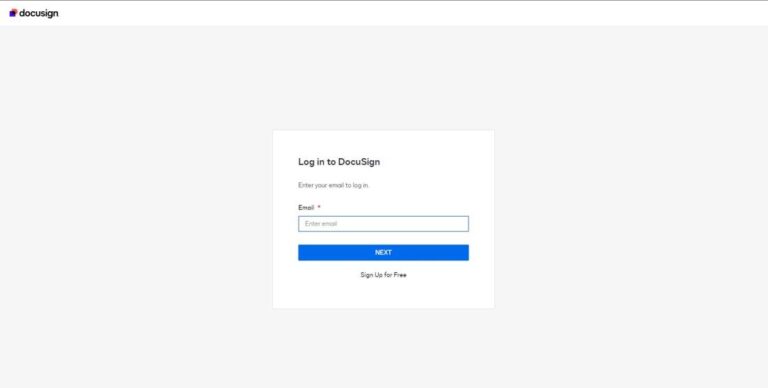
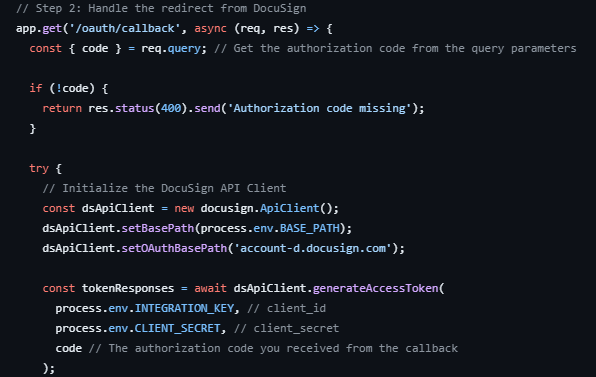
6. Now, lets handle the redirect URL logic
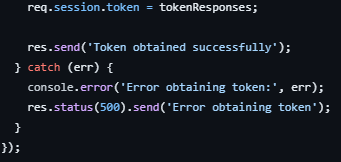
7. Set the token to your session to use it in other Api calls.
8. Now, lets try sending an envelope with html document for signing.
Setup a path and initialize the Api Client
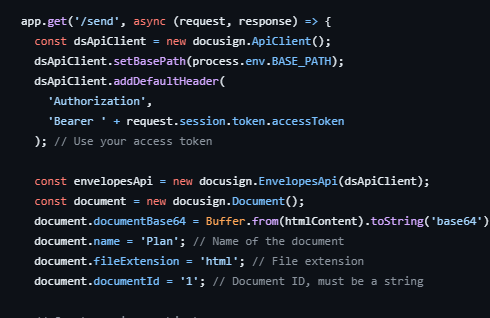
9. Now, let setup our signer and send the envelope
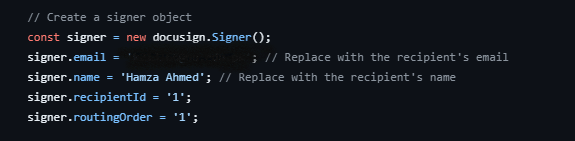
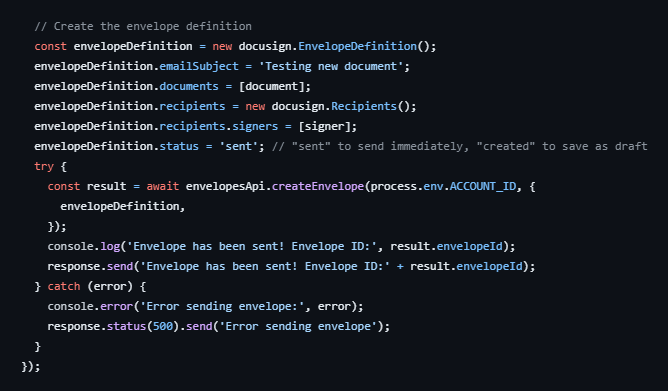
10. We can view the sent envelope in our gmail.
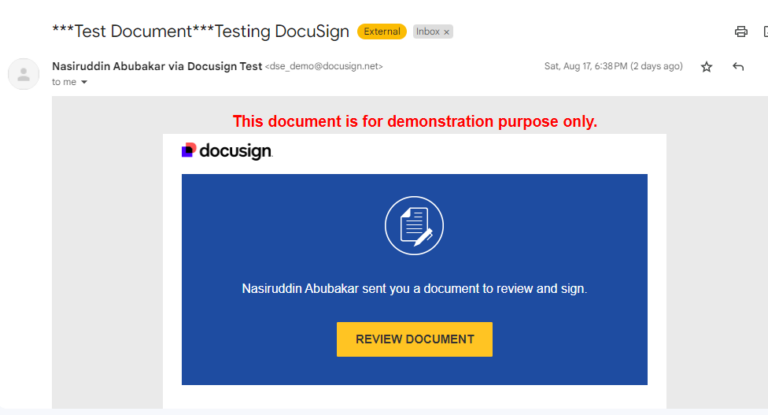
11. Open the envelope to see your document
12. Your document is now complete.
The Right Way to Migrate from MySQL to AWS Aurora DSQL
Migrating a production database is one of the highest-risk changes you can make to an application. Moving from MySQL to AWS Aurora DSQL raises the stakes further...
Read More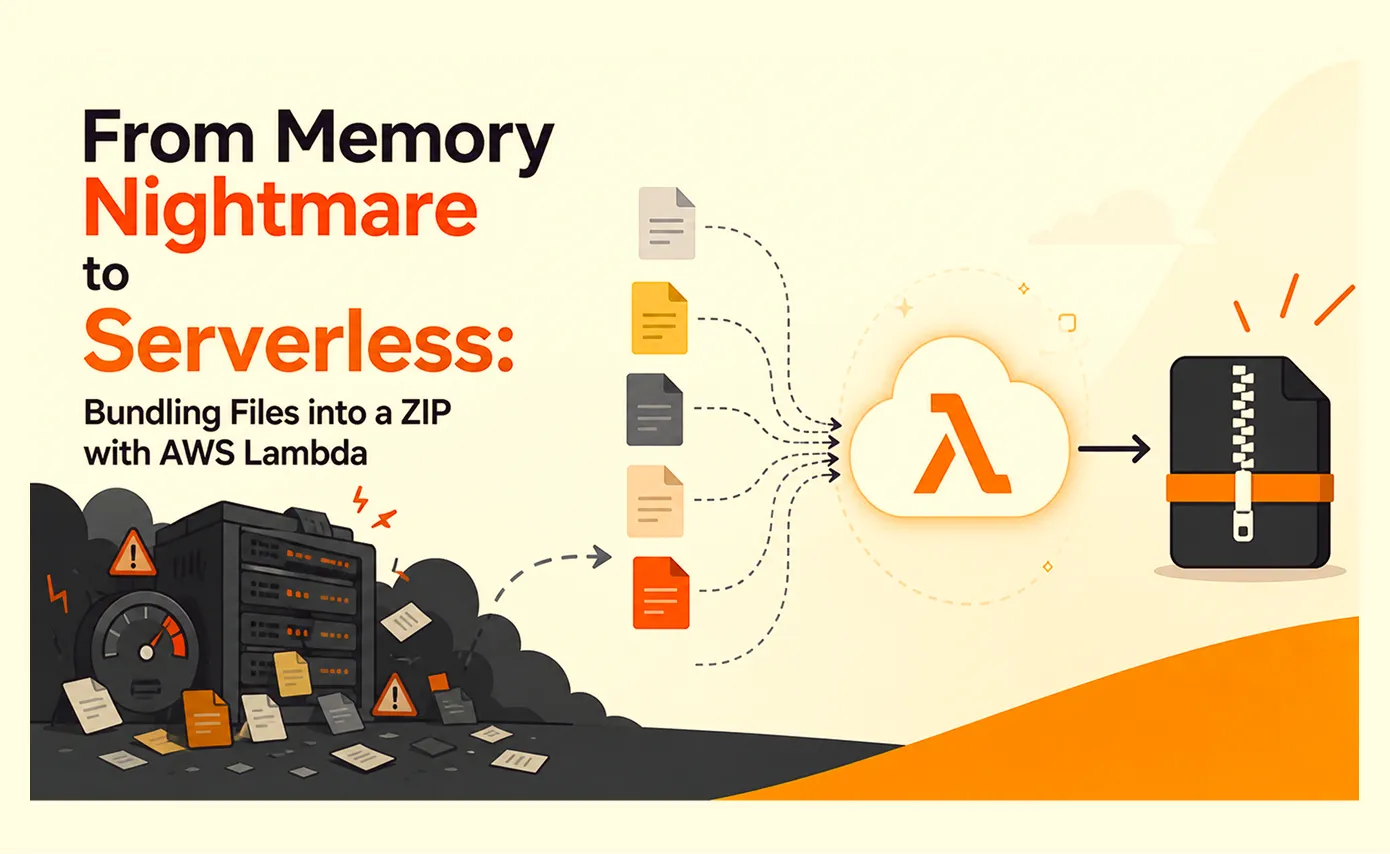
From Memory Nightmare to Serverless: Bundling Files into a ZIP with AWS Lambda
A straightforward 'download all these files as one ZIP' request that worked perfectly on my laptop and... fell over the first day it met real production load. Here's the debugging story, the scaling options I ruled out, and why AWS Lambda was the right answer.
Read More
Clean Code vs. Overengineering: Where Should Developers Draw the Line?
Clean code reduces unnecessary complexity; overengineering invents it. A practical guide to using context, evidence, and the cost of change to know when to stop adding abstractions...
Read More
Kafka vs RabbitMQ vs AWS EventBridge: Choosing the Right Architecture Based on Business Requirements
Compare Kafka, RabbitMQ, and AWS EventBridge based on scalability, routing, event streaming, replay, infrastructure, and business requirements to choose the right architecture...
Read More
AI Integrations for QA Engineers
Learn how QA engineers can connect AI with Jira, GitHub, Slack, Notion and other tools to improve testing, bug tracking, reporting and QA productivity...
Read More
The Ultimate Guide to Amazon SES Setup with GoDaddy DNS
Learn how to set up Amazon SES with GoDaddy DNS. Complete step-by-step guide covering Easy DKIM, SPF, DMARC, custom MAIL FROM, and exiting the SES Sandbox...
Read More
AWS DevOps Agent Setup Guide with EC2
Learn how to set up AWS DevOps Agent with EC2, CloudWatch, IAM, and Agent Spaces for AI-assisted monitoring, incident investigation, and root-cause analysis...
Read More
Multi-Tenancy Patterns in DynamoDB: Silo, Pool, and Bridge Models
If you've already made the jump from a relational database to DynamoDB see our guide on moving relational data from SQL to DynamoDB...
Read More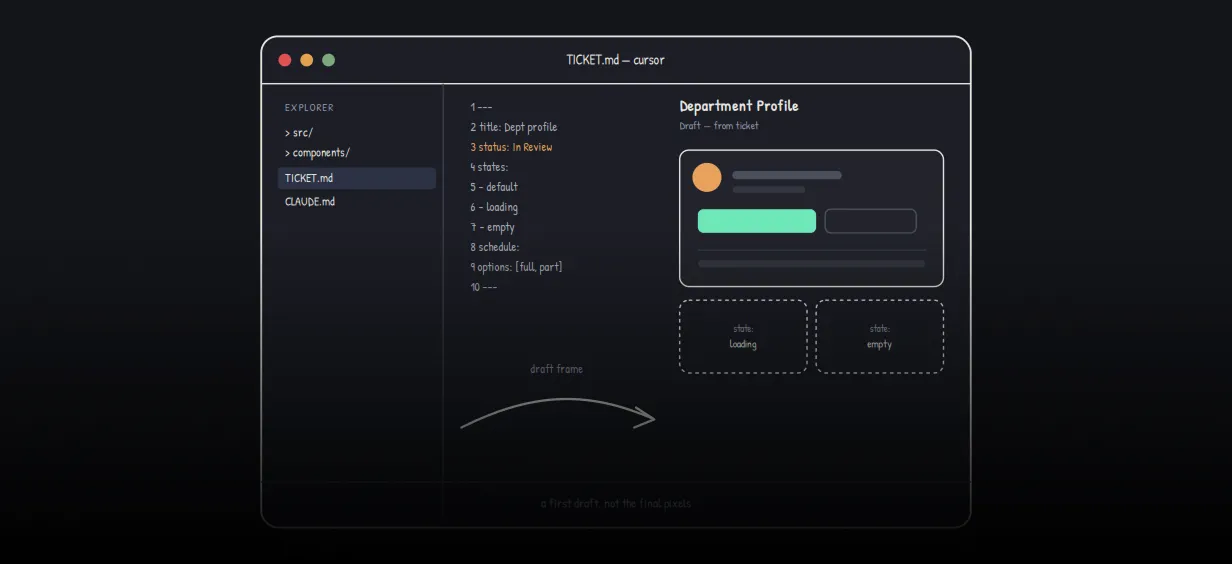
We stopped leaving the IDE to design. Here’s our Cursor → Figma flow
Cursor drafts fast, catches gaps early, and still clips fields and breaks layouts. Here's the real pros-and-cons breakdown of our workflow...
Read MoreReady to Work With Us?
Most engagements start with a 20-minute conversation. No pitch, no pressure - just an honest discussion about what you're building and whether we're the right fit.