
Unleash: Integrating Feature Flags in React Applications

Got a project?
Let's discuss your project
Introduction
Feature flags are a powerful asset in software development, allowing you to toggle features on or off without deploying new code. This flexibility serves various purposes, including:
- A/B Testing: Run A/B tests on new features to gauge user reactions before a full rollout.
- Incremental Rollouts: Gradually introduce new features to a subset of users before expanding availability.
- Environment-Specific Controls: Manage feature access across different environments like development, staging, and production.
The Unleash SDK for React streamlines the process of incorporating feature flags into your React applications with the following benefits:
- Simple Declarative Syntax: Define feature flags using a straightforward, declarative approach.
- Optimized Rendering: Enhance performance by deferring rendering until feature flags are fetched.
- Class and Functional Component Compatibility: Support for both class-based and functional components.
Installation
1. Setting up a self-hosted Unleash server: The easiest way to run Unleash locally is by using Git and Docker.
1git clone git@github.com:Unleash/unleash.git23cd unleash45docker compose up -d };
2. Accessing the Unleash GUI: Once Docker is up and running, navigate to http://localhost:4242/. You’ll see a login screen.
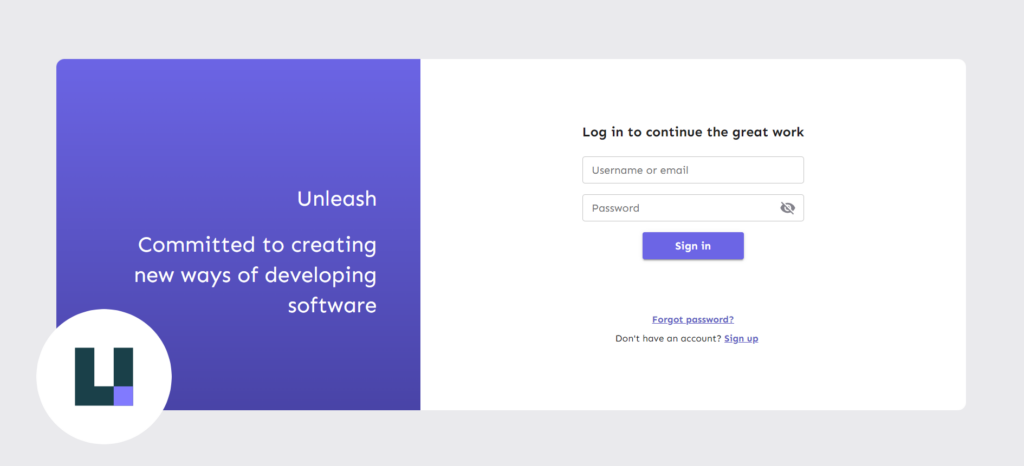
Use the following credentials to login:
1username: admin2password: unleash4all };
Creating an API access token
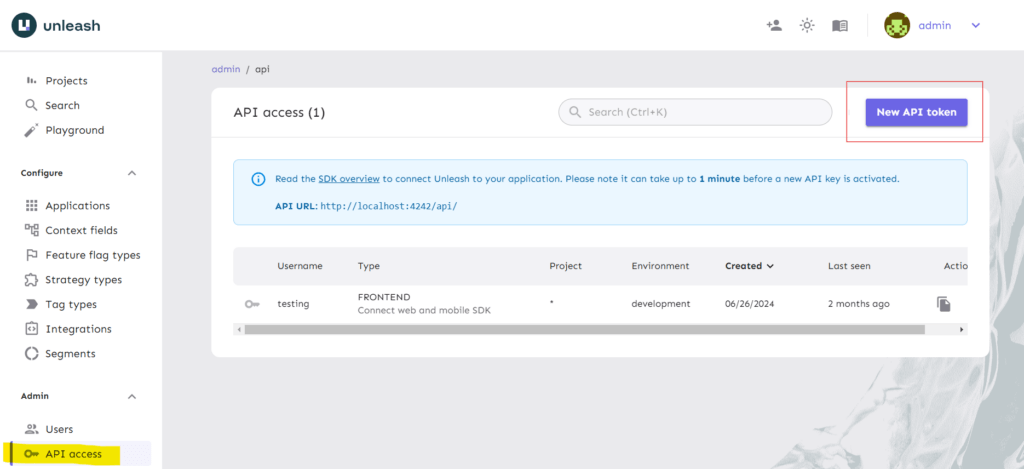
Go to the “API Access” tab in the side navigation and click “New API Token.”
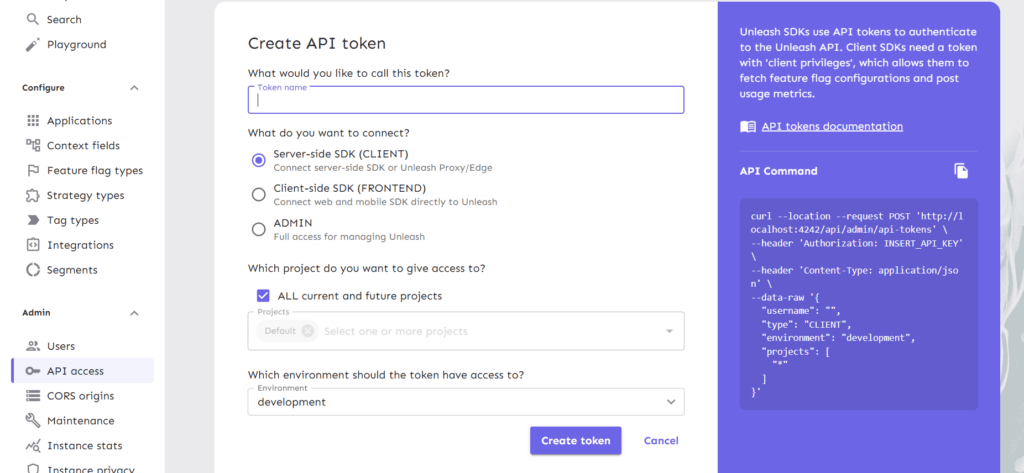
Provide a name for the token and choose the SDK type. Since this blog focuses on React, select the Client-side SDK. After choosing the environment, click “Create Token.” Be sure to save the token for future reference.
Unleash React SDK
With your token created, you’re set to integrate Unleash into your React application. Start by installing and configuring the client-side SDK to align with your server’s setup.
Installing package
Use either of the commands (as per your environment) to install the sdk.
1npm install @unleash/proxy-client-react unleash-proxy-client23# or45yarn add @unleash/proxy-client-react unleash-proxy-client };
Configuration
Now import the sdk, configure and wrap your <App/> as following (typically in index.js/ts):
1import { createRoot } from 'react-dom/client';23import { FlagProvider } from '@unleash/proxy-client-react';45const config = {67 url: '<unleash-url>/api/frontend',89 clientKey: '<your-token>',1011 refreshInterval: 15,1213 appName: 'your-app-name',1415};1617const root = createRoot(document.getElementById('root'));1819root.render(2021 <React.StrictMode>2223 <FlagProvider config={config}>2425 <App />2627 </FlagProvider>2829 </React.StrictMode>3031); };
Replace <unleash-url> with Unleash server url, in our case it’s http://localhost:4242 . Replace <your-token> with the token that we created in step 2 of installation. Replace your-app-name with your App’s name (it will be only used to identify your application).
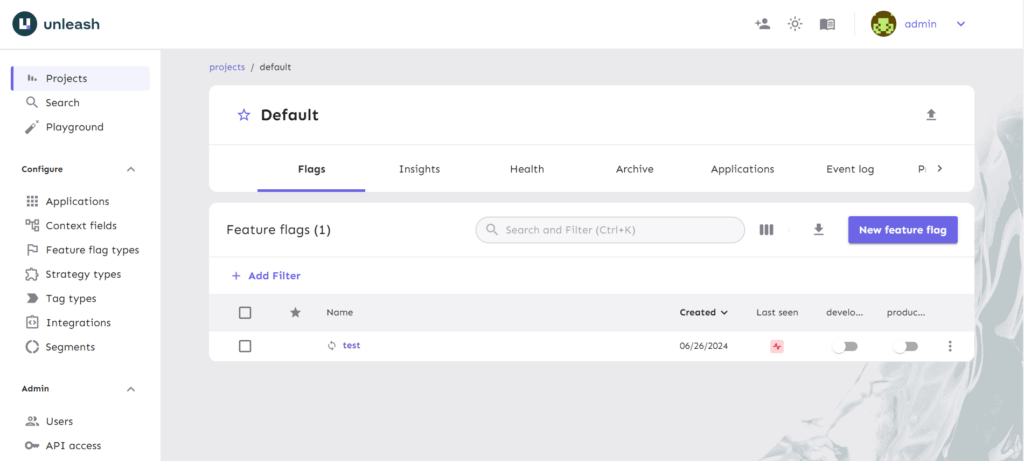
Creating Feature-flag
On the dashboard (in projects tab) click on the default project. You’ll see a window like:
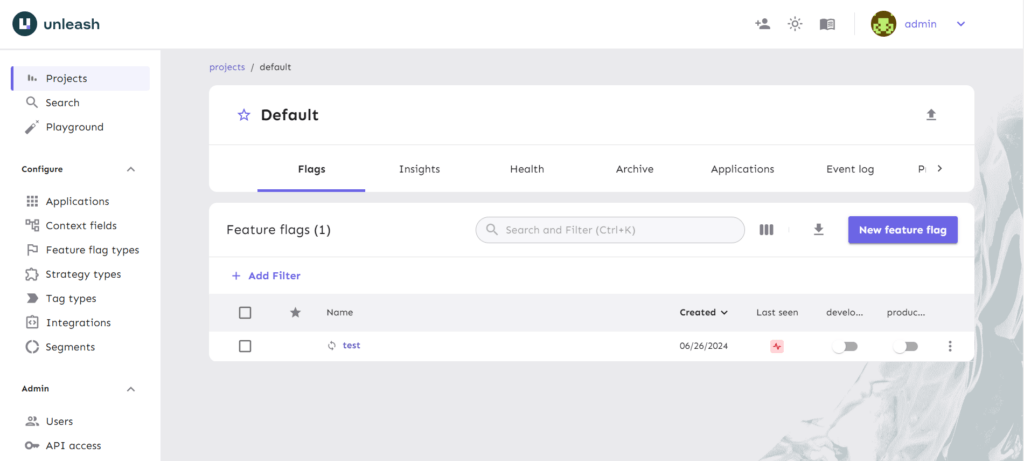
P.s. You might not see the “test” flag as I created it earlier.
Let's Build Something Great Together
Ready to transform your idea into a powerful software solution? Talk to our experts and get a free consultation.
Contact Us
Click on the “New feature flag” button. You will see a window like this:
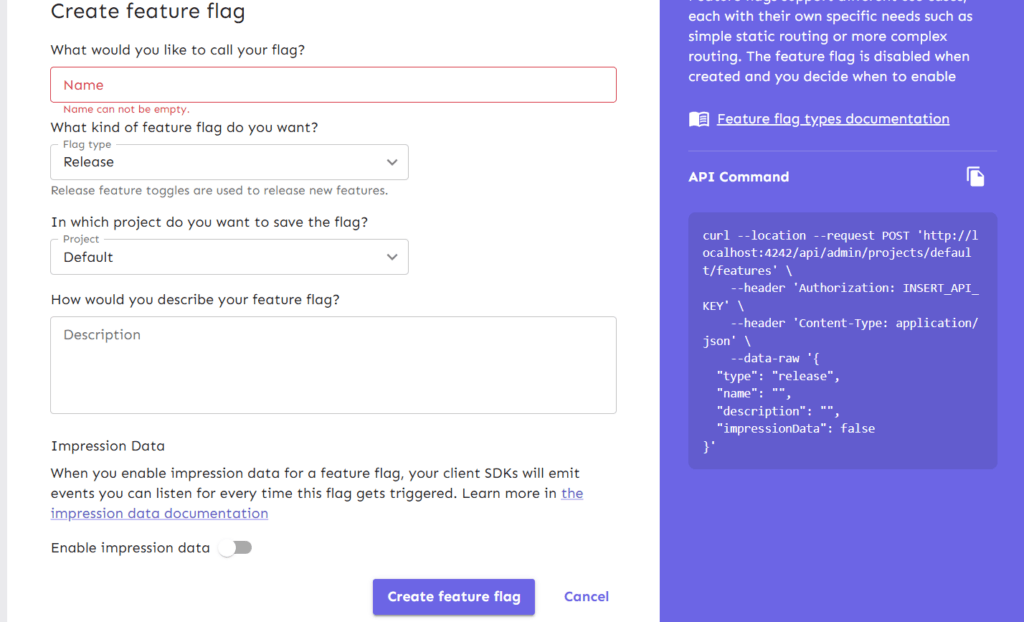
Name your token, let the flag type and project remain the same. Toggle-on “Enable Impression data” and click on “Create feature flag”.
Congratulations! You have created your first feature flag. Now use it in your application.
Consuming feature flag
Head to your component/feature which you want to bind with the feature flag. And bind it as following:
1import { useFlag } from '@unleash/proxy-client-react';23const TestComponent = () => {45 const enabled = useFlag('travel.landing');67 if (enabled) {89 return <SomeComponent />;1011 }1213 return <AnotherComponent />;1415};1617export default TestComponent; };
Now your Test component is bound with the feature flag. You can toggle your flag from the Unleash GUI (click the toggle button under development/production) and see the difference in your frontend:
Conclusion
Integrating feature flags into your React applications with the Unleash SDK provides significant benefits, including enhanced user experience through A/B testing and reduced risk with incremental rollouts. By utilizing feature flags, you can make your development process more adaptable and responsive to user feedback, allowing for real-time feature adjustments without the need for frequent redeployments. Unleash’s powerful integration features make it an essential tool for development teams aiming to implement feature flags smoothly and efficiently.

From ETL to ELT: The Evolution of Data Pipelines in Modern Analytics
How and why data pipeline architecture evolved from ETL to ELT.
Read More
Bridge View Hybrid: A Smarter Path to Bringing Web Apps to Mobile
Learn how the Bridge View Hybrid architecture uses a React Native shell and WebView to launch iOS and Android apps faster, cheaper, and with less risk.
Read More
10 AI Prompts Every Manual Tester Should Have in Their QA Toolkit
Discover 10 practical AI prompts manual testers can use to improve test coverage, find edge cases, analyze bugs, strengthen regression testing, and become more effective QA engineers.
Read More
The Website Accessibility Revolution: Why You Can't Afford to Ignore WCAG 2.2
Website accessibility starts with WCAG 2.2. Learn how accessible design, development, QA, and testing can help create websites that work for everyone.
Read More
Race Conditions in Web Applications: Why Correct Code Produces Wrong Results
Race conditions silently corrupt data when concurrent requests touch shared state at the wrong time. Learn how atomic updates, transactions, idempotency, and locking keep your application correct under real concurrency.
Read More
AI Writes the Code • Stop Blindly Shipping It Without Reviewing the Engineering
A practical perspective on AI-generated code, scalability, maintainability, and engineering judgment and why engineering review still owns the final decision.
Read More
Migrating Databases with AWS DMS With Nearly Zero Downtime
Learn how to migrate databases using AWS DMS with nearly zero downtime using Full Load, CDC, validation, monitoring, and controlled cutover.
Read More
How to Add LiveKit Video Calling to a Next.js App
Add embedded video & audio calling to Next.js with LiveKit Cloud. Compared vs Twilio, Daily, Agora, Zoom — plus token auth, guests & recording.
Read More
We chose ECS over EKS: what we gained and what we gave up
An honest comparison of ECS vs EKS the costs, tradeoffs, and real-world reasoning behind choosing ECS for a production platform on AWS.
Read More