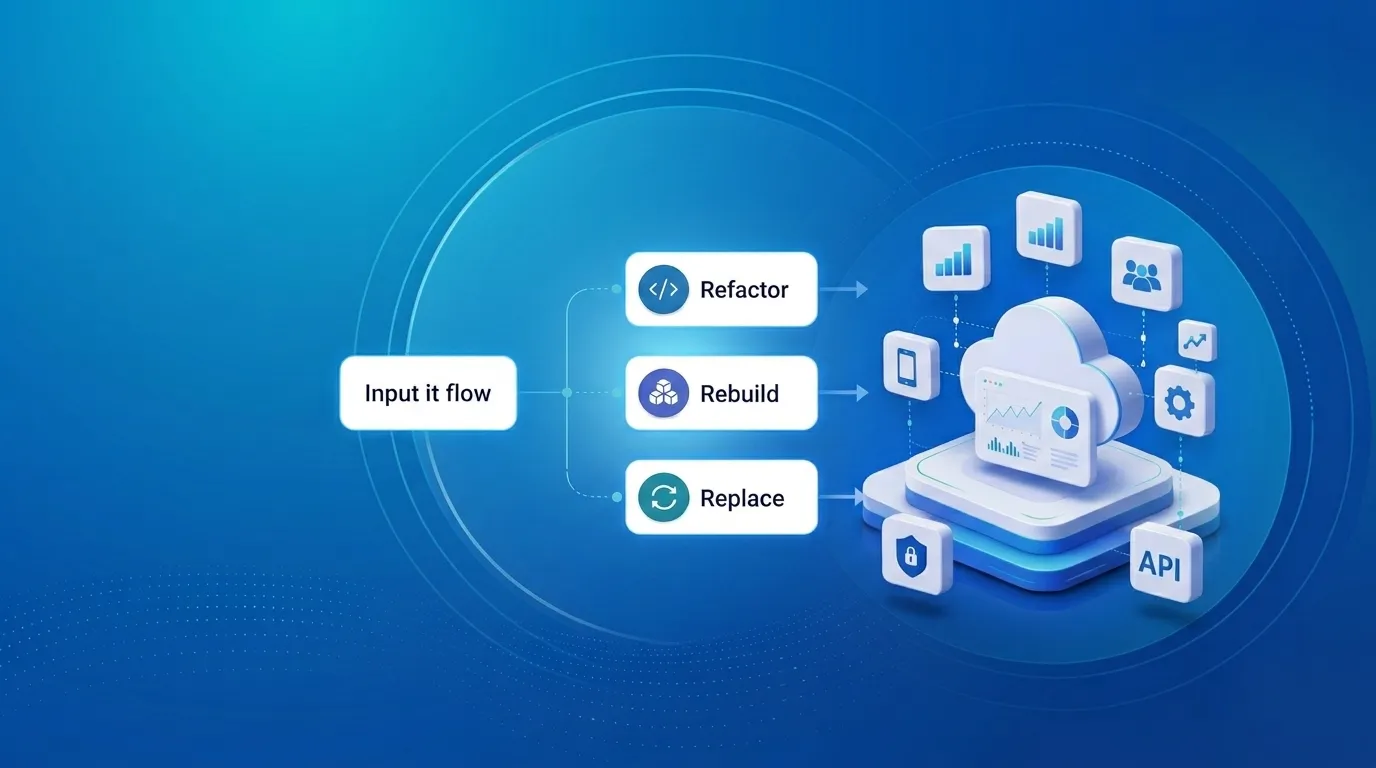
Upgrading Legacy Systems: From Outdated Technology to Competitive Advantage

Got a project?
Let's discuss your project
What Are Legacy Systems?
A legacy system is an older software application, platform, database, or technology infrastructure that an organization continues to use because it remains important to business operations.
Examples include old enterprise applications, unsupported frameworks, on-premise infrastructure, older databases, monolithic applications, custom software with limited documentation, and systems that cannot easily integrate with modern APIs.
A legacy system is not necessarily useless because it is old. The challenge is that years of business rules and data may be locked inside technology that is difficult to maintain or extend.
The Problem: Why Legacy Systems Become a Business Risk
Increasing Maintenance Costs
Older applications often require specialized knowledge. Developers may spend significant time understanding old code before making small changes, increasing maintenance cost and slowing delivery.
Technical Debt
Quick fixes, outdated dependencies, duplicated code and architectural limitations accumulate into technical debt, making future development increasingly difficult.
Security Vulnerabilities
Unsupported libraries, operating systems and authentication mechanisms can expose organizations to security vulnerabilities, data breaches and compliance risks.
Poor Scalability
Many legacy applications were not designed for modern traffic, users, transactions or data volumes. Performance can degrade as the business grows.
Integration Challenges
Modern businesses need payment gateways, mobile applications, cloud services, analytics tools and third-party APIs. Legacy systems may lack modern APIs or integration capabilities.
Lack of Developer Availability
As older technologies become obsolete, fewer developers understand them. This creates operational risk and dependency on specialized resources.
The Solution: Legacy System Modernization
Modernization does not always mean replacing the entire application. A safer strategy is to understand the existing system, preserve valuable business logic, and modernize components incrementally.
1. Assess the Existing System
Review architecture, programming languages, frameworks, database structure, dependencies, security, performance, integrations and business-critical functionality.
2. Upgrade Dependencies and Frameworks
Move unsupported languages, frameworks and packages to supported versions where practical, using automated testing to reduce regression risk.
3. Break Down Monolithic Applications
Gradually separate business-critical components rather than immediately rewriting the entire platform as microservices.
4. Introduce APIs and Modern Integrations
An API layer can allow modern web and mobile applications to consume existing functionality while reducing direct dependency on legacy internals.
5. Modernize the Database
Review schema complexity, data quality, indexes, queries, stored procedures, backups and migration requirements before moving to a modern database platform.
6. Consider Cloud Migration
Cloud infrastructure can improve scalability, availability, monitoring and automation, but simply moving an old application to the cloud does not automatically modernize it.
7. Strengthen Security
Use modern authentication, authorization, encryption, dependency scanning, secrets management, logging, monitoring and disaster recovery.
8. Automate Testing and Deployment
Introduce unit and integration testing, API testing, CI/CD pipelines, automated deployments, code-quality checks and monitoring.
A Practical Modernization Roadmap
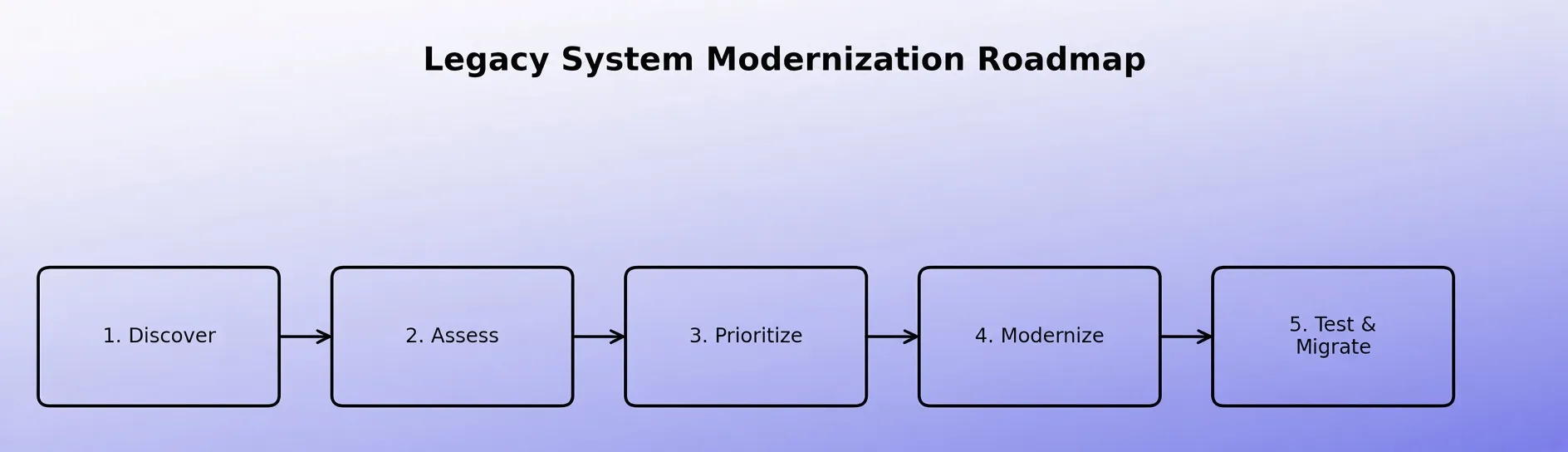
Phase 1: Discovery
Understand the application, infrastructure, database, integrations and business processes.
Phase 2: Risk Assessment
Identify security vulnerabilities, unsupported technologies, performance issues, technical debt and critical dependencies.
Phase 3: Prioritization
Rank components using business impact, security risk, development cost, customer impact and scalability.
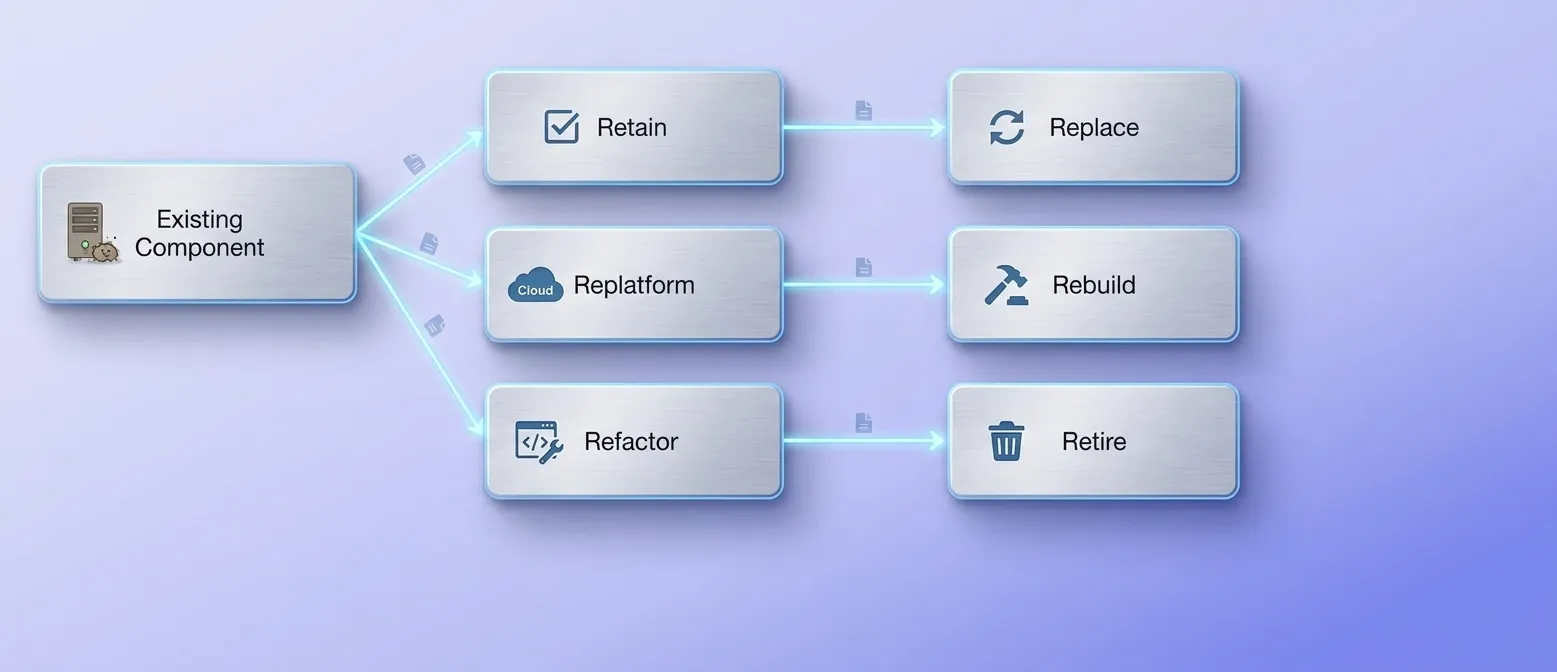
Phase 4: Modernization Strategy
Choose whether each component should be retained, rehosted, replatformed, refactored, replaced, rebuilt or retired.
Phase 5: Incremental Implementation
Modernize high-priority components first while keeping business operations running.
Phase 6: Testing
Perform functional, integration, performance, security and user acceptance testing.
Phase 7: Migration
Move users, services and data gradually, with validation and rollback procedures.
Phase 8: Continuous Improvement
Continue monitoring, patching, optimizing and improving the platform after modernization.
Why Incremental Modernization Is Often Better Than a Complete Rewrite
A complete rewrite can be attractive, but it can also hide years of undocumented business rules. Rebuilding everything simultaneously increases the risk of budget overruns, delays, migration problems and operational disruption.
Let's Build Something Great Together
Ready to transform your idea into a powerful software solution? Talk to our experts and get a free consultation.
Contact Us
Incremental modernization reduces this risk by allowing the organization to modernize individual capabilities while the existing platform continues to operate.
Measuring the Success of Legacy Modernization
Useful KPIs include application response time, uptime, deployment frequency, security vulnerabilities, infrastructure cost, development lead time, production incidents, API response time, customer satisfaction and developer productivity.
Business Benefits of Modernizing Legacy Systems
Improved Performance
Modern architecture and infrastructure can improve application speed and responsiveness.
Better Security
Supported technologies and modern security practices reduce exposure to known vulnerabilities.
Faster Development
Modern frameworks, APIs, automated testing and CI/CD allow teams to deliver features more efficiently.
Greater Scalability
Modern systems can scale more effectively as traffic, customers and data increase.
Easier Integration
API-driven architecture simplifies connections with mobile apps, cloud services, payment platforms and third-party systems.
Lower Long-Term Costs
Reducing technical debt and maintenance complexity can lower long-term operational costs.
Better Customer Experience
Faster and more reliable applications provide a better experience for customers.
Final Thoughts
Legacy systems become a business problem when outdated technology prevents an organization from meeting modern requirements.
Rather than replacing everything at once, organizations should adopt a structured legacy application modernization strategy. By combining application modernization, API integration, cloud migration, database modernization, security improvements, automated testing and incremental development, businesses can transform aging technology into a secure, scalable and maintainable platform.
The goal of modernization is not simply to have newer technology. The goal is to create a technology foundation that allows the business to move faster.
From ETL to ELT: The Evolution of Data Pipelines in Modern Analytics
How and why data pipeline architecture evolved from ETL to ELT.
Read More
Bridge View Hybrid: A Smarter Path to Bringing Web Apps to Mobile
Learn how the Bridge View Hybrid architecture uses a React Native shell and WebView to launch iOS and Android apps faster, cheaper, and with less risk.
Read More
10 AI Prompts Every Manual Tester Should Have in Their QA Toolkit
Discover 10 practical AI prompts manual testers can use to improve test coverage, find edge cases, analyze bugs, strengthen regression testing, and become more effective QA engineers.
Read More
The Website Accessibility Revolution: Why You Can't Afford to Ignore WCAG 2.2
Website accessibility starts with WCAG 2.2. Learn how accessible design, development, QA, and testing can help create websites that work for everyone.
Read More
Race Conditions in Web Applications: Why Correct Code Produces Wrong Results
Race conditions silently corrupt data when concurrent requests touch shared state at the wrong time. Learn how atomic updates, transactions, idempotency, and locking keep your application correct under real concurrency.
Read More
AI Writes the Code • Stop Blindly Shipping It Without Reviewing the Engineering
A practical perspective on AI-generated code, scalability, maintainability, and engineering judgment and why engineering review still owns the final decision.
Read More
Migrating Databases with AWS DMS With Nearly Zero Downtime
Learn how to migrate databases using AWS DMS with nearly zero downtime using Full Load, CDC, validation, monitoring, and controlled cutover.
Read More
How to Add LiveKit Video Calling to a Next.js App
Add embedded video & audio calling to Next.js with LiveKit Cloud. Compared vs Twilio, Daily, Agora, Zoom — plus token auth, guests & recording.
Read More
We chose ECS over EKS: what we gained and what we gave up
An honest comparison of ECS vs EKS the costs, tradeoffs, and real-world reasoning behind choosing ECS for a production platform on AWS.
Read More