Building an Intelligent Multilingual Voice Chatbot: A Journey in AI and Mobile App Development

Introduction
In today’s world, voice-enabled applications have become an integral part of our daily lives, from virtual assistants like Siri and Alexa to advanced customer support chatbots. Inspired by this, I embarked on a project to develop a mobile app voice chatbot that not only listens to user prompts but also transcribes those prompts into text, displays them on the screen, and generates intelligent responses in various styles and languages. This blog chronicles my journey through the development of this app, focusing on the AI aspects that make it stand out.
Understanding the Concept
The primary goal of this project was to create an interactive and intuitive chatbot that could understand spoken language, transcribe it accurately, and respond in a way that feels natural and engaging. The chatbot needed to be versatile enough to handle different languages and adapt to various conversational styles.
Key Features of the Voice Chatbot
- 1Real-time Voice Transcription: The app listens to the user’s spoken input and transcribes it into text in real-time. For this, I utilized the Groq Whisper Large V3 model, known for its fast inference speed and high accuracy. This model allowed for real-time transcription, ensuring a seamless user experience.
- 2Multilingual Support: The chatbot is capable of understanding and responding in multiple languages, making it accessible to a global audience.
- 3Intelligent Response Generation: Using advanced AI models, the chatbot generates responses that are contextually appropriate and tailored to the user’s tone and style. This feature ensures that the conversation feels both natural and engaging.
- 4Dynamic Conversational Styles: The chatbot can adapt its responses based on the user’s input, offering a range of conversational styles from professional and formal to casual and friendly.
Technical Stack and Implementation
The app is built using React Native, leveraging the cross-platform capabilities to ensure it runs smoothly on Android devices. Here are some of the key technologies and libraries used:
- React Native: The framework that powers the app, enabling cross-platform development with a single codebase.
- AudioRecorderPlayer: A React Native library used to handle audio recording, allowing the app to capture user prompts.
- Groq Whisper Model: For transcribing the recorded audio, the Groq Whisper model was employed. This rapid transcription was crucial in maintaining the app’s responsiveness and user engagement.
- Google Generative AI: This AI model is at the core of the response generation process. The model is configured to generate responses that are not only accurate but also contextually relevant.
- React Native TTS (Text-to-Speech): This library is used to convert the generated text responses back into speech, creating a seamless voice-based interaction.
Leveraging Google Generative AI for Intelligent Responses
One of the core components of this application is the integration of Google Generative AI, particularly the “gemini-1.5-pro” model. This model is designed to offer sophisticated, conversational responses, allowing the application to interact with users in a natural and engaging manner.
Model Configuration

Recording and Transcription: From Voice to Text
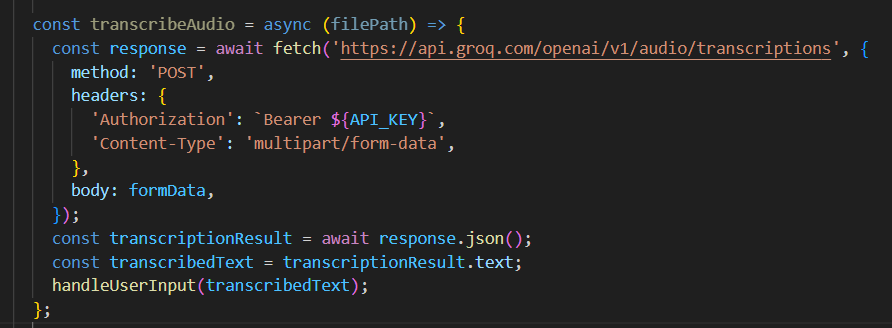
To facilitate voice interactions, the application uses react-native-audio-recorder-player to capture audio and react-native-fs to handle the file system operations. The recorded audio is saved locally and then sent to the Groq API for transcription.
Transcription Process
Response Generation: The AI at Work
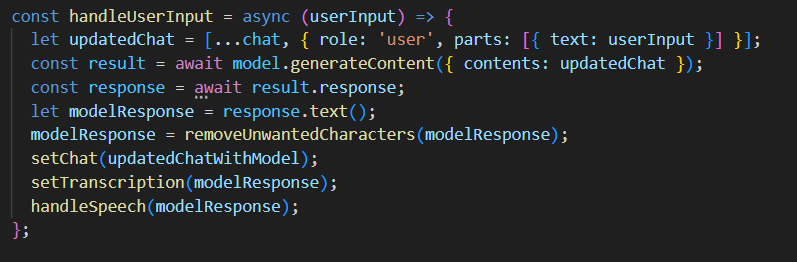
Once the transcription is obtained, it is fed into the AI model configured earlier. This step is crucial as it transforms the user’s voice input into a meaningful interaction. The transcribed text is appended to the chat history and sent to the AI model. The AI model processes the input and generates a response. The result is an intelligent, context-aware response that enhances the user experience.
Handling User Input
Text-to-Speech (TTS): Giving the AI a Voice
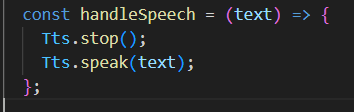
After generating the response, the application converts the text back into speech using react-native-tts. This ensures a continuous, voice-driven interaction where the user can both speak to and listen to the AI.
Speech Synthesis
Challenges Faced and Solutions Implemented
- Real-Time Processing: Ensuring real-time transcription and response generation was a key challenge. By leveraging the fast-processing capabilities of the Groq Whisper model, this was effectively managed.
- Handling Different Languages and Styles: The chatbot needed to be versatile in handling various languages and styles. This was achieved through careful training and the use of flexible AI models that could adapt to different contexts.
- Error Handling and User Experience: Implementing effective error handling was crucial to maintaining a smooth user experience. The app provides clear feedback in case of transcription or response generation errors, guiding the user to retry or modify their input.
User Experience and Design
The app’s user interface is designed to be clean and intuitive, with a focus on accessibility. Key UI elements include:
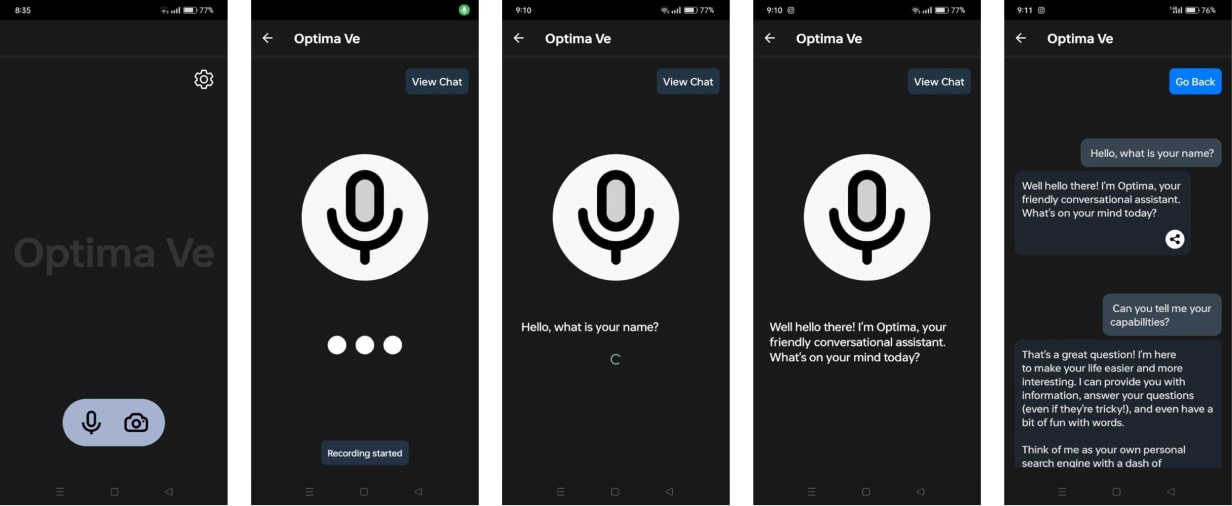
- Pulsating Recording Indicator: A visual cue that indicates when the app is actively recording the user’s voice.
- Transcription Display: The transcribed text is displayed in real-time, allowing users to see their input.
- Chat Interface: A scrollable chat window where users can view the conversation history and interact with the chatbot.
Future Enhancements
- Expanding Language Support: While the chatbot already supports multiple languages, there is potential to expand this further to include more dialects and regional variations.
- Improving Conversational Context Understanding: Enhancing the chatbot’s ability to understand and maintain context over longer conversations could make interactions even more natural.
- Integration with Other Platforms: Extending the chatbot’s capabilities to integrate with other platforms, such as web applications or IoT devices, could broaden its utility.
Conclusion
Building this voice chatbot was a rewarding experience that allowed me to delve deep into the world of AI and mobile app development. The combination of real-time transcription, multilingual support, and intelligent response generation makes this app a powerful tool for a wide range of applications. I look forward to exploring further enhancements and seeing how this technology can be applied in new and exciting ways.
App Interface Showcase
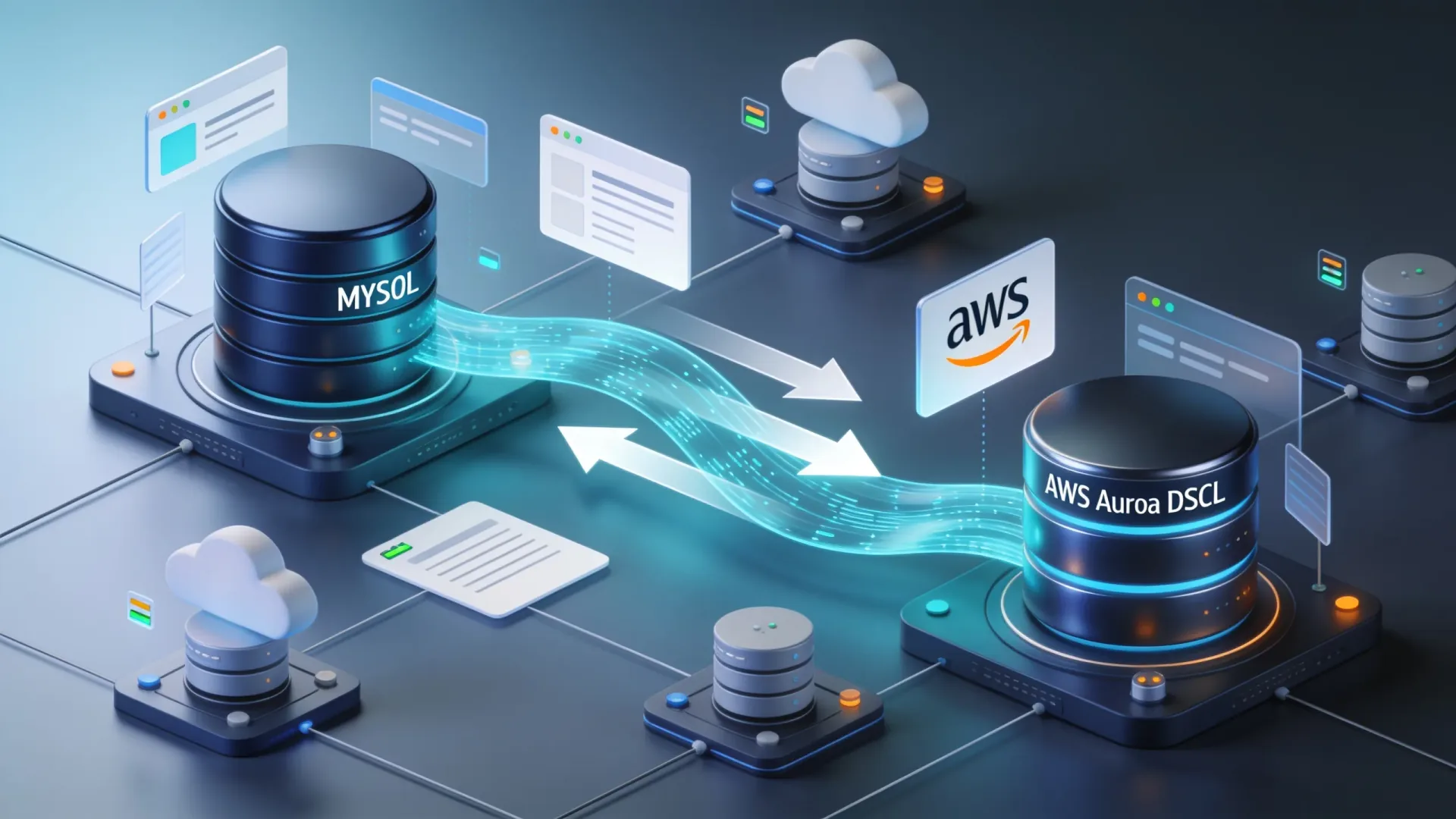
The Right Way to Migrate from MySQL to AWS Aurora DSQL
Migrating a production database is one of the highest-risk changes you can make to an application. Moving from MySQL to AWS Aurora DSQL raises the stakes further...
Read More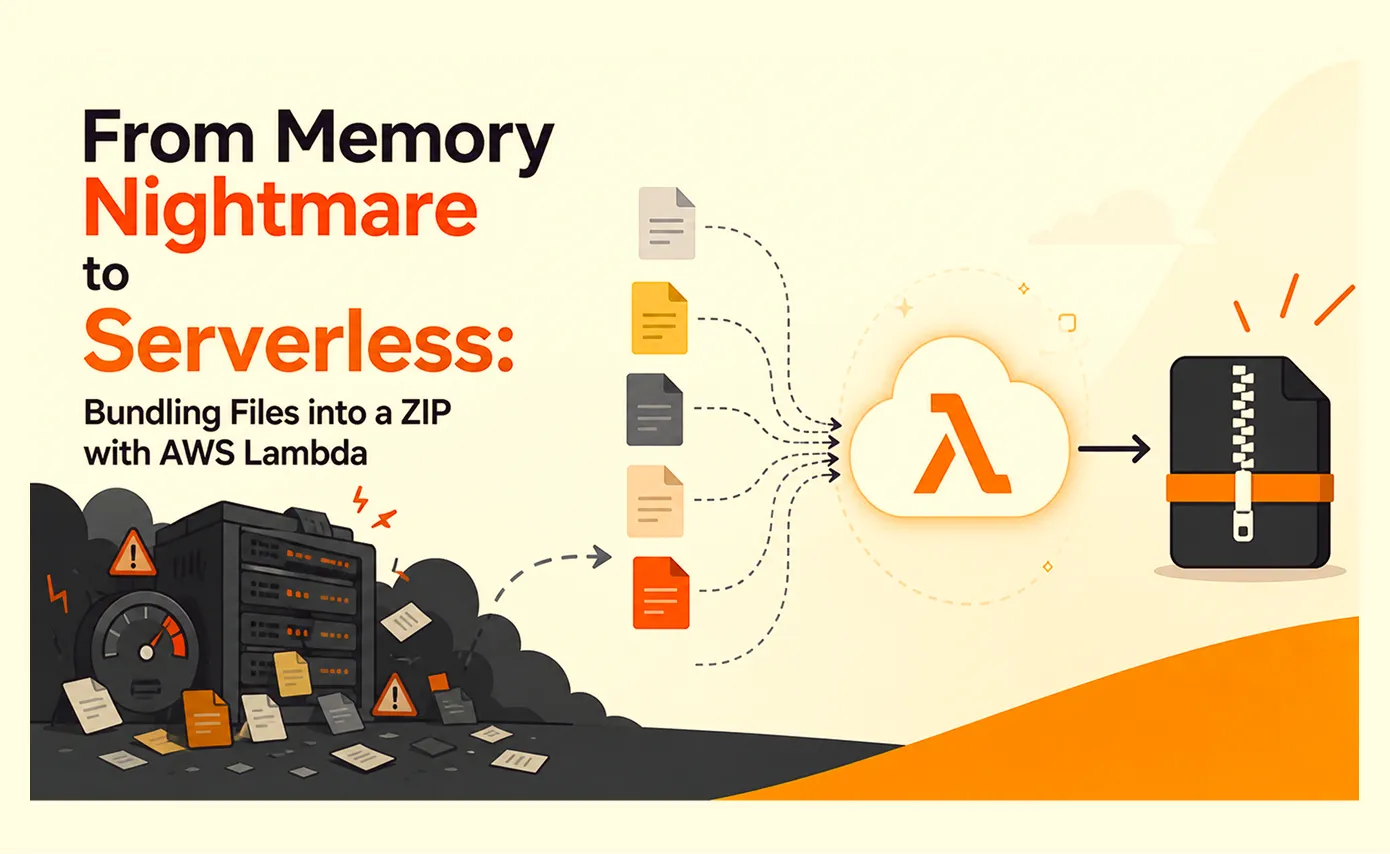
From Memory Nightmare to Serverless: Bundling Files into a ZIP with AWS Lambda
A straightforward 'download all these files as one ZIP' request that worked perfectly on my laptop and... fell over the first day it met real production load. Here's the debugging story, the scaling options I ruled out, and why AWS Lambda was the right answer.
Read More
Clean Code vs. Overengineering: Where Should Developers Draw the Line?
Clean code reduces unnecessary complexity; overengineering invents it. A practical guide to using context, evidence, and the cost of change to know when to stop adding abstractions...
Read More
Kafka vs RabbitMQ vs AWS EventBridge: Choosing the Right Architecture Based on Business Requirements
Compare Kafka, RabbitMQ, and AWS EventBridge based on scalability, routing, event streaming, replay, infrastructure, and business requirements to choose the right architecture...
Read More
AI Integrations for QA Engineers
Learn how QA engineers can connect AI with Jira, GitHub, Slack, Notion and other tools to improve testing, bug tracking, reporting and QA productivity...
Read More
The Ultimate Guide to Amazon SES Setup with GoDaddy DNS
Learn how to set up Amazon SES with GoDaddy DNS. Complete step-by-step guide covering Easy DKIM, SPF, DMARC, custom MAIL FROM, and exiting the SES Sandbox...
Read More
AWS DevOps Agent Setup Guide with EC2
Learn how to set up AWS DevOps Agent with EC2, CloudWatch, IAM, and Agent Spaces for AI-assisted monitoring, incident investigation, and root-cause analysis...
Read More
Multi-Tenancy Patterns in DynamoDB: Silo, Pool, and Bridge Models
If you've already made the jump from a relational database to DynamoDB see our guide on moving relational data from SQL to DynamoDB...
Read More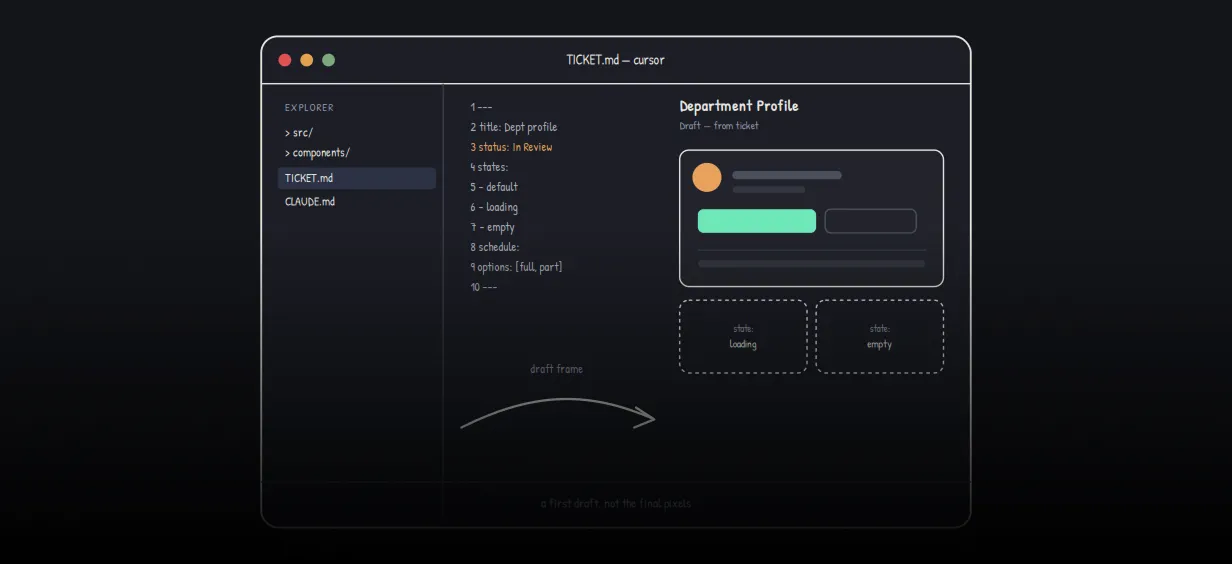
We stopped leaving the IDE to design. Here’s our Cursor → Figma flow
Cursor drafts fast, catches gaps early, and still clips fields and breaks layouts. Here's the real pros-and-cons breakdown of our workflow...
Read MoreReady to Work With Us?
Most engagements start with a 20-minute conversation. No pitch, no pressure - just an honest discussion about what you're building and whether we're the right fit.