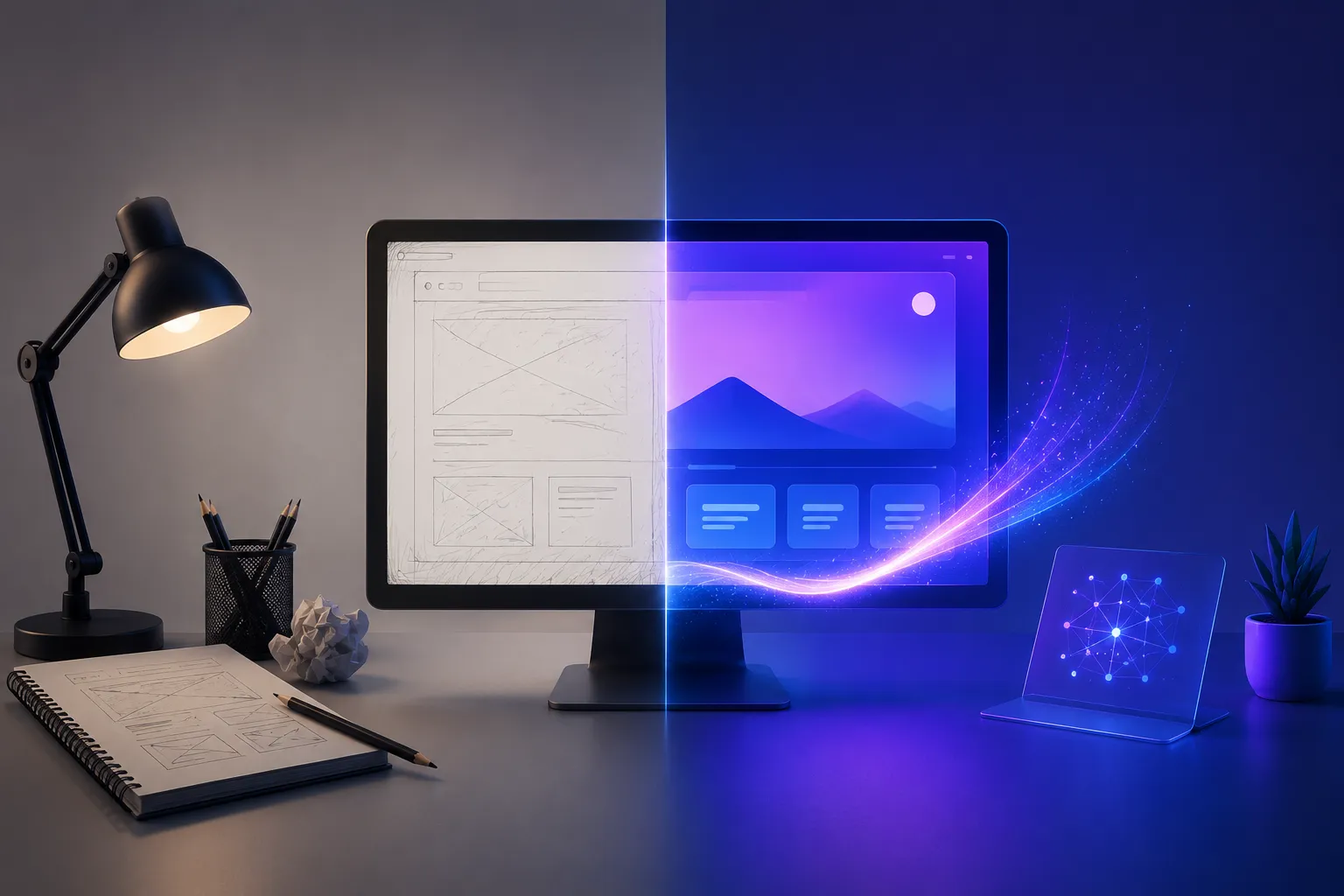
Designing Before and After AI: What Really Changed

Got a project?
Let's discuss your project
Introduction
Design has changed faster in the last few years than in the previous two decades combined. If a designer from 2015 stepped straight into 2026, it would feel like an entirely different profession. UI/UX design has always been a mix of creativity and logic, but the way that work actually gets done - the process, the tools, the speed, and the decision-making has been transformed by artificial intelligence.
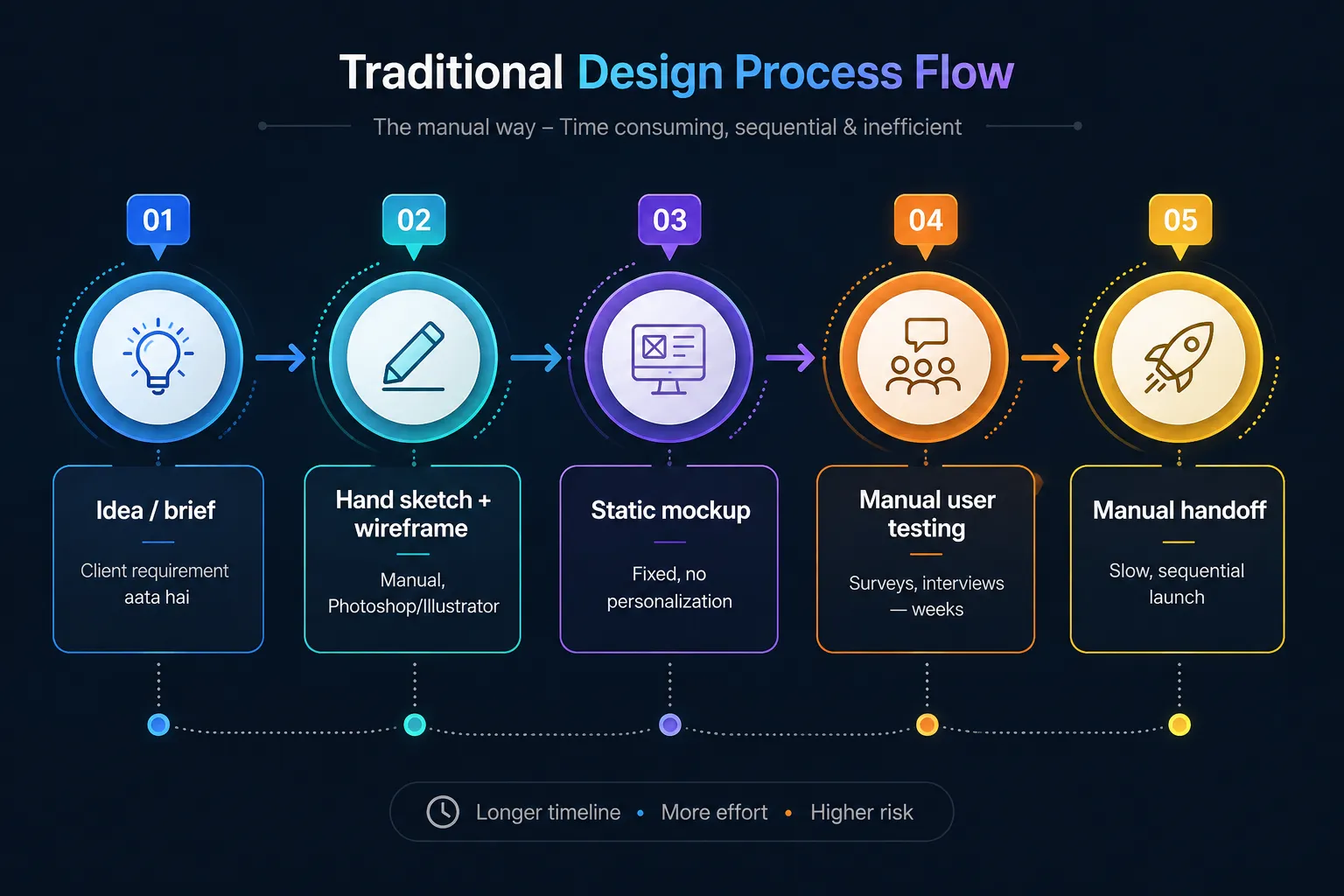
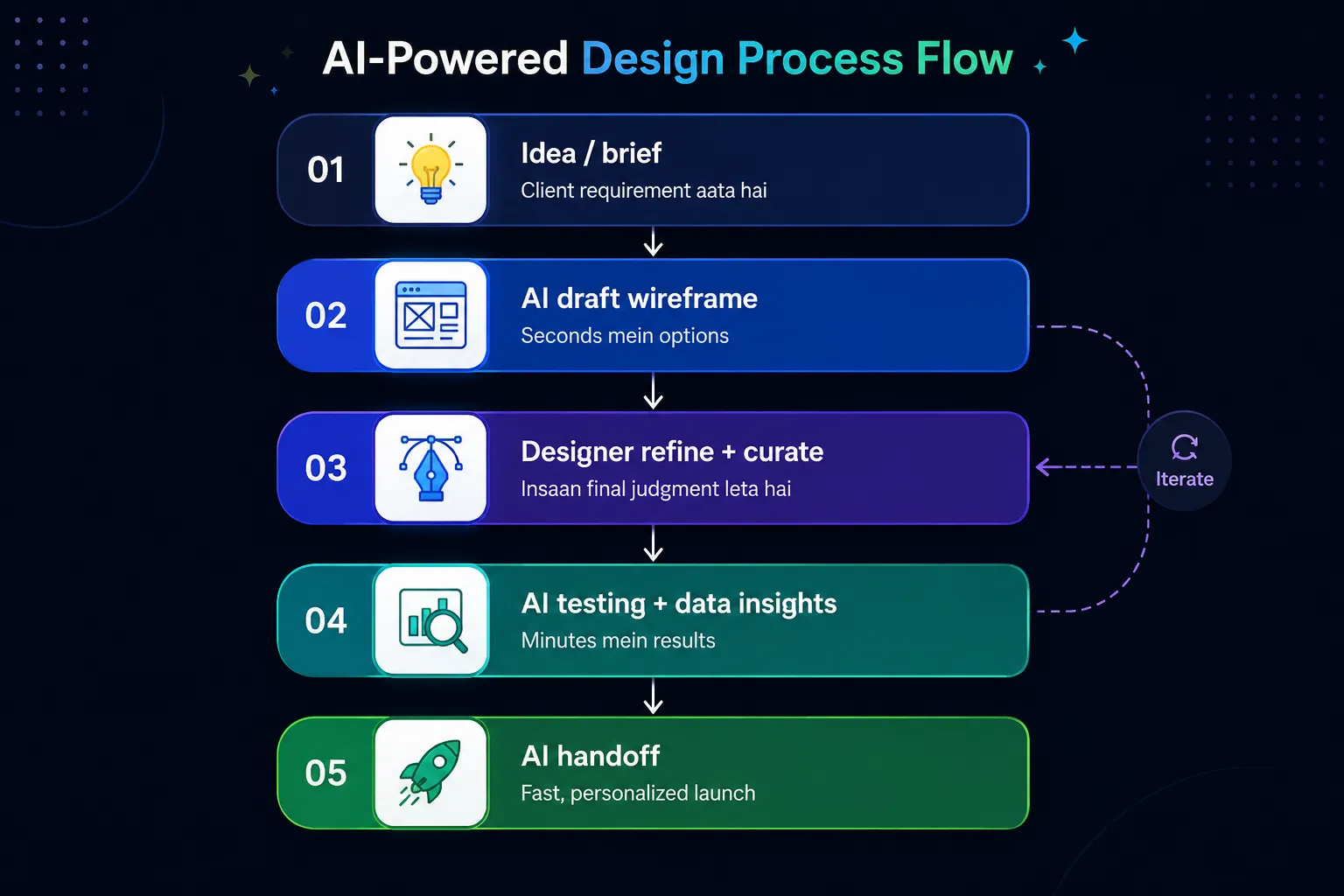
This article walks through what designing looked like before AI, what has changed since AI entered the workflow, and shows both processes as visual flows so the difference is easy to see at a glance.
Designing Before AI
1. Everything Was Manual
From wireframes to final mockups, every screen was built by hand. A designer would first sketch on paper, then slowly translate that into a digital layout using Photoshop or Illustrator. Even a small change, like a button’s color or shadow, took real time, because every variation had to be built manually and exported separately to show the team.
2. User Research Was Slow
Gathering user feedback meant running surveys and interviews by hand. After collecting the data, someone had to analyze it, look for patterns, and turn it into insights a process that often took weeks. If a client needed a quick answer, designers rarely had the option to move faster.
3. Design Systems Had to Be Built From Scratch
To keep an interface consistent, a designer had to manually define every component - buttons, cards, spacing rules, typography scales and write separate documentation to share with the team. A new designer joining the project could take weeks just to understand the existing system.
4. Prototyping Took a Long Time
Building an interactive prototype required separate tools (like InVision), and developers had to rely on guesswork or manually written specs to turn a design into working code. Calculating exact spacing, colors, and font sizes was entirely the designer’s responsibility.
5. Personalization Was Almost Impossible
Every user saw the same interface. Personalized experiences were difficult to deliver because they required extensive manual segmentation and separate design versions for each audience something a small team simply couldn’t afford.
Designing Now With AI
1. AI-Assisted Wireframing and Rapid Prototyping
A designer can now type a single prompt and get layout suggestions within seconds. Tools like Figma now include AI features that generate a full design draft automatically. The designer’s job shifts from building from zero to refining what’s already there.
2. Faster Research and Data Analysis
AI tools can now analyze user behavior, heatmaps, and feedback almost instantly. Work that used to take weeks now takes minutes and the insights tend to be more accurate, since AI can spot patterns in large volumes of data that would be difficult for a person to catch manually.
3. Design-to-Code, Without the Guesswork
AI tools can now convert a design directly into clean, usable code. The gap between designer and developer has narrowed significantly, making handoff smoother and cutting down on back-and-forth revisions. See our design-to-code workflow for a practical example of this in action.
4. Personalization Is Now Possible at Scale
Thanks to AI, a single app can now show each user a different experience based on their activity, preferences, and behavior without the designer manually building every version. E-commerce apps, streaming platforms, and social media all take full advantage of this.
5. The Designer’s Role Has Shifted
A designer today is no longer just a “maker” they’ve become a curator and decision-maker. AI generates the options, but the final judgment call what looks right, what actually serves the user still belongs to a human. This is often called “AI-augmented design.” If you’re looking for UI/UX design services that combine AI efficiency with human expertise, that’s exactly what modern design teams deliver.
So What’s the Biggest Difference?
Designing used to be slow, manual, and repetitive. Now it’s fast, data-driven, and iterative. AI hasn’t replaced creativity. It has taken over the repetitive, tedious work so designers can focus on what only a human can do: empathy, storytelling, and truly understanding real user problems.
Let's Build Something Great Together
Ready to transform your idea into a powerful software solution? Talk to our experts and get a free consultation.
Contact Us
In a sense, AI has removed the speed bump designers used to face. What once took weeks, from idea to final product, can now take hours or days but the responsibility for quality still rests with the human.
Final Thought
AI is a new tool, not a replacement. Designers who use it wisely within their workflow will be the ones staying ahead in the years to come. But one thing hasn’t changed: good design is design that makes a user’s life easier, whether it’s built with AI or without it.

From ETL to ELT: The Evolution of Data Pipelines in Modern Analytics
How and why data pipeline architecture evolved from ETL to ELT.
Read More
Bridge View Hybrid: A Smarter Path to Bringing Web Apps to Mobile
Learn how the Bridge View Hybrid architecture uses a React Native shell and WebView to launch iOS and Android apps faster, cheaper, and with less risk.
Read More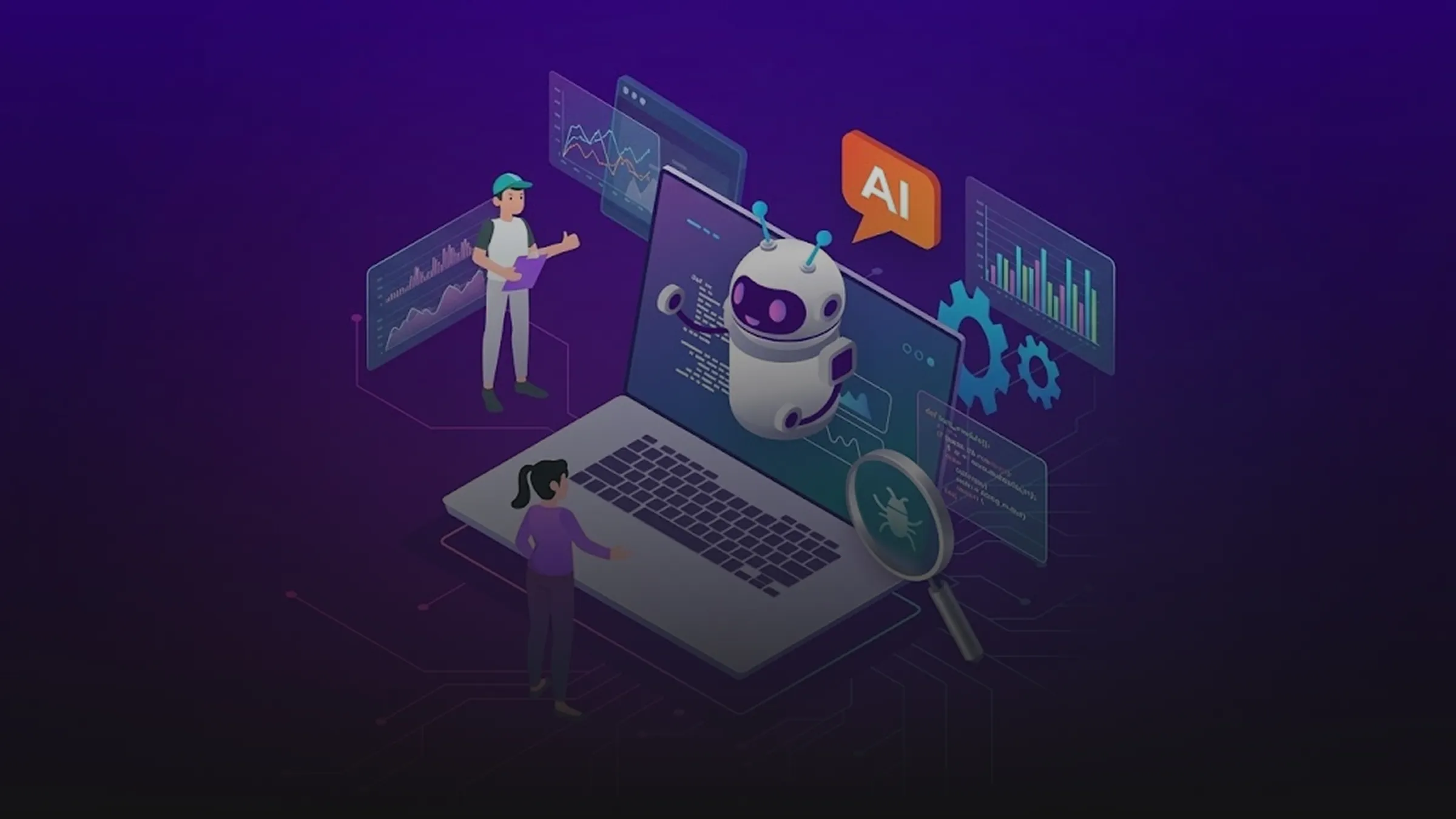
10 AI Prompts Every Manual Tester Should Have in Their QA Toolkit
Discover 10 practical AI prompts manual testers can use to improve test coverage, find edge cases, analyze bugs, strengthen regression testing, and become more effective QA engineers.
Read More
The Website Accessibility Revolution: Why You Can't Afford to Ignore WCAG 2.2
Website accessibility starts with WCAG 2.2. Learn how accessible design, development, QA, and testing can help create websites that work for everyone.
Read More
Race Conditions in Web Applications: Why Correct Code Produces Wrong Results
Race conditions silently corrupt data when concurrent requests touch shared state at the wrong time. Learn how atomic updates, transactions, idempotency, and locking keep your application correct under real concurrency.
Read More
AI Writes the Code • Stop Blindly Shipping It Without Reviewing the Engineering
A practical perspective on AI-generated code, scalability, maintainability, and engineering judgment and why engineering review still owns the final decision.
Read More
Migrating Databases with AWS DMS With Nearly Zero Downtime
Learn how to migrate databases using AWS DMS with nearly zero downtime using Full Load, CDC, validation, monitoring, and controlled cutover.
Read More
How to Add LiveKit Video Calling to a Next.js App
Add embedded video & audio calling to Next.js with LiveKit Cloud. Compared vs Twilio, Daily, Agora, Zoom — plus token auth, guests & recording.
Read More
We chose ECS over EKS: what we gained and what we gave up
An honest comparison of ECS vs EKS the costs, tradeoffs, and real-world reasoning behind choosing ECS for a production platform on AWS.
Read More