
5 AG Grid Features To Supercharge

Introduction to AG Grid
When developing modern web applications, particularly those requiring sophisticated data handling and display, a robust data grid solution can make a huge difference. Meet AG Grid – a powerful, flexible, and feature-rich data grid that integrates seamlessly with frameworks like React and Next.js. Whether you’re building a dynamic dashboard, managing complex data, or need efficient table interactions, AG Grid provides all the tools you need to create a seamless user experience. In this blog, we’ll explore 5 AG Grid features that can supercharge your Next.js app.
1. Infinite Scrolling for Massive Datasets
One of the standout features of AG Grid is “infinite scrolling”, which allows you to load large datasets incrementally. Instead of loading all your data at once, AG Grid fetches data in chunks as the user scrolls, significantly improving performance, especially when working with massive datasets. This feature is particularly valuable in Next.js apps that handle real-time data or need to display thousands of rows.
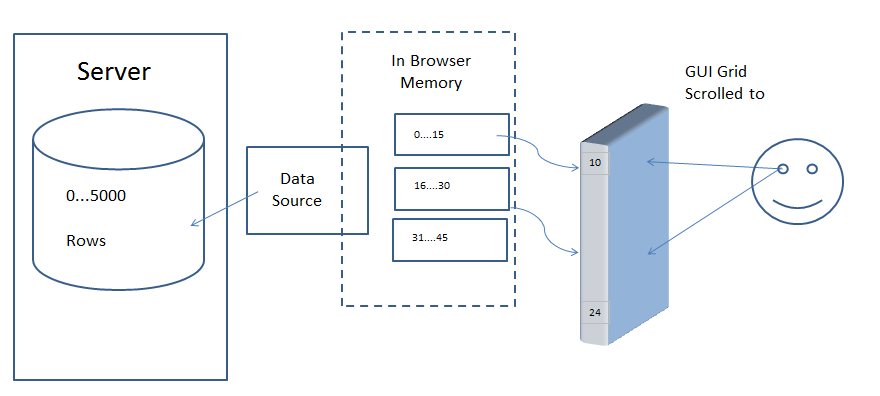
Next.js apps benefit from infinite scrolling since it minimizes the load on the client and server, keeping interactions smooth. You can even use Next.js API routes to fetch paginated data dynamically, ensuring that your app stays fast, even when dealing with large-scale data.
2. Sorting and Filtering Made Easy
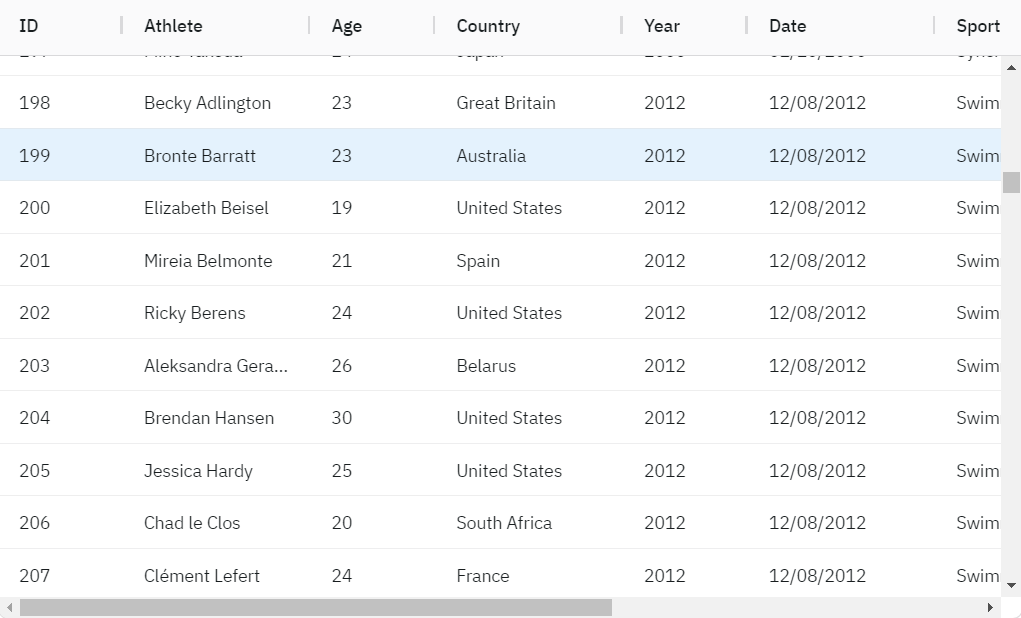
AG Grid comes with “built-in sorting and filtering” functionality that supports both simple and advanced use cases. Users can easily sort columns by clicking on the headers, while filtering options can be applied to individual columns or groups of data. These features can be easily customized and extended as needed.
Sorting
You can click on header of a column to sort it

The upwards arrows shows ascending order while downwards shows descending order of data.
Filtering:
You can click on the menu button to enable filters.
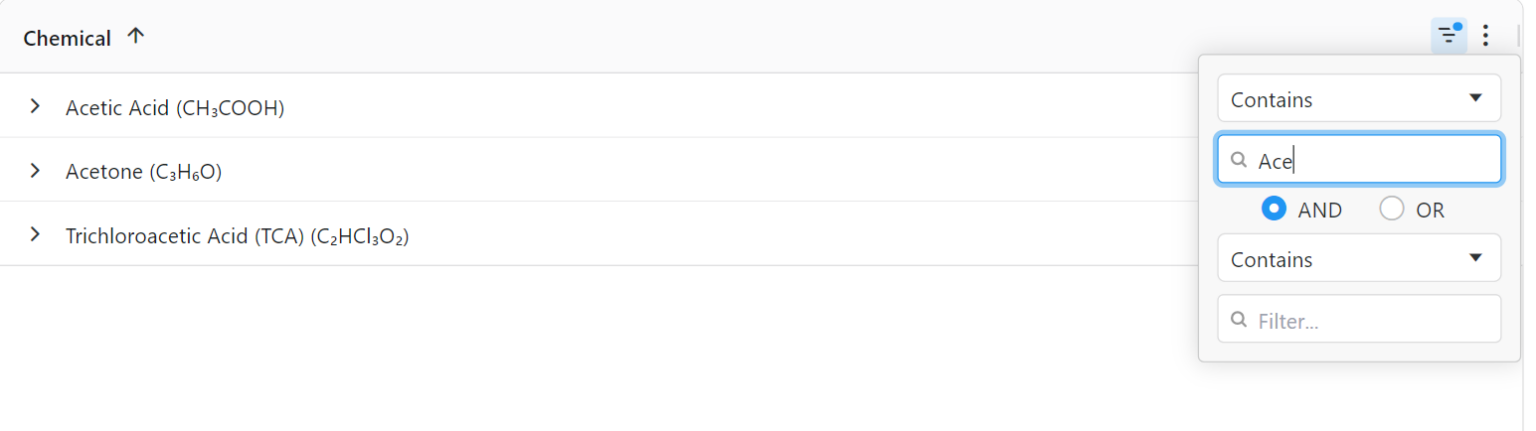
In a Next.js application, sorting and filtering data on the frontend can improve data visibility and navigation without sending multiple requests to the server. With AG Grid’s capabilities, you can sort and filter data efficiently, while also incorporating custom filters tailored to your app’s specific needs.
3. Server-Side Row Model for Large-Scale Applications
For applications that handle enormous datasets or require complex querying, AG Grid’s “server-side row model” allows data to be dynamically loaded from the server as needed. This is particularly useful when dealing with millions of rows, as it provides a streamlined way to load data while reducing client-side processing.
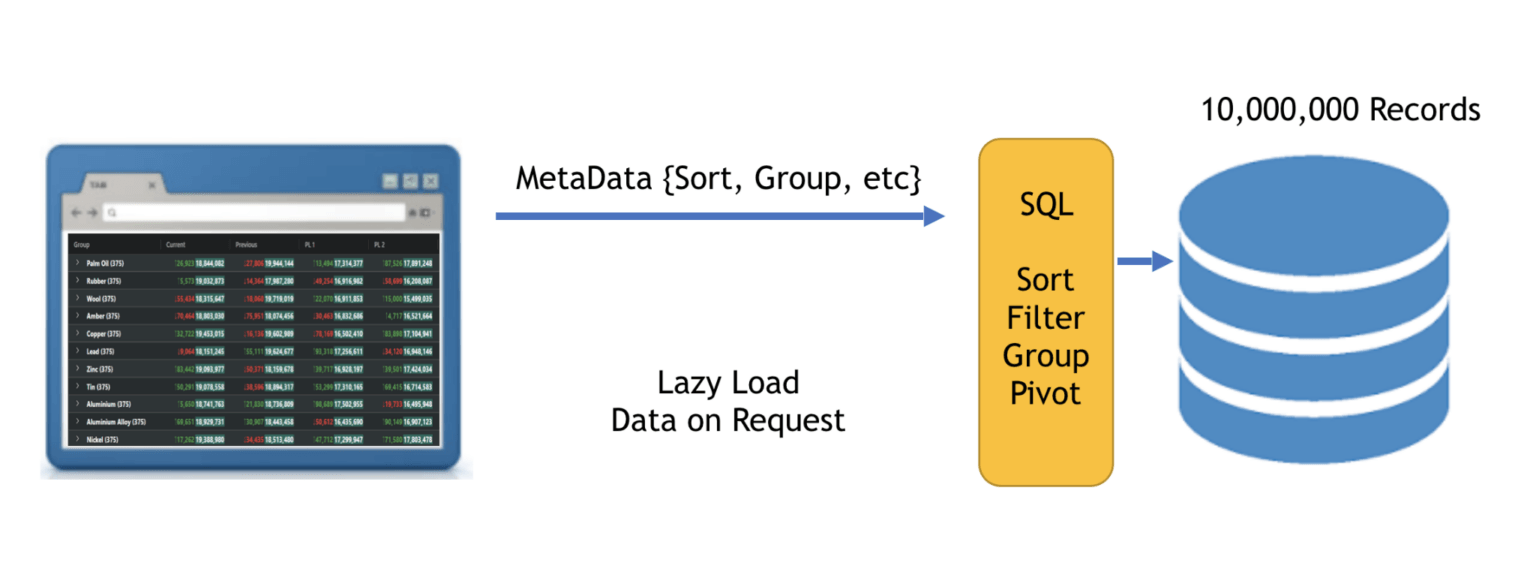
By leveraging Next.js’ API routes, you can set up efficient server-side data loading, keeping your app lightweight. The server-side row model can integrate easily with APIs and databases, fetching only the rows that are needed, improving overall performance and scalability.
4. Responsive Layouts for Mobile and Desktop
In today’s multi-device world, it’s crucial for your data grids to be “responsive”. AG Grid offers out-of-the-box responsive design features, ensuring that your grids look and function beautifully on both desktop and mobile devices. The grid layout automatically adjusts to fit various screen sizes, and you can further customize column visibility based on the viewport.
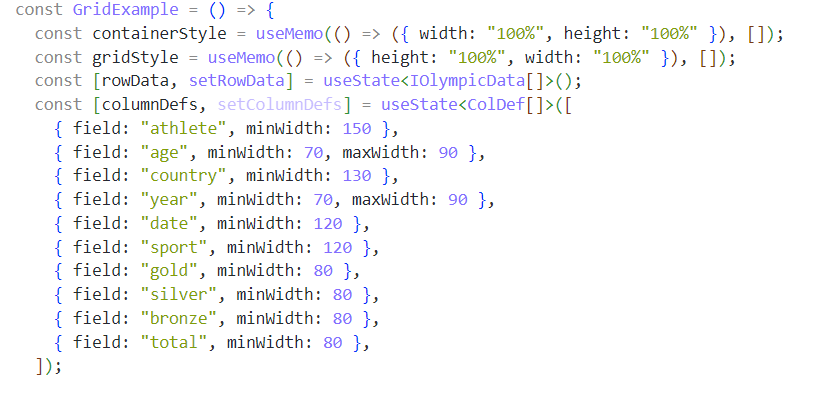
Next.js apps built with AG Grid become truly mobile-friendly without sacrificing functionality. You can configure AG Grid to show fewer columns on mobile devices or rearrange the layout for a better user experience. This makes it perfect for developing dashboards, admin panels, or any data-heavy applications that need to work across different devices.
5. Excel Export
AG Grid provides built-in functionality for exporting data to Excel, making it easy for users to download table data in a widely recognized format. This feature allows you to export the grid’s data to an Excel file, preserving the structure, formatting, and even custom cell renderers if required.
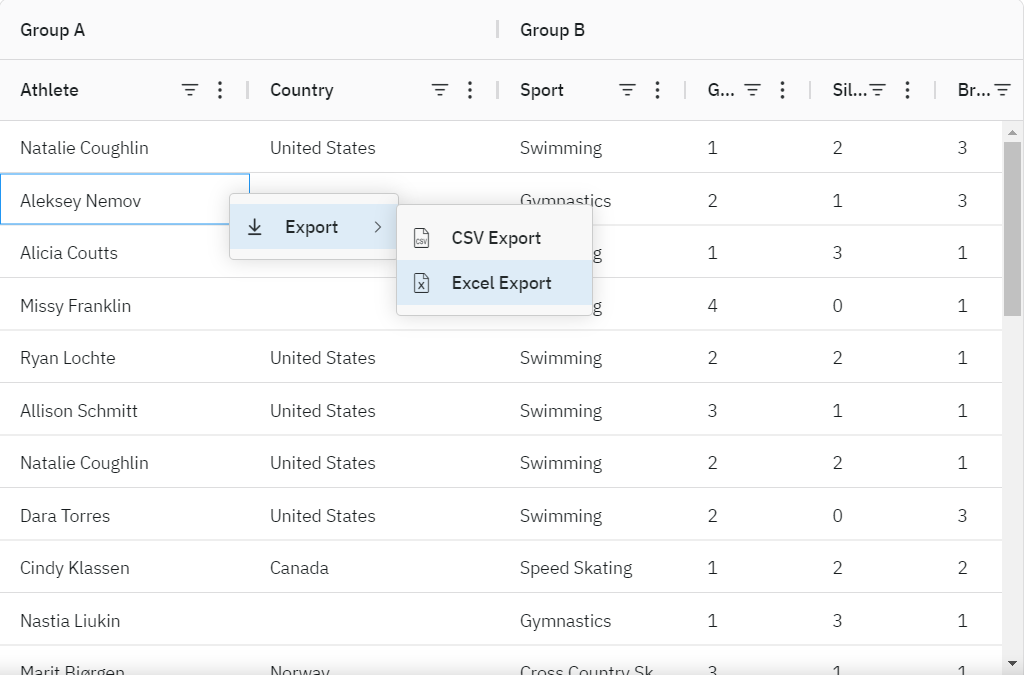
With Excel export functionality, your Next.js app can offer users a seamless way to extract data for offline analysis or reporting purposes. The feature can be customized to include specific columns, apply formatting, or even exclude certain rows based on user preferences. Exporting data becomes an integral part of the user experience, particularly for business or data-heavy applications where sharing information with external stakeholders is necessary.
AG Grid is an incredibly powerful tool that, when combined with Next.js, can take your web application to the next level. From handling massive datasets efficiently with infinite scrolling and server-side models to enhancing user interactions with custom cell renderers and built-in sorting/filtering, AG Grid provides a comprehensive set of features that can supercharge your Next.js app.
If you’re looking to build a data-intensive app with seamless user experiences, AG Grid’s flexibility and performance optimizations will help you create the perfect solution.

Clean Code vs. Overengineering: Where Should Developers Draw the Line?
Clean code reduces unnecessary complexity; overengineering invents it. A practical guide to using context, evidence, and the cost of change to know when to stop adding abstractions...
Read More
Kafka vs RabbitMQ vs AWS EventBridge: Choosing the Right Architecture Based on Business Requirements
Compare Kafka, RabbitMQ, and AWS EventBridge based on scalability, routing, event streaming, replay, infrastructure, and business requirements to choose the right architecture...
Read More
AI Integrations for QA Engineers
Learn how QA engineers can connect AI with Jira, GitHub, Slack, Notion and other tools to improve testing, bug tracking, reporting and QA productivity...
Read More
The Ultimate Guide to Amazon SES Setup with GoDaddy DNS
Learn how to set up Amazon SES with GoDaddy DNS. Complete step-by-step guide covering Easy DKIM, SPF, DMARC, custom MAIL FROM, and exiting the SES Sandbox...
Read More
AWS DevOps Agent Setup Guide with EC2
Learn how to set up AWS DevOps Agent with EC2, CloudWatch, IAM, and Agent Spaces for AI-assisted monitoring, incident investigation, and root-cause analysis...
Read More
Multi-Tenancy Patterns in DynamoDB: Silo, Pool, and Bridge Models
If you've already made the jump from a relational database to DynamoDB see our guide on moving relational data from SQL to DynamoDB...
Read More
We stopped leaving the IDE to design. Here’s our Cursor → Figma flow
Cursor drafts fast, catches gaps early, and still clips fields and breaks layouts. Here's the real pros-and-cons breakdown of our workflow...
Read More
AWS DevOps Agent: How AI is Automating On-Call Incident Response
If you've ever been on call during a production outage, you know how stressful it can be. Alerts start firing, dashboards light up, and suddenly you're jumping between monitoring tools...
Read More
Catch Missing Images Before Deploy: A Simple Pre-Build Script for Next.js
How Omax Tech added a lightweight image validation gate to Next.js 15 builds on Vercel...
Read MoreReady to Work With Us?
Most engagements start with a 20-minute conversation. No pitch, no pressure - just an honest discussion about what you're building and whether we're the right fit.