Create an Amazon Aurora DB cluster

Introduction
Amazon Aurora is a relational database service compatible with MySQL offered by Amazon Web Services. It is designed to combine the performance and high availability for commercial databases with the simplicity and cost-effectiveness of open-source databases.
To create an Aurora MySQL DB cluster, follow these steps
Step 1
Sign in to the AWS Management Console and open the Amazon RDS console at https://console.aws.amazon.com/rds/.
Step 2
In the navigation panel, select DATABASES.
Step 3
Select CREATE DATABASE.
Step 4
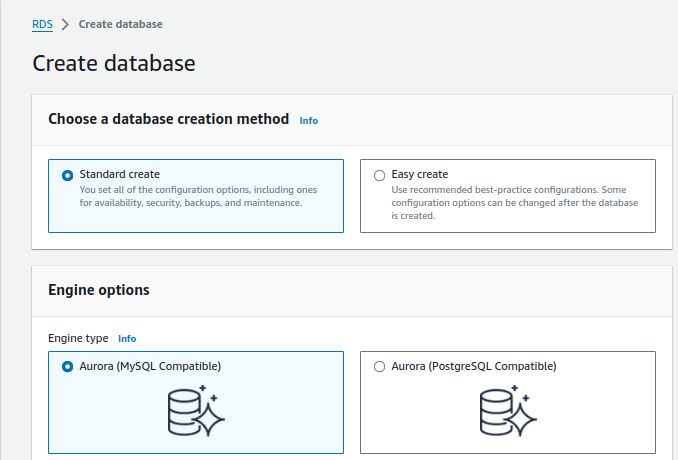
On the Create database page, select STANDARD CREATE.
Step 5
For Engine options, select AURORA (MySQL Compatible).
Step 6
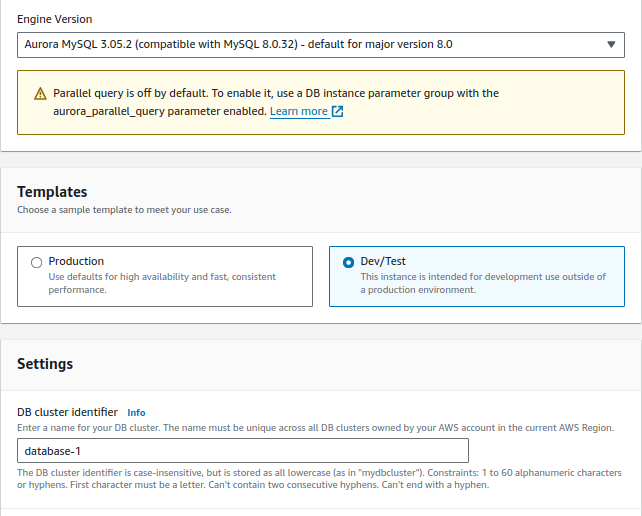
In the Templates section, select DEV/TEST.
Step 7
In the Settings section, set the following values:
- DB cluster identifier – Type database-1.
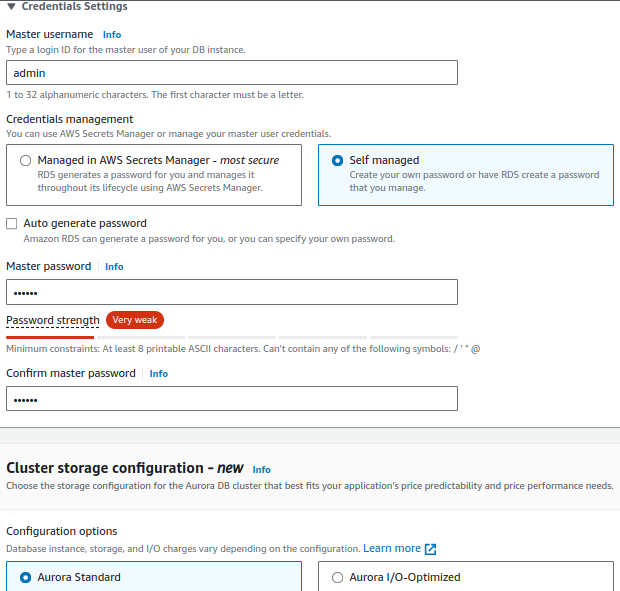
- Master username – Type admin.
- Auto generate a password – Leave the option turned off.
- Master password – Type a password.
- Confirm password – Retype the password.
Step 8
In the cluster storage configuration section, by default Aurora Standard is selected because it’s cost-effective. But if you want to select Aurora I/O-Optimized gives you improved performance, predicted price and also gives up-to 40% savings.
Step 9
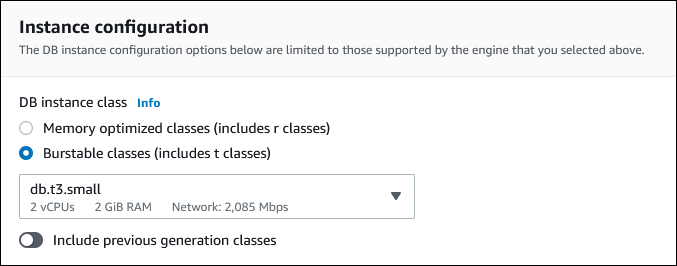
In the Instance configuration section, set these values:
- Burstable classes (includes t classes)
- db.t3.small(obsolete) or db.t3.medium or db.t3.large etc
Step 10
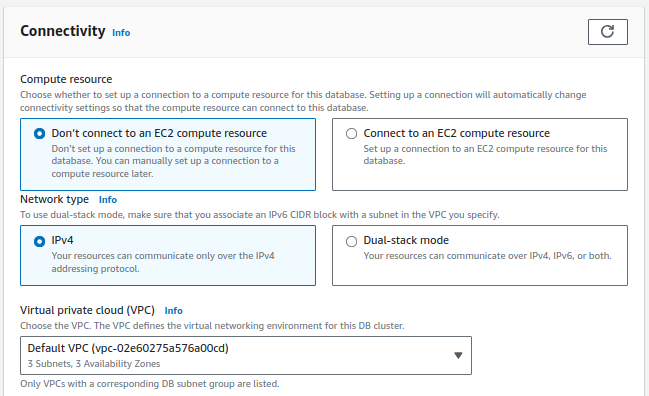
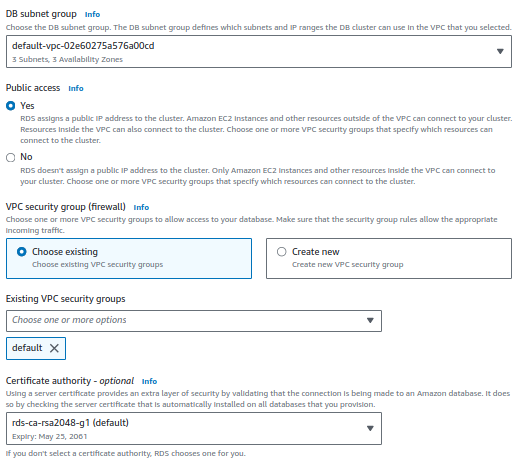
10. In the Connectivity section, set these values and keep the other values as their defaults:
- For Compute resource, choose Don’t connect to an EC2 compute resource.
- For Public access, if you select ‘Yes’, then RDS assigns a public IP to the cluster.
Step 11
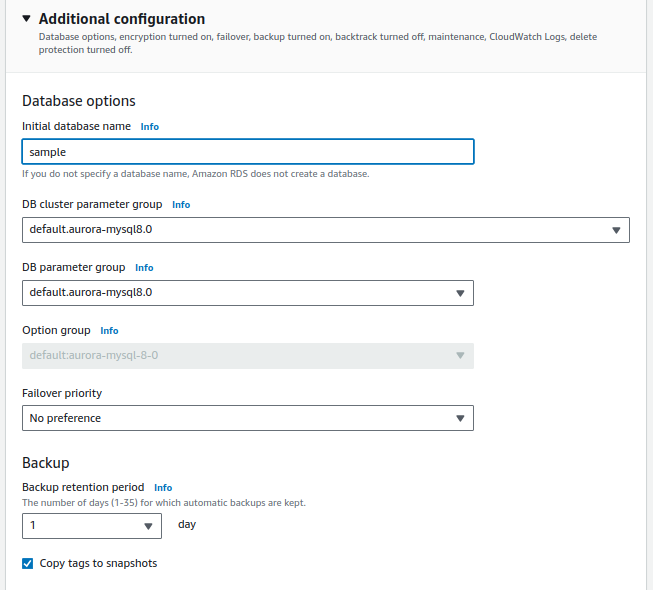
Open the Additional configuration section, and enter a ‘sample’ for Initial database name. Keep the default settings for the other options.
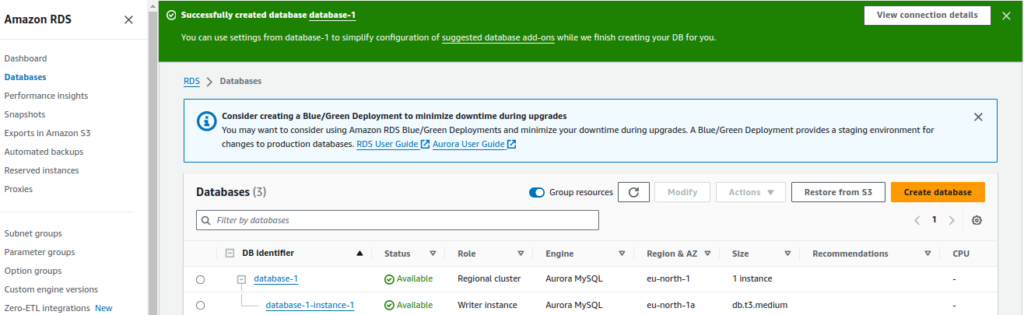
Once done with all the above steps, you can see the status of your database cluster by clicking on the Databases in the navigation pane.When the status of your DB cluster becomes available click on the DB cluster name for details. For connectivity with a third party tool like Workbench, choose the Connectivity & security section, view the Endpoint and Port of the writer DB instance.

Clean Code vs. Overengineering: Where Should Developers Draw the Line?
Clean code reduces unnecessary complexity; overengineering invents it. A practical guide to using context, evidence, and the cost of change to know when to stop adding abstractions...
Read More
Kafka vs RabbitMQ vs AWS EventBridge: Choosing the Right Architecture Based on Business Requirements
Compare Kafka, RabbitMQ, and AWS EventBridge based on scalability, routing, event streaming, replay, infrastructure, and business requirements to choose the right architecture...
Read More
AI Integrations for QA Engineers
Learn how QA engineers can connect AI with Jira, GitHub, Slack, Notion and other tools to improve testing, bug tracking, reporting and QA productivity...
Read More
The Ultimate Guide to Amazon SES Setup with GoDaddy DNS
Learn how to set up Amazon SES with GoDaddy DNS. Complete step-by-step guide covering Easy DKIM, SPF, DMARC, custom MAIL FROM, and exiting the SES Sandbox...
Read More
AWS DevOps Agent Setup Guide with EC2
Learn how to set up AWS DevOps Agent with EC2, CloudWatch, IAM, and Agent Spaces for AI-assisted monitoring, incident investigation, and root-cause analysis...
Read More
Multi-Tenancy Patterns in DynamoDB: Silo, Pool, and Bridge Models
If you've already made the jump from a relational database to DynamoDB see our guide on moving relational data from SQL to DynamoDB...
Read More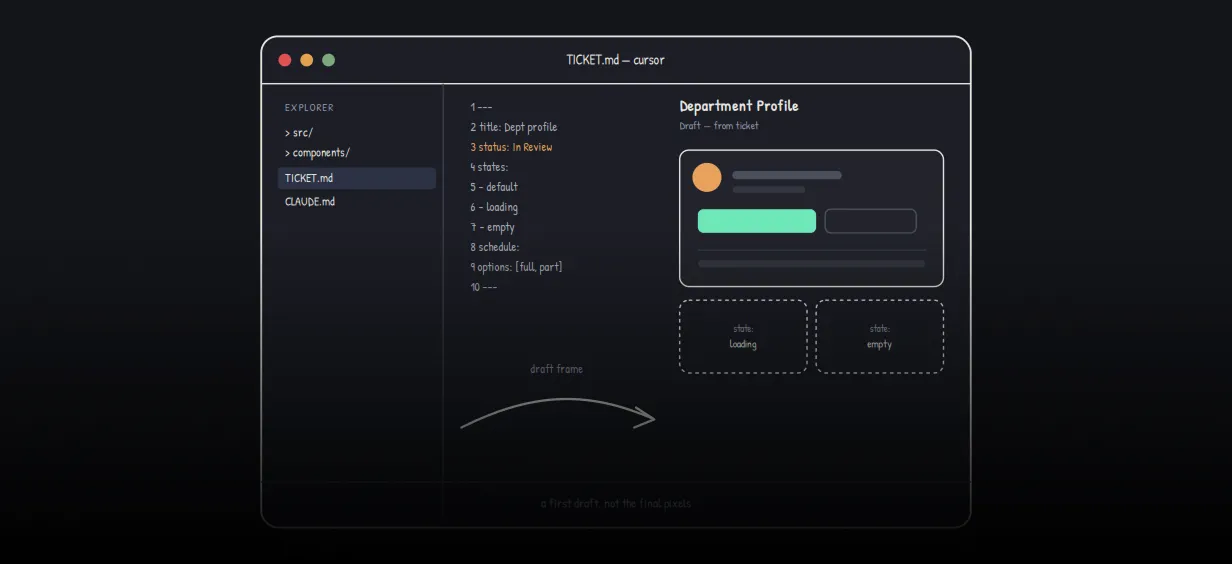
We stopped leaving the IDE to design. Here’s our Cursor → Figma flow
Cursor drafts fast, catches gaps early, and still clips fields and breaks layouts. Here's the real pros-and-cons breakdown of our workflow...
Read More
AWS DevOps Agent: How AI is Automating On-Call Incident Response
If you've ever been on call during a production outage, you know how stressful it can be. Alerts start firing, dashboards light up, and suddenly you're jumping between monitoring tools...
Read More
Catch Missing Images Before Deploy: A Simple Pre-Build Script for Next.js
How Omax Tech added a lightweight image validation gate to Next.js 15 builds on Vercel...
Read MoreReady to Work With Us?
Most engagements start with a 20-minute conversation. No pitch, no pressure - just an honest discussion about what you're building and whether we're the right fit.