
Moving Relational Data from SQL to DynamoDB: A Practical Guide

Introduction
Migrating data from a traditional relational database like MySQL, PostgreSQL, or SQL Server into Amazon DynamoDB isn’t just a lift‑and‑shift operation - it’s an opportunity to rethink how your application models and accesses data. Unlike SQL databases, DynamoDB is a NoSQL, key‑value and document store designed for high scalability, low latency, and flexible schemas. But migrating to it requires careful planning, tooling decisions, and a strategy that fits your application’s tolerance for downtime or change.
This guide walks through how to approach moving relational data to DynamoDB, the tools you can leverage, and practical strategies for migration — from offline bulk loads to online replication.
Understanding the Challenge
Relational databases organize data in normalized tables with relationships across keys, foreign keys, and joins. DynamoDB, by contrast, is schema‑less and oriented around access patterns, not relations. Data is stored as items with a primary key (a partition key and optional sort key), and there are no server‑side joins or complex SQL queries.
This means that your migration isn’t just about copying rows from SQL to DynamoDB - it’s about reshaping how the data is stored and accessed so it matches DynamoDB’s strengths.
Plan Your Target DynamoDB Model
Before you move any data, you need a clear DynamoDB data model. The biggest mental shift is that you design for how your application queries the data rather than how your data is structured in normalized tables.
In practice, this often means:
- Designing partition keys and sort keys for query performance.
- Grouping related entities into a single table when beneficial.
- Using secondary indexes if you need alternate query paths.
- Redesigning transactions and joins as application-level logic or denormalized patterns.
This upfront modeling not only ensures performance but also determines how the migration will reshape your legacy data.
Offline vs. Hybrid vs. Online Migration Strategies
AWS’s migration guide recommends thinking in terms of how much downtime your application can tolerate and choosing a migration strategy accordingly:
Offline Migration
Use this when you can afford a maintenance window.
- Extract data from your SQL database.
- Transform it into DynamoDB’s JSON format or CSV.
- Stage the data in Amazon S3.
- Use DynamoDB’s Import from S3 feature to bulk load into a new table.
This approach is straightforward and doesn’t require a live sync but involves downtime.
Typical offline tools:
- AWS Database Migration Service (DMS) for full load ETL jobs.
- AWS Glue, Amazon EMR, or custom scripts to transform schemas.
- DynamoDB Import from S3 for simple bulk loading.
Hybrid Migration
Useful when you want to keep reads available while migrating:
- Disable writes temporarily or implement dual-writes (writing new records to both SQL and DynamoDB).
- Backfill historical data with ETL jobs concurrently.
- This reduces total downtime while keeping part of the application usable.
Online Migration
Best when zero downtime is required:
- Use AWS DMS with Change Data Capture (CDC) to keep DynamoDB in sync with SQL.
- You can migrate tables one-for-one without significant downtime.
- Note that DynamoDB has different data structures — CDC can propagate changes, but your application might still need logic adjustments for access patterns and schema changes.
AWS DMS allows direct replication from SQL to DynamoDB with minimal disruption, though you must handle differences like non-composite key limitations and type conversions (e.g., dates become strings).
Tools You Can Use
Here are the primary tools available for migrating SQL data to DynamoDB:
- AWS Database Migration Service (DMS): Supports migrating full loads and CDC, and can map relational tables to DynamoDB attributes.
- AWS Glue: A serverless ETL service useful for complex transformations and preparing data for DynamoDB.
- Amazon EMR: When dealing with very large datasets or needing custom distributed processing for transformation.
- Custom Scripts: For bespoke transformations or where business logic determines how data should be shaped before landing in DynamoDB.
Each tool has strengths - DMS is strong for replication and continuous sync, while Glue and EMR excel at ETL transformations for complex schemas.
Addressing Relational Concepts in DynamoDB
Because DynamoDB doesn’t support join operations, you may need to adjust how related data is represented:
- Denormalization: Instead of keeping normalized tables, combine related attributes into a single item when read patterns require it.
- Composite Items: Use composite primary keys (partition + sort keys) to model relationships within a table.
- Global Secondary Indexes (GSIs): Provide additional query flexibility for non-primary access patterns.
These steps help you avoid joins and instead leverage DynamoDB’s strengths in high performance and scalability.
Validate, Test, and Cut Over
Before switching your live application over:
- Validate data consistency between SQL and DynamoDB.
- Run sample queries to ensure DynamoDB access patterns return expected results.
- Monitor replication or ETL jobs with CloudWatch.
- Plan for a cutover, possibly in phases, to reduce risk.
Testing helps prevent surprises when you finally point your application to DynamoDB full-time.
Conclusion
Migrating relational data from SQL to Amazon DynamoDB is more than a simple export/import - it’s a transformation of how your application stores and retrieves data. With careful modeling, choosing the right mix of tools like AWS DMS, Glue, or custom scripts, and planning for downtime or online synchronization, the migration can be smooth and efficient.
Whether you’re modernizing an existing system or moving to a scalable serverless architecture, understanding DynamoDB’s data model and aligning it with your SQL schema will be the key to long-term success.

Clean Code vs. Overengineering: Where Should Developers Draw the Line?
Clean code reduces unnecessary complexity; overengineering invents it. A practical guide to using context, evidence, and the cost of change to know when to stop adding abstractions...
Read More
Kafka vs RabbitMQ vs AWS EventBridge: Choosing the Right Architecture Based on Business Requirements
Compare Kafka, RabbitMQ, and AWS EventBridge based on scalability, routing, event streaming, replay, infrastructure, and business requirements to choose the right architecture...
Read More
AI Integrations for QA Engineers
Learn how QA engineers can connect AI with Jira, GitHub, Slack, Notion and other tools to improve testing, bug tracking, reporting and QA productivity...
Read More
The Ultimate Guide to Amazon SES Setup with GoDaddy DNS
Learn how to set up Amazon SES with GoDaddy DNS. Complete step-by-step guide covering Easy DKIM, SPF, DMARC, custom MAIL FROM, and exiting the SES Sandbox...
Read More
AWS DevOps Agent Setup Guide with EC2
Learn how to set up AWS DevOps Agent with EC2, CloudWatch, IAM, and Agent Spaces for AI-assisted monitoring, incident investigation, and root-cause analysis...
Read More
Multi-Tenancy Patterns in DynamoDB: Silo, Pool, and Bridge Models
If you've already made the jump from a relational database to DynamoDB see our guide on moving relational data from SQL to DynamoDB...
Read More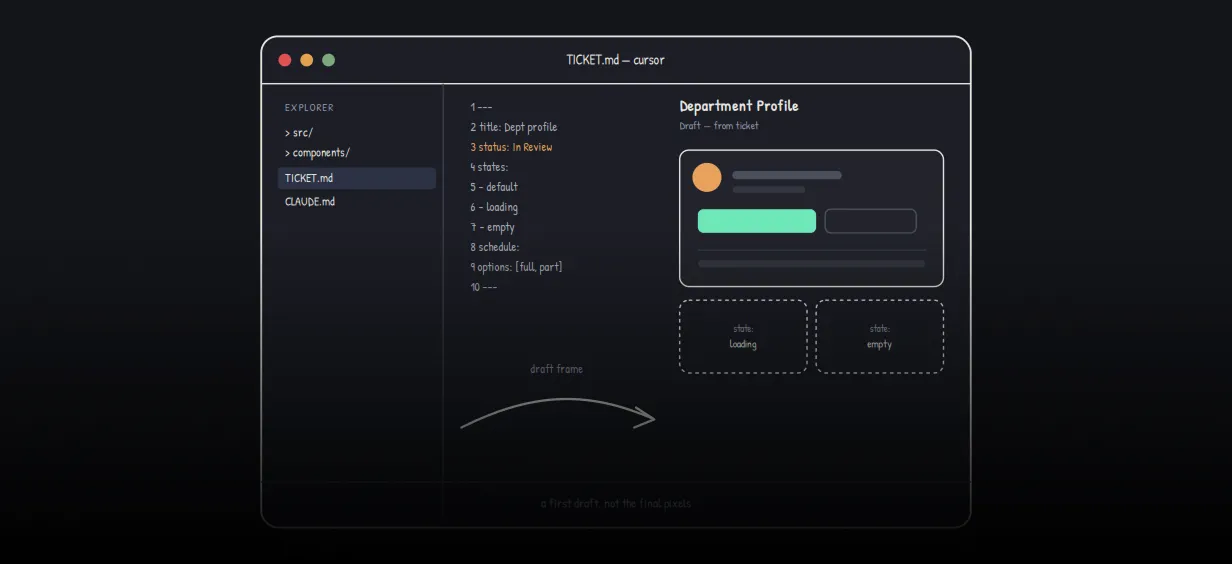
We stopped leaving the IDE to design. Here’s our Cursor → Figma flow
Cursor drafts fast, catches gaps early, and still clips fields and breaks layouts. Here's the real pros-and-cons breakdown of our workflow...
Read More
AWS DevOps Agent: How AI is Automating On-Call Incident Response
If you've ever been on call during a production outage, you know how stressful it can be. Alerts start firing, dashboards light up, and suddenly you're jumping between monitoring tools...
Read More
Catch Missing Images Before Deploy: A Simple Pre-Build Script for Next.js
How Omax Tech added a lightweight image validation gate to Next.js 15 builds on Vercel...
Read MoreReady to Work With Us?
Most engagements start with a 20-minute conversation. No pitch, no pressure - just an honest discussion about what you're building and whether we're the right fit.