React Performance Optimization Techniques

Introduction
Performance optimization is crucial in React applications, especially when dealing with API requests. Inefficient data fetching can lead to unnecessary network requests, sluggish UI updates, and poor user experience.
This blog explores how Axios and React Query impact performance and how combining them can maximize efficiency.
1. Performance Bottlenecks in API Handling
Fetching data efficiently in React involves challenges such as:
- Excessive API calls: Every component re-render may trigger redundant network requests.
- Lack of caching: Fetching the same data multiple times slows performance.
- Blocking UI updates: Poor request handling can lead to delays and unresponsive interfaces.
- Stale data issues: Data retrieved once may become outdated without a refresh mechanism.
To address these, we need tools that optimize API requests and manage state efficiently.
2. Enhancing Performance with React Query
React Query is a powerful tool for managing server state efficiently. Here’s how it optimizes performance:
Automatic Caching & Background Updates
- Prevents redundant network calls by caching responses.
- Automatically fetches stale data in the background.
- Ensures UI remains in sync with the latest data.
Optimized Data Fetching
- Fetches data only when necessary using conditional fetching.
- Reduces re-renders by storing query results outside of React’s state.
Retries & Error Handling
- Automatically retries failed requests, improving reliability.
- Displays proper UI states (loading, success, error) without unnecessary logic.
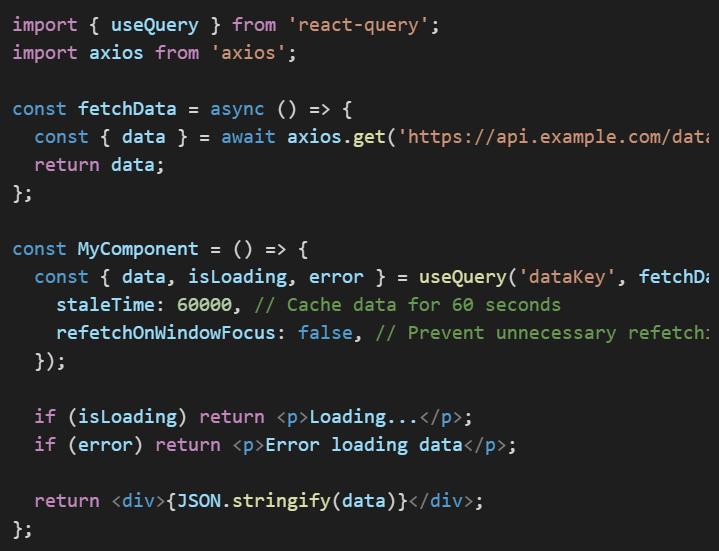
Example: Using React Query for Optimized Fetching
3. Optimizing Axios for Better Performance
While Axios simplifies HTTP requests, optimizing it can further improve performance:
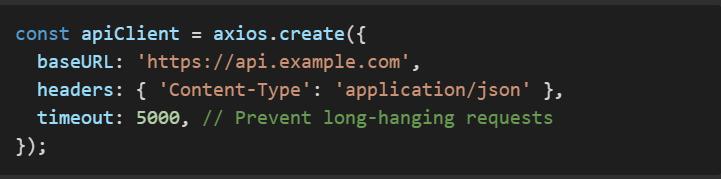
Use Global Configurations
- Set base URLs and headers globally to reduce redundancy.
Enable Request Interceptors
- Modify requests before sending (e.g., adding auth tokens).

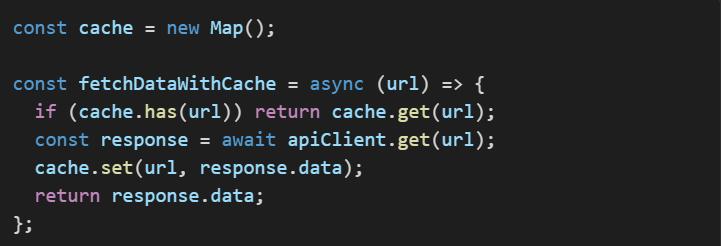
Reduce Redundant Requests with Memoization
- Store API responses and reuse them when applicable.
4. Combining Axios and React Query for Peak Performance
Axios alone doesn’t manage state efficiently, and React Query alone doesn’t send requests. Combining them provides the best of both worlds:
Axios for making API calls
- Handles request/response logic, authentication, and error processing.
React Query for caching and background fetching
- Reduces redundant network calls and ensures data freshness.
Example: Using Axios with React Query
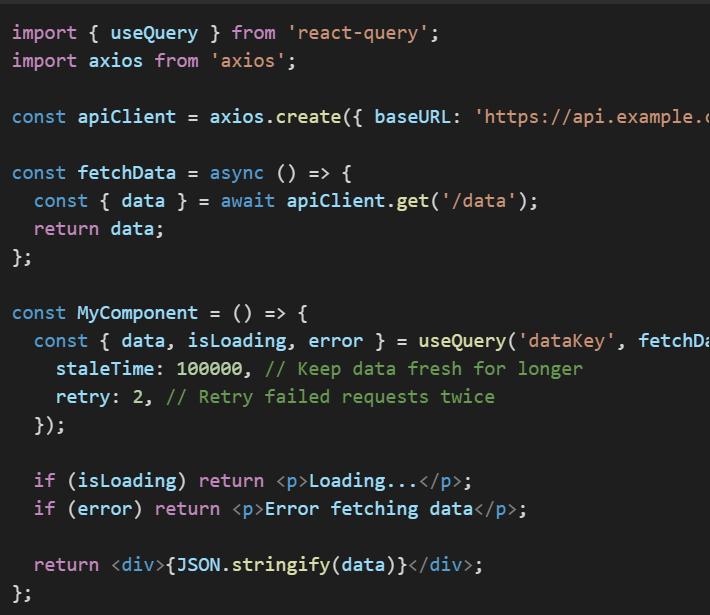
5. Best Practices for Performance Optimization
Set Proper Cache Times
- Avoid refetching frequently used data by setting an appropriate staleTime.
Reduce Re-Renders
- Store fetched data outside of component state.
Batch API Requests
- Combine multiple API calls into a single request.
Use Lazy Loading
- Fetch data only when needed instead of all at once.
Conclusion
To optimize React performance when dealing with APIs:
- Use React Query for caching, background fetching, and efficient state management.
- Use Axios for structured request handling, interceptors, and authentication.
- Combine both for the best performance, ensuring fewer network requests and better state management.
By applying these strategies, you’ll create React applications that are fast, scalable, and maintainable!

The Right Way to Migrate from MySQL to AWS Aurora DSQL
Migrating a production database is one of the highest-risk changes you can make to an application. Moving from MySQL to AWS Aurora DSQL raises the stakes further...
Read More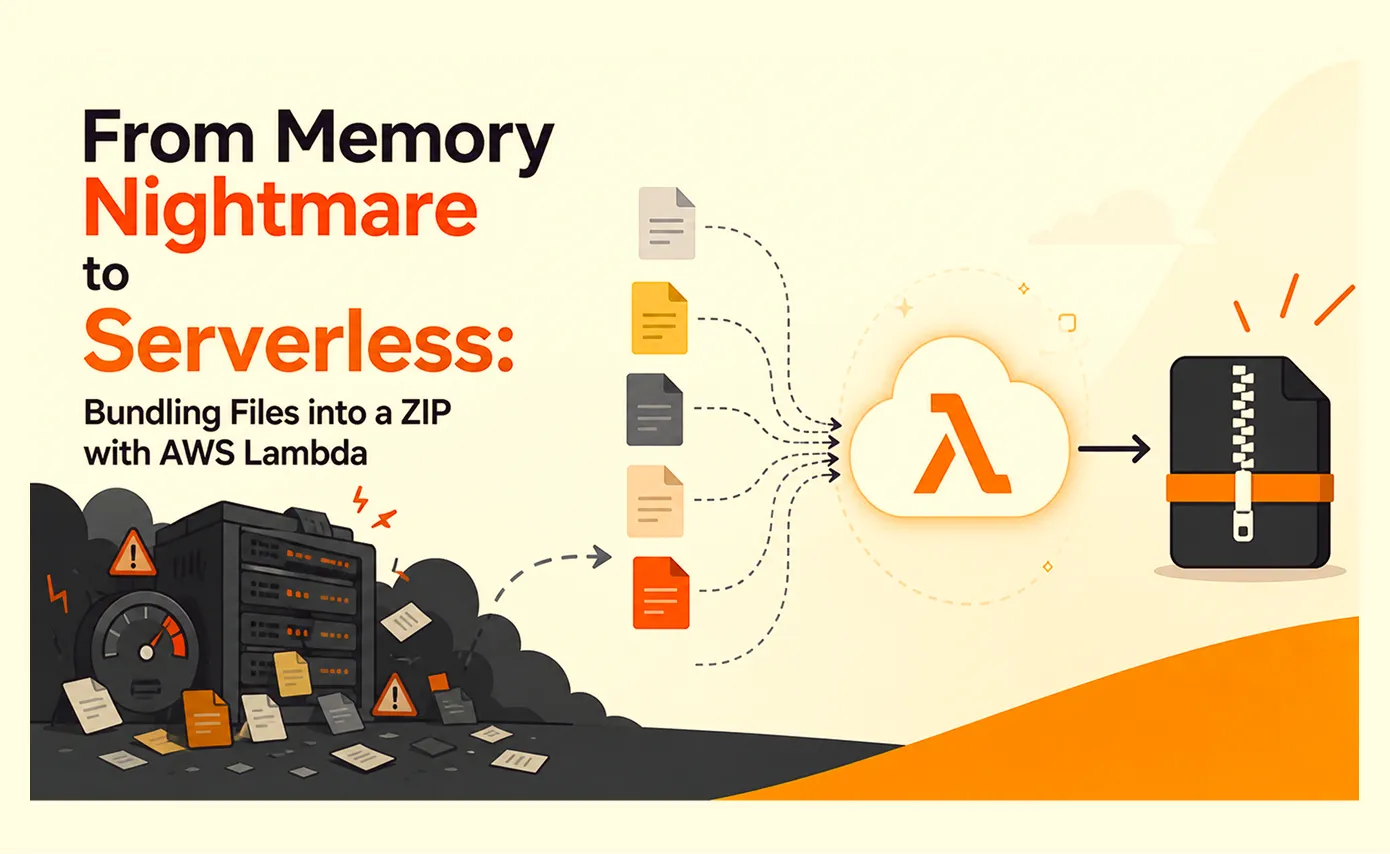
From Memory Nightmare to Serverless: Bundling Files into a ZIP with AWS Lambda
A straightforward 'download all these files as one ZIP' request that worked perfectly on my laptop and... fell over the first day it met real production load. Here's the debugging story, the scaling options I ruled out, and why AWS Lambda was the right answer.
Read More
Clean Code vs. Overengineering: Where Should Developers Draw the Line?
Clean code reduces unnecessary complexity; overengineering invents it. A practical guide to using context, evidence, and the cost of change to know when to stop adding abstractions...
Read More
Kafka vs RabbitMQ vs AWS EventBridge: Choosing the Right Architecture Based on Business Requirements
Compare Kafka, RabbitMQ, and AWS EventBridge based on scalability, routing, event streaming, replay, infrastructure, and business requirements to choose the right architecture...
Read More
AI Integrations for QA Engineers
Learn how QA engineers can connect AI with Jira, GitHub, Slack, Notion and other tools to improve testing, bug tracking, reporting and QA productivity...
Read More
The Ultimate Guide to Amazon SES Setup with GoDaddy DNS
Learn how to set up Amazon SES with GoDaddy DNS. Complete step-by-step guide covering Easy DKIM, SPF, DMARC, custom MAIL FROM, and exiting the SES Sandbox...
Read More
AWS DevOps Agent Setup Guide with EC2
Learn how to set up AWS DevOps Agent with EC2, CloudWatch, IAM, and Agent Spaces for AI-assisted monitoring, incident investigation, and root-cause analysis...
Read More
Multi-Tenancy Patterns in DynamoDB: Silo, Pool, and Bridge Models
If you've already made the jump from a relational database to DynamoDB see our guide on moving relational data from SQL to DynamoDB...
Read More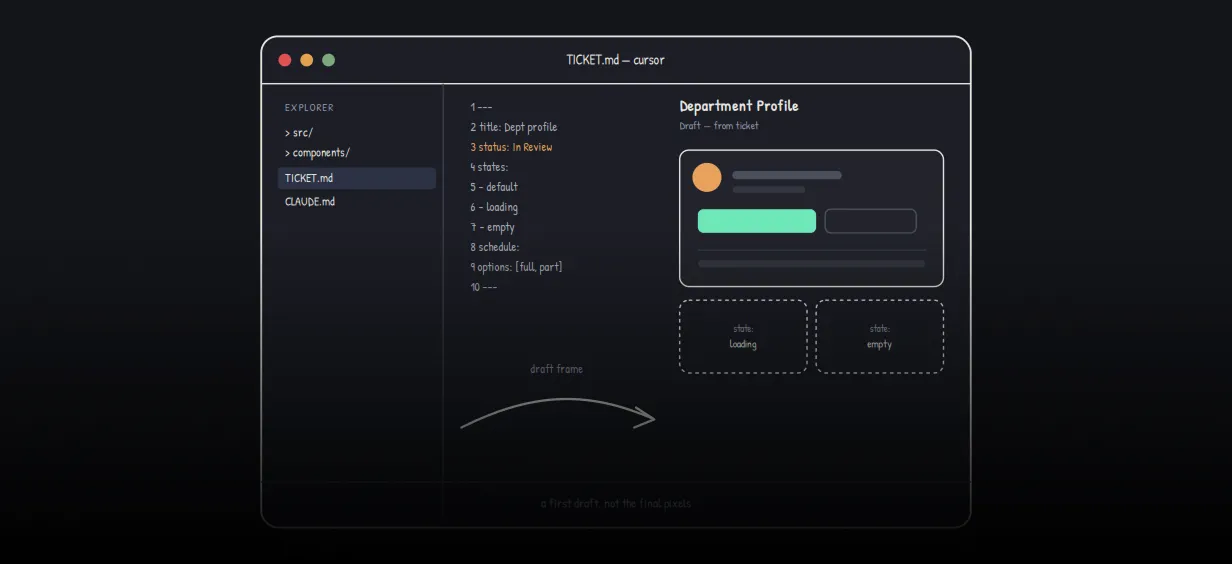
We stopped leaving the IDE to design. Here’s our Cursor → Figma flow
Cursor drafts fast, catches gaps early, and still clips fields and breaks layouts. Here's the real pros-and-cons breakdown of our workflow...
Read MoreReady to Work With Us?
Most engagements start with a 20-minute conversation. No pitch, no pressure - just an honest discussion about what you're building and whether we're the right fit.