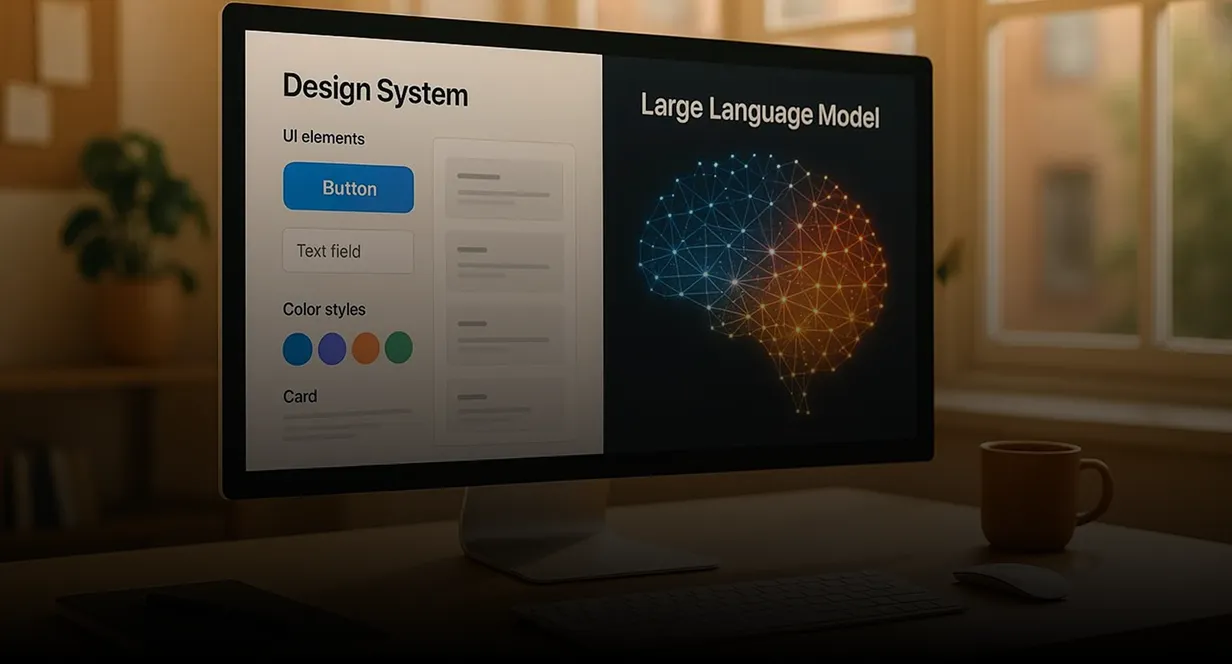
Teach your LLM your design system: Storybook MCP + Amazon Bedrock + Strands

Introduction
Most "AI UI" demos look great until you paste the markup into a real product. Props don't exist. Tokens are wrong. The model invents a parallel design system.
The fix is not a smarter prompt. It's giving the model tools that return your actual components the same ones you already document in Storybook.
This tutorial walks through that pattern:
- Publish a design-system catalog (from Storybook) over MCP.
- Connect an agent running on Amazon Bedrock via the Strands Agents SDK.
- Force the agent to look up components before it writes UI.
You can follow it with your own Storybook; the examples use a TypeScript / Angular-style catalog, but the shape works for React or any other stack.
Why MCP?
Model Context Protocol is a standard way for tools (and catalogs) to show up inside an agent loop. Instead of stuffing every component prop into the system prompt, you expose small tools:
| Tool | Job |
|---|---|
| list-all-documentation | What's in the design system? |
| get-documentation | Exact inputs, outputs, examples for one component |
| get-documentation-for-story | Story variants + preview URLs |
| get-design-tokens | Colors, spacing, typography rules |
| get-storybook-story-instructions | How to author new stories correctly |
The model discovers the library, then drills into only what it needs for the screen it's building.
Note: Storybook's official MCP addon (http://localhost:6006/mcp) is useful for some React setups. For Angular (and for a stable production API), prefer a custom catalog MCP backed by a JSON catalog exported from Storybook not a live dependency on Storybook being up.
Architecture (big picture)
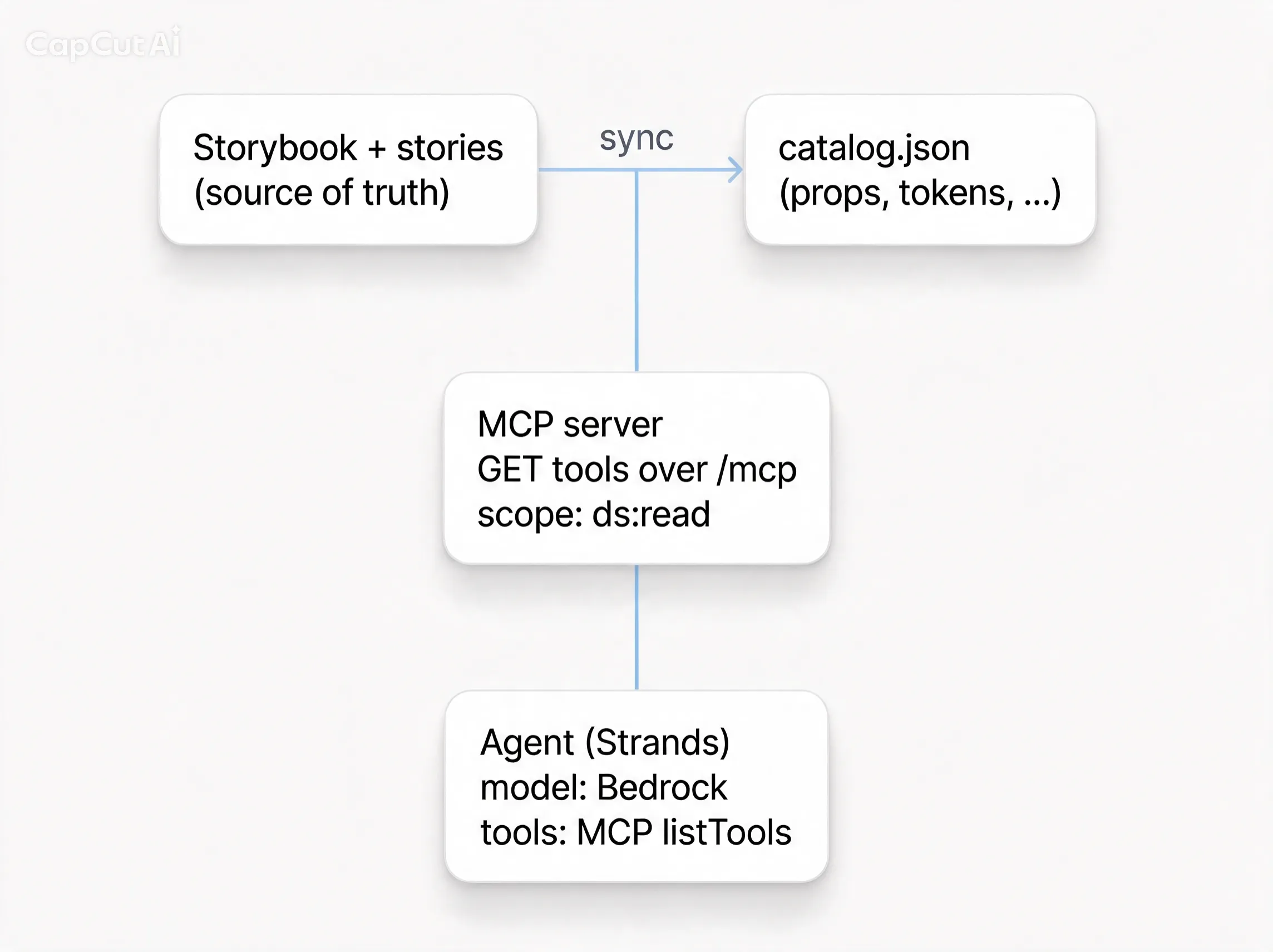
Three layers, cleanly separated:
- Catalog documentation the design system already owns.
- MCP how any agent (Cursor, Bedrock, CI) reads that catalog.
- Agent Bedrock model + Strands loop that must call tools before inventing markup.
Part 1: Expose your Storybook as MCP
1. Maintain a catalog, not just stories
Stories are for humans. Agents need a structured catalog: selectors, input names, allowed values, examples, do/don't rules.
Minimal shape:
1{2 "name": "Acme Design System",3 "framework": "angular",4 "storybookUrl": "https://storybook.example.com/",5 "guidelines": [6 "Never invent component properties.",7 "Call get-documentation before using a component."8 ],9 "components": [10 {11 "id": "button",12 "name": "Button",13 "selector": "acme-button",14 "className": "AcmeButtonComponent",15 "import": "@acme/design-system",16 "category": "actions",17 "description": "Primary action control",18 "storybookPath": "?path=/docs/button--docs",19 "inputs": [20 { "name": "variant", "type": "'primary' | 'danger' | 'secondary'", "required": false },21 { "name": "disabled", "type": "boolean", "required": false }22 ],23 "outputs": [{ "name": "pressed", "type": "EventEmitter<void>" }],24 "examples": [25 "<acme-button variant=\"primary\">Save</acme-button>"26 ]27 }28 ],29 "tokensCss": ":root { --color-primary: #2563eb; }"30}
Generate or sync this from Storybook (script, CI step, or hand-maintained for a small library). The important part: the catalog must match production components.
2. Implement the five tools
A stdio MCP server (great for Cursor) is enough to start:
1// mcp/server.mjs (sketch)2import { McpServer } from '@modelcontextprotocol/sdk/server/mcp.js';3import { StdioServerTransport } from '@modelcontextprotocol/sdk/server/stdio.js';4import { z } from 'zod';5import catalog from './catalog.json' with { type: 'json' };67const server = new McpServer({ name: 'acme-ds-mcp', version: '1.0.0' });89server.tool('list-all-documentation', 'List design-system components', {}, async () => ({10 content: [{ type: 'text', text: JSON.stringify({11 components: catalog.components.map(({ id, name, selector, description }) => ({12 id, name, selector, description,13 })),14 }, null, 2) }],15}));1617server.tool(18 'get-documentation',19 'Full docs for one component (props, examples)',20 { component: z.string() },21 async ({ component }) => {22 const match = catalog.components.find((c) =>23 [c.id, c.name, c.selector].includes(component),24 );25 return {26 content: [{27 type: 'text',28 text: JSON.stringify(match ?? { error: 'not found' }, null, 2),29 }],30 };31 },32);3334// …get-documentation-for-story, get-design-tokens, get-storybook-story-instructions3536await server.connect(new StdioServerTransport());
Point Cursor (or any MCP client) at node mcp/server.mjs and try: "What button variants exist?" the answer should come from the tool, not the model's memory.
3. Host it for cloud agents
Local stdio is fine for IDE agents. Bedrock agents in AWS need an HTTP MCP endpoint (Streamable HTTP / your gateway).
In production you can put the same catalog tools on a shared MCP host next to other product tools, and gate them with an OAuth scope such as ds:read so a data agent cannot see design-system tools and a UI agent cannot see SQL tools unless you grant both scopes.
Sketch of the contract:
1POST /exchange2Authorization: Bearer <your-app-session-token>3Content-Type: application/json45{ "scope": "ds:read" }6{7 "access_token": "<mcp-jwt>",8 "token_type": "Bearer",9 "expires_in": 3600,10 "scope": "ds:read"11}
Then the agent calls POST /mcp with that JWT. The server registers only tools allowed by the token's scopes.
You don't need this exchange on day one a shared API key for a prototype is fine. Add scoped tokens when multiple tool families share one MCP host.
Part 2: Wire Bedrock + Strands
Strands gives you a small agent loop: model + tools + system prompt. On AWS, the model is Bedrock (Claude, etc.).
1. Open an MCP session per invocation
Conceptually:
- Exchange (or otherwise obtain) an MCP access token with ds:read.
- Connect Strands McpClient to your /mcp URL.
- listTools() trust the server's list for that JWT.
- Pass those tools into new Agent({ model, systemPrompt, tools }).
- Always disconnect() in a finally block.
Simplified TypeScript:
1import { Agent, McpClient } from '@strands-agents/sdk';2import { createBedrockModel } from './bedrock'; // your Bedrock model factory34async function runUiAgent(userMessage: string, mcpBaseUrl: string, mcpJwt: string) {5 const client = new McpClient({6 url: `${mcpBaseUrl.replace(/\/+$/, '')}/mcp`,7 headers: { Authorization: `Bearer ${mcpJwt}` },8 });910 try {11 await client.connect();12 const tools = await client.listTools();1314 const agent = new Agent({15 model: createBedrockModel({ /* region, model id, guardrails */ }),16 systemPrompt: SYSTEM_PROMPT,17 tools,18 });1920 const result = await agent.invoke(userMessage);21 return result.toString();22 } finally {23 await client.disconnect();24 }25}
Wrap that in a small helper (exchange → connect → listTools) so every agent gets the same session lifecycle.
2. System prompt: make the catalog mandatory
Tools alone aren't enough. Tell the model how to use them:
1You build UI only with the company design system.23Hard rules:41. Before writing any component markup, call list-all-documentation.52. For every component you use, call get-documentation and use ONLY documented inputs.63. If a property is not documented, do not invent it ask the user.74. Prefer design tokens from get-design-tokens over raw colors.85. Match existing Storybook patterns from get-documentation-for-story when relevant.910Output: production-ready framework markup (e.g. Angular standalone templates)11using real selectors from the catalog.
Same rule for IDE agents: never invent component properties; query MCP first.
3. Keep the agent thin
A good UI agent for this pattern:
- Declares which MCP tools it's allowed to use (governance allowlist).
- Requests only ds:read (not warehouse / SQL scopes).
- Does not hardcode the component list in application code the server is the source of truth after exchange.
Part 3: Try an end-to-end request
"User: Build a simple settings header: title, a status pill, and a primary Save button."
Healthy agent loop:
- list-all-documentation → sees acme-button, acme-status-pill , …
- get-documentation for button and status pill → learns variant="primary" / "secondary", etc.
- Optionally get-design-tokens for spacing.
- Emits markup that only uses documented APIs.
Unhealthy agent (no MCP): <AcmeButton color="purple" size="xl"> pretty, wrong, and expensive to clean up.
Practical tips
- Sync the catalog in CI. When Storybook stories change, regenerate catalog.json, rebuild the MCP image/Lambda, deploy. Stale catalogs are how agents "learn" deleted props.
- Prefer documented examples over free-form CSS. If your guidelines say "no raw hex," put that in the catalog guidelines array and in the system prompt.
- Scope tools by audience. UI agents get ds:read. Data agents get whatever read scopes you expose for analytics or SQL. Same MCP host, different JWTs.
- Evaluate with fixtures. Offline evals can stub MCP tools; keep a small suite that asserts the agent calls get-documentation before emitting selectors.
- Don't confuse Storybook preview MCP with your catalog MCP. Preview/manifest tooling helps some React workflows; a versioned JSON catalog is what holds up for Angular and for non-local agents.
What you get
| Without catalog MCP | With Storybook → MCP → Bedrock |
|---|---|
| Invented props and tokens | Documented inputs only |
| Prompt stuffed with the whole DS | On-demand tool calls |
| IDE-only knowledge | Same tools for Cursor and cloud agents |
| Drift from Storybook | Catalog synced from the same source |
Closing
Design systems already encode how your product should look. MCP turns that encoding into callable truth for models. Bedrock supplies the reasoning; Strands supplies the tool loop; your Storybook catalog supplies the constraints.
Start small: five tools, one button component, one agent prompt that refuses to invent props. Once that loop is trustworthy, grow the catalog the same way you grow Storybook one documented component at a time.
Further reading
● Storybook docs for your framework (Angular / React / Vue)

Clean Code vs. Overengineering: Where Should Developers Draw the Line?
Clean code reduces unnecessary complexity; overengineering invents it. A practical guide to using context, evidence, and the cost of change to know when to stop adding abstractions...
Read More
Kafka vs RabbitMQ vs AWS EventBridge: Choosing the Right Architecture Based on Business Requirements
Compare Kafka, RabbitMQ, and AWS EventBridge based on scalability, routing, event streaming, replay, infrastructure, and business requirements to choose the right architecture...
Read More
AI Integrations for QA Engineers
Learn how QA engineers can connect AI with Jira, GitHub, Slack, Notion and other tools to improve testing, bug tracking, reporting and QA productivity...
Read More
The Ultimate Guide to Amazon SES Setup with GoDaddy DNS
Learn how to set up Amazon SES with GoDaddy DNS. Complete step-by-step guide covering Easy DKIM, SPF, DMARC, custom MAIL FROM, and exiting the SES Sandbox...
Read More
AWS DevOps Agent Setup Guide with EC2
Learn how to set up AWS DevOps Agent with EC2, CloudWatch, IAM, and Agent Spaces for AI-assisted monitoring, incident investigation, and root-cause analysis...
Read More
Multi-Tenancy Patterns in DynamoDB: Silo, Pool, and Bridge Models
If you've already made the jump from a relational database to DynamoDB see our guide on moving relational data from SQL to DynamoDB...
Read More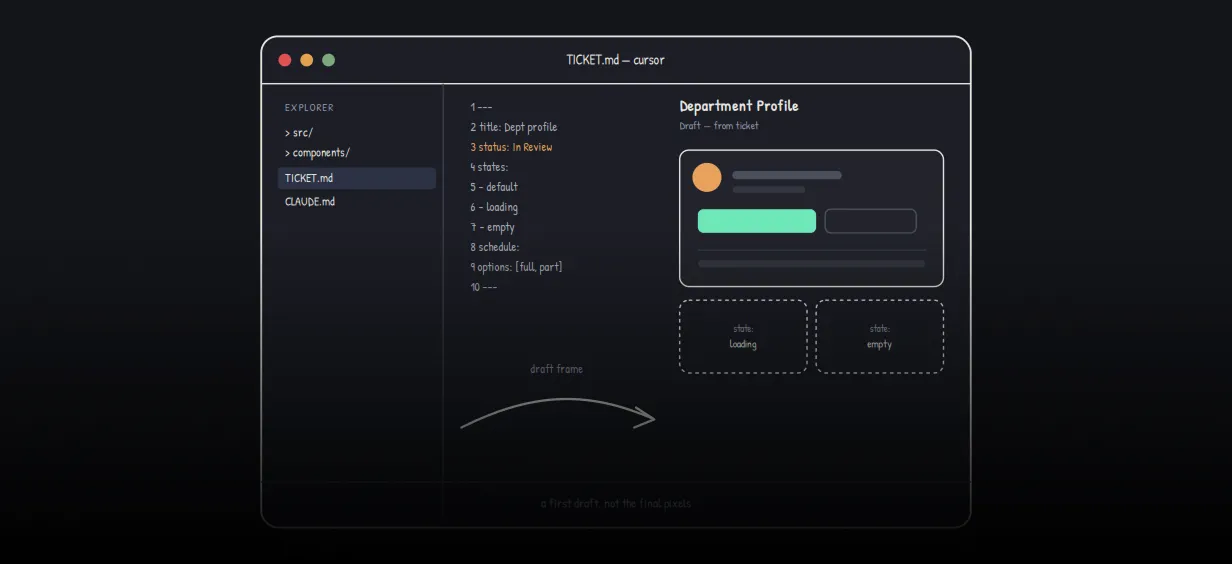
We stopped leaving the IDE to design. Here’s our Cursor → Figma flow
Cursor drafts fast, catches gaps early, and still clips fields and breaks layouts. Here's the real pros-and-cons breakdown of our workflow...
Read More
AWS DevOps Agent: How AI is Automating On-Call Incident Response
If you've ever been on call during a production outage, you know how stressful it can be. Alerts start firing, dashboards light up, and suddenly you're jumping between monitoring tools...
Read More
Catch Missing Images Before Deploy: A Simple Pre-Build Script for Next.js
How Omax Tech added a lightweight image validation gate to Next.js 15 builds on Vercel...
Read MoreReady to Work With Us?
Most engagements start with a 20-minute conversation. No pitch, no pressure - just an honest discussion about what you're building and whether we're the right fit.