
Your Complete Guide to Google’s Gemini 1.5 Flash in Python

Introduction
Generative AI is reshaping industries, powering tools that produce human-like text, images, and even code. Google, a pioneer in AI innovation, has taken a significant leap forward with the Gemini 1.5 Flash model—a game-changer in generative AI that offers both speed and precision. Whether you’re a developer, data scientist, or AI enthusiast, this guide will help you get started with Google’s Gemini 1.5 Flash model.
What is Gemini 1.5 Flash?
Gemini 1.5 Flash is a state-of-the-art model in Google’s Generative AI lineup. Designed for efficiency and scalability, it excels in generating text, summarizing content, translating languages, and performing various other natural language processing (NLP) tasks. What sets Gemini 1.5 apart is its capability to deliver rapid results without compromising on quality, making it a perfect fit for real-time applications.
Key Features of Gemini 1.5 Flash
- 1High-Speed Performance: The “Flash” in its name isn’t just for show. Gemini 1.5 is optimized for lightning-fast responses, enabling it to handle real-time applications like chatbots and live content moderation.
- 2Improved Accuracy: With a refined architecture, Gemini 1.5 Flash offers higher precision in tasks such as language translation, sentiment analysis, and content summarization.
- 3Ease of Integration: Built to work seamlessly with Google’s AI ecosystem, Gemini 1.5 can be integrated into existing workflows, whether through APIs or Google’s Python-based generative AI library.
Why Choose Gemini 1.5 Flash?
commerce has increased the demand for models that can deliver both speed and accuracy. Gemini 1.5 Flash stands out by addressing these needs. It’s particularly useful for:
- Customer Support Automation: Deploy it in chatbots to provide instant, accurate responses.
- Content Generation: Use it to create high-quality articles, blogs, and social media posts.
Steps to Integrate Gemini 1.5 Flash model in Python Project
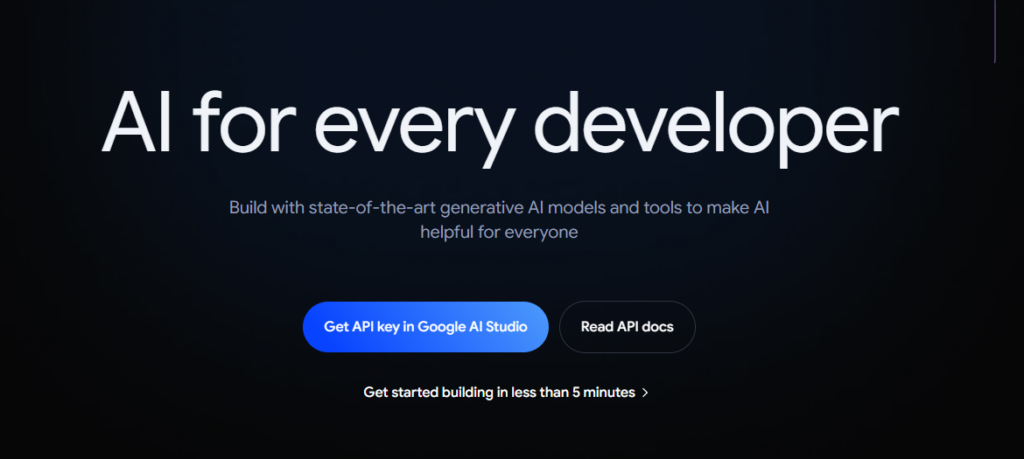
1. Visit the ai.google.dev. Click on Get API Key in Google AI Studio.
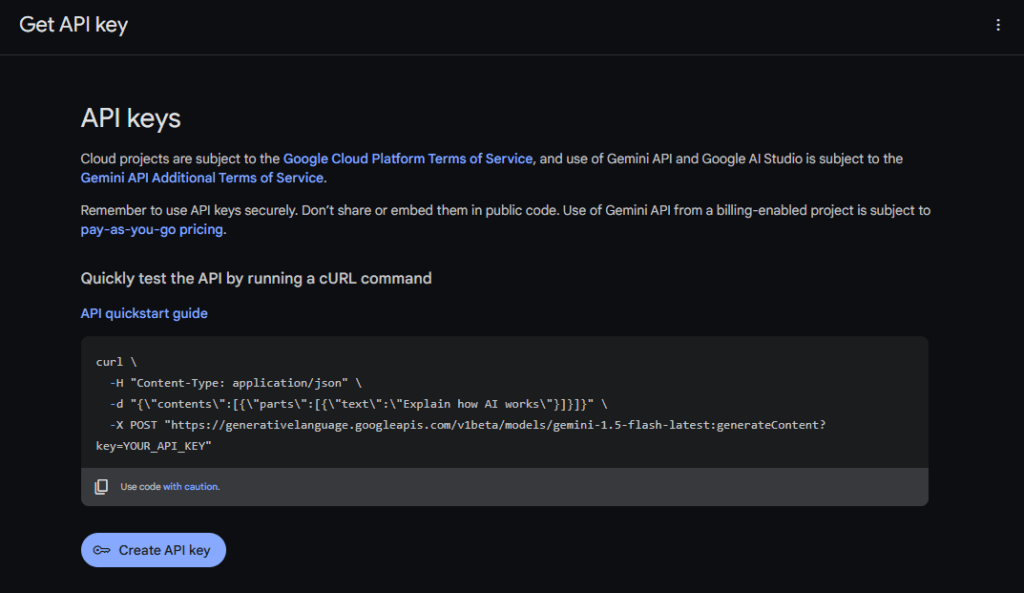
2. Click on Create API Key. It will generate an API Key to use Google Gemini 1.5 Flash Model.
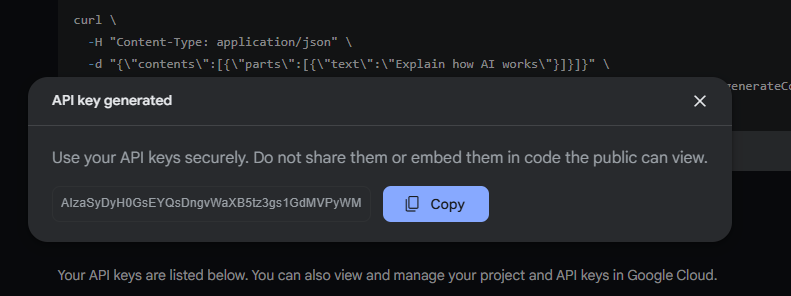
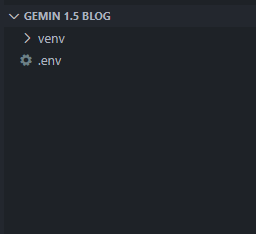
3. Setup your .env file with Enviornment variable for API key.

4. Create and Activate python virtual environment.
First command is use to create a virtual environment for python.
Second command is used to activate the virtual environment.
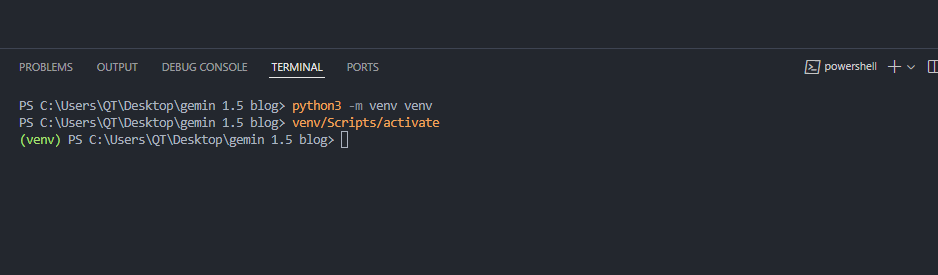
After running first command you will see the folder named venv in your current directory.
5. Download the Google Generative AI library to use Gemini 1.5 Flash model.
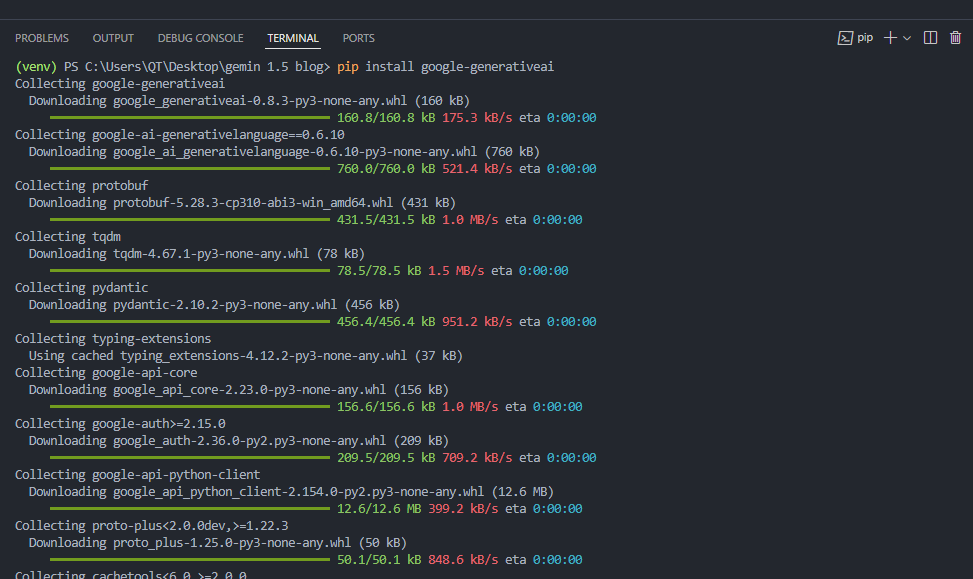
6. Download the python-dotenv library to access API Key from .env file.

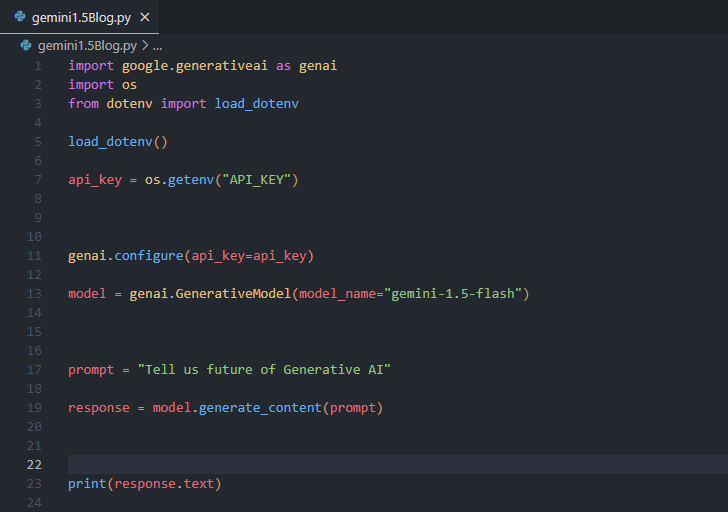
7. Next create a python script to use Gemini 1.5 Flash model.
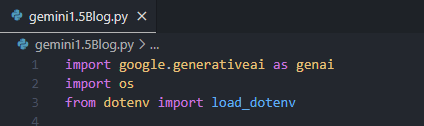
- Imports: google.generativeai to access Gemini 1.5 Flash model.
- load_dotenv to load .env file in our environment.
- os to access our environment variable
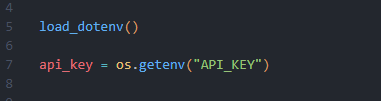
- Load your Api Key from .env file.
- Authenticate your Api key and select Gemini 1.5 Flash model.

- Create a prompt and use Gemini 1.5 flash model to respond to prompt.
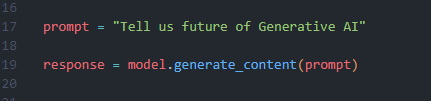
- The whole python script.
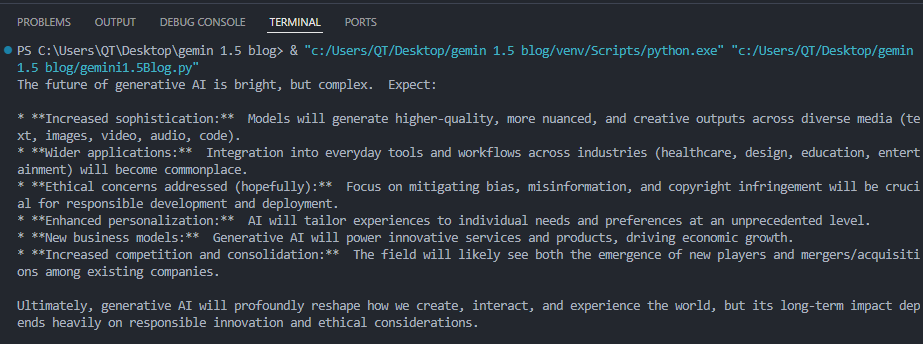
Now run the code and Gemini 1.5 Flash model will give reply to your prompt.
Congratulation you have successfully used Gemini 1.5 Flash model in your python project.
The Right Way to Migrate from MySQL to AWS Aurora DSQL
Migrating a production database is one of the highest-risk changes you can make to an application. Moving from MySQL to AWS Aurora DSQL raises the stakes further...
Read More
From Memory Nightmare to Serverless: Bundling Files into a ZIP with AWS Lambda
A straightforward 'download all these files as one ZIP' request that worked perfectly on my laptop and... fell over the first day it met real production load. Here's the debugging story, the scaling options I ruled out, and why AWS Lambda was the right answer.
Read More
Clean Code vs. Overengineering: Where Should Developers Draw the Line?
Clean code reduces unnecessary complexity; overengineering invents it. A practical guide to using context, evidence, and the cost of change to know when to stop adding abstractions...
Read More
Kafka vs RabbitMQ vs AWS EventBridge: Choosing the Right Architecture Based on Business Requirements
Compare Kafka, RabbitMQ, and AWS EventBridge based on scalability, routing, event streaming, replay, infrastructure, and business requirements to choose the right architecture...
Read More
AI Integrations for QA Engineers
Learn how QA engineers can connect AI with Jira, GitHub, Slack, Notion and other tools to improve testing, bug tracking, reporting and QA productivity...
Read More
The Ultimate Guide to Amazon SES Setup with GoDaddy DNS
Learn how to set up Amazon SES with GoDaddy DNS. Complete step-by-step guide covering Easy DKIM, SPF, DMARC, custom MAIL FROM, and exiting the SES Sandbox...
Read More
AWS DevOps Agent Setup Guide with EC2
Learn how to set up AWS DevOps Agent with EC2, CloudWatch, IAM, and Agent Spaces for AI-assisted monitoring, incident investigation, and root-cause analysis...
Read More
Multi-Tenancy Patterns in DynamoDB: Silo, Pool, and Bridge Models
If you've already made the jump from a relational database to DynamoDB see our guide on moving relational data from SQL to DynamoDB...
Read More
We stopped leaving the IDE to design. Here’s our Cursor → Figma flow
Cursor drafts fast, catches gaps early, and still clips fields and breaks layouts. Here's the real pros-and-cons breakdown of our workflow...
Read MoreReady to Work With Us?
Most engagements start with a 20-minute conversation. No pitch, no pressure - just an honest discussion about what you're building and whether we're the right fit.